j

Lorem ipsum dolor amet, consect adipiscing elit, diam nonummy.

Follow Us

Search

CenterPoint Energy Design System

Scaling Consistency

Summary

Context

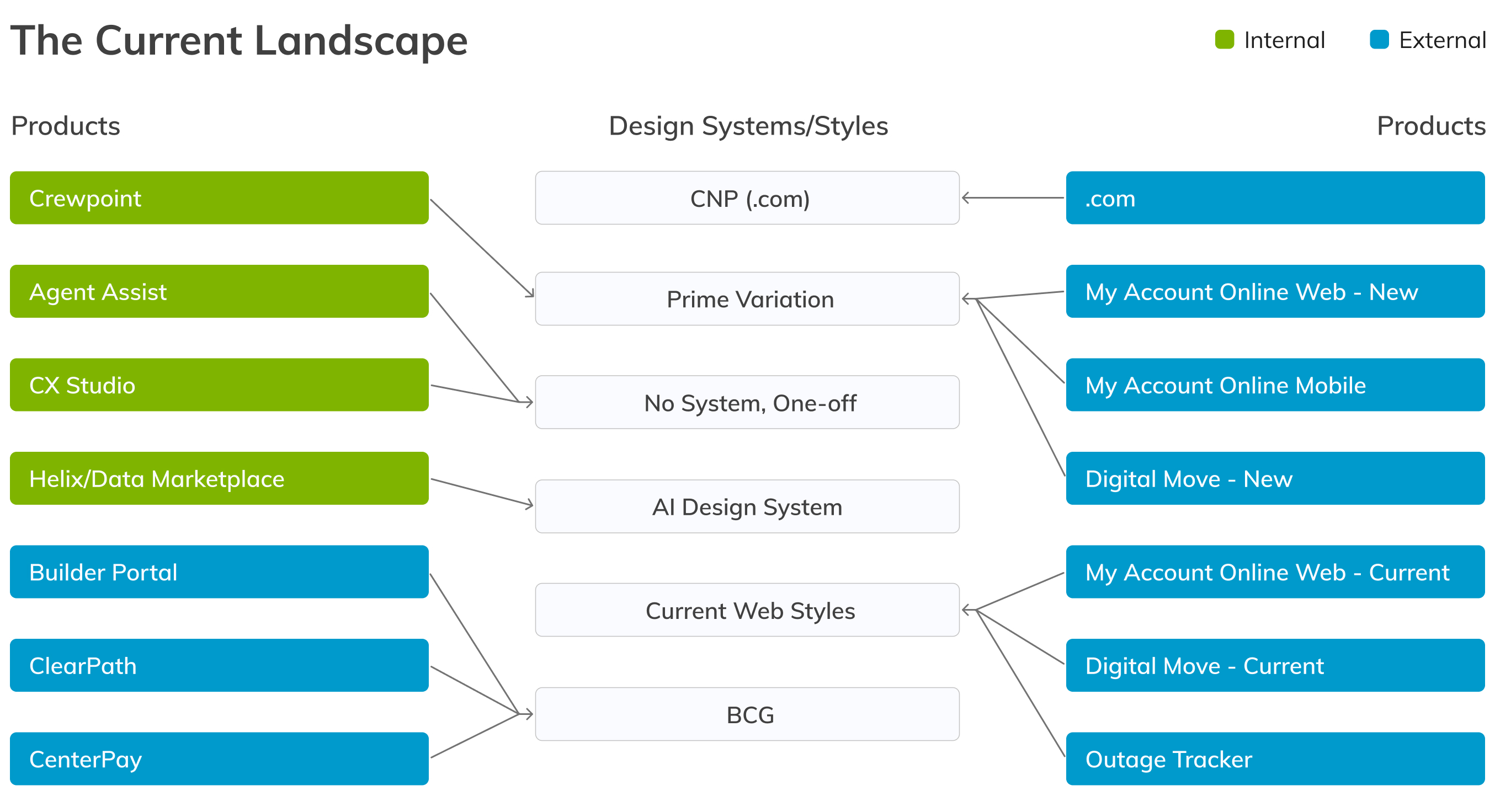
CenterPoint Energy’s internal and external applications were built on various different design system and styles. This caused inefficiencies, as designers and developers were building and maintaining components over and over, and caused inconsistencies in the experience across the company, which diluted their brand identity and trust. There was a previous attempt to fix this using PrimeNG, a prebuilt design system, as a shared base, but several teams failed to adopt it because it didn’t suit their needs. The solution was to consolidate down to a limited number of shared systems where components and design tokens could be reused, so teams weren’t duplicating work and experiences were consistent, building the brand.

My Role

I sat down with various designers and product owners to go over and understand the applications they work on, and get access to the live applications and design files. I audited the design systems and styles already in use across CenterPoint’s applications, and interviewed designers, developers, and product owners to understand why the previous attempt at a universal system didn’t work. I defined the new system’s strategy and governance model, and presented options to directors, managers, and product owners to build alignment. I built the system, including foundational elements, components, tokens, and documentation, and I worked with product teams to roll it out, onboarded designers onto it, and maintained and evolved it to suit applications’ needs.

Discovery

The Problem

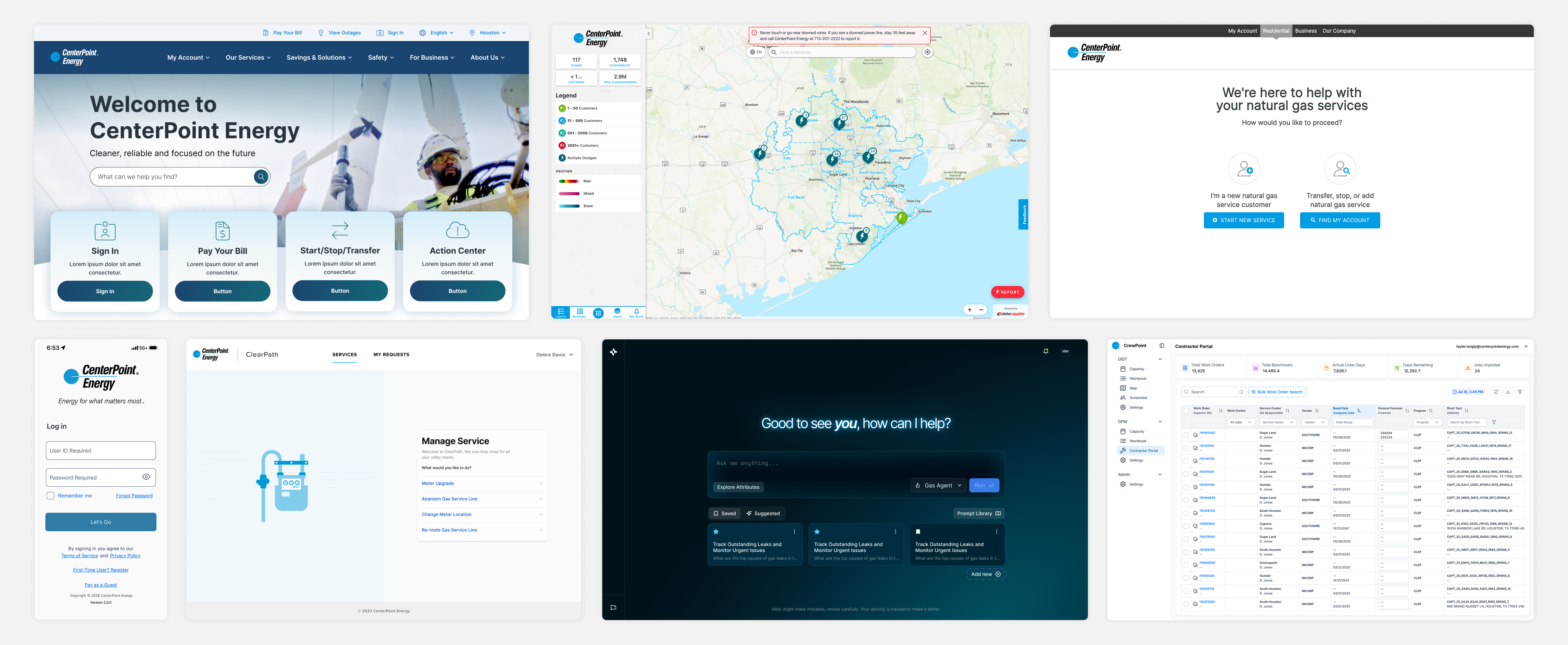
Products at Centerpoint were using different styles and systems, with no shared guidelines. This resulted in inconsistent design across the products and inefficiencies for designers and developers in building and maintaining components and styles instead of sharing them.

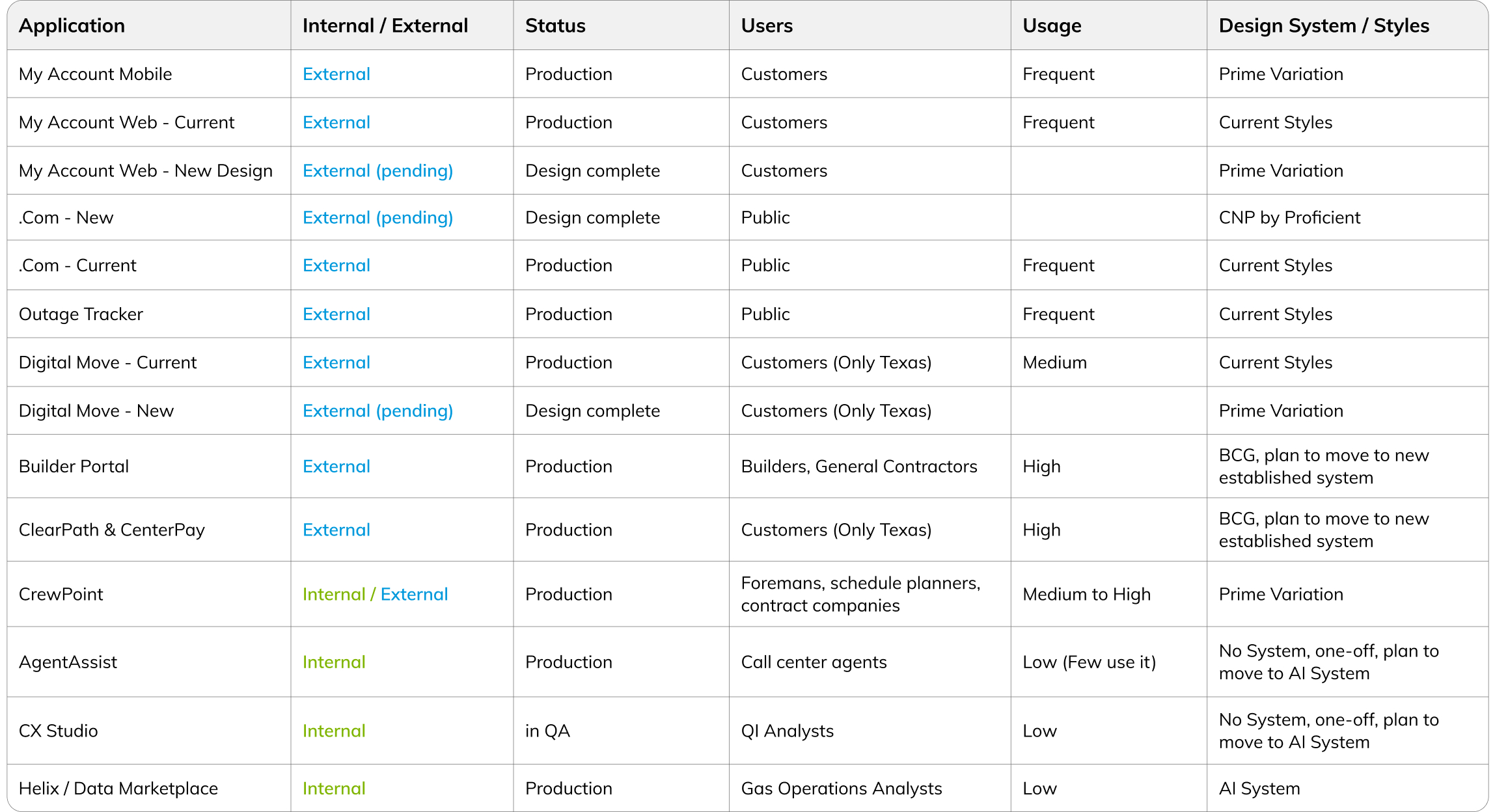
What made this harder was that products had different owners, different agencies or internal designers and developers working on them, and different purposes, spanning AI tools, external billing and payment, utility applications, and a public marketing site.

Same brand, different experiences, with buttons, navigation, type, and color changing from product to product.
Products map to different design systems, or have no system at all.
Internal and external products have different users, usage, and styles.

Talking to Designers and Product Owners

There was a previous attempt to establish a universal design system using PrimeNG as a base for UI components and tokens, but only some designers followed it, and without guidelines in place, any use of it was inconsistent. I talked to designers, developers, and product owners to understand why they didn’t use it, to get a real sense of what people actually needed from a design system before proposing another one.

“Because it’s an AI product it can look different, more like other AI products.”

“Lacks website components such as hero sections.”

“Prime System lacks documentation on styles and components usage.”

“The styling isn’t specific to CNP’s brand guidelines.”

Highlights from feedback gathered during interviews.

Auditing the Existing Systems

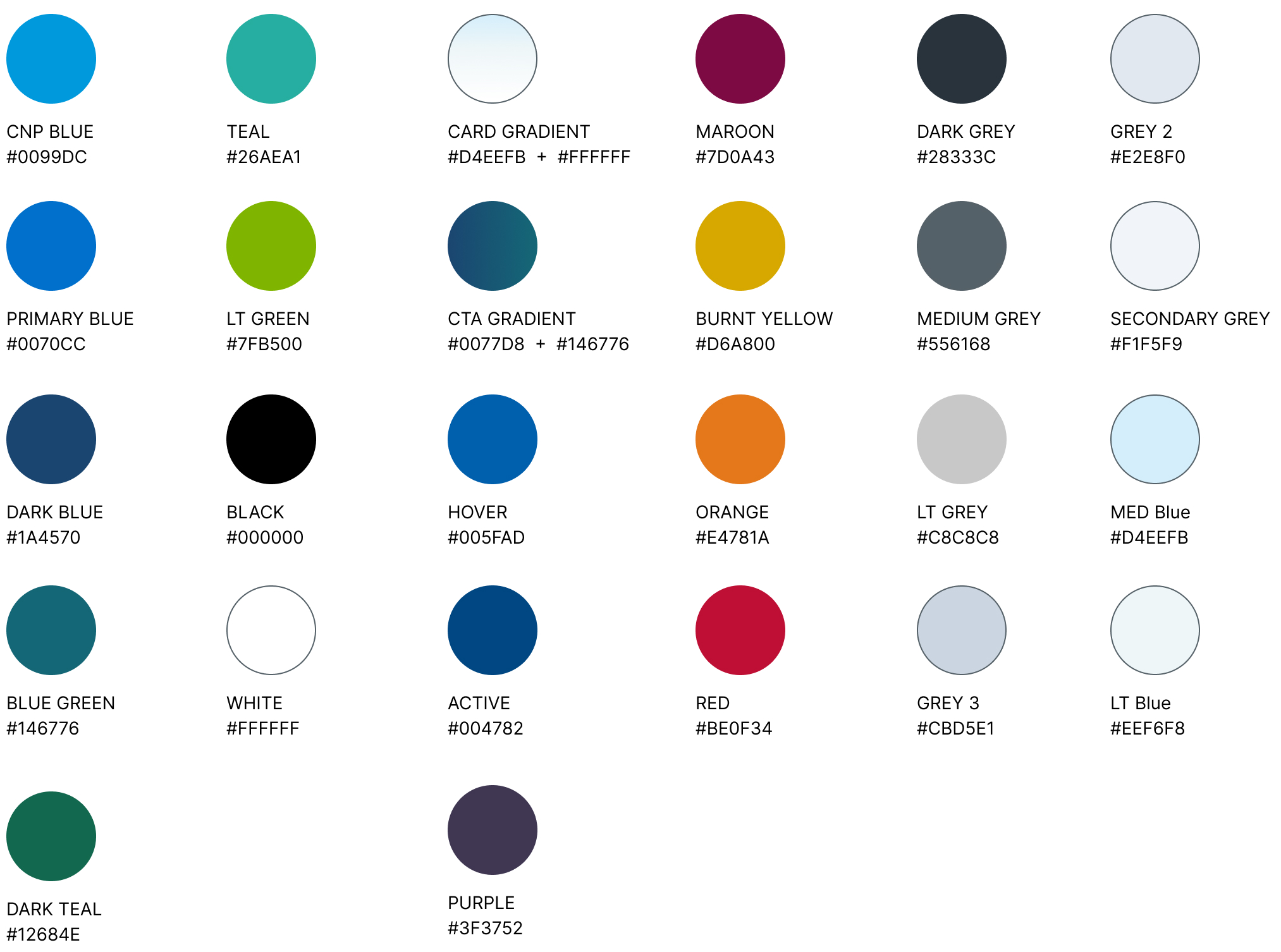
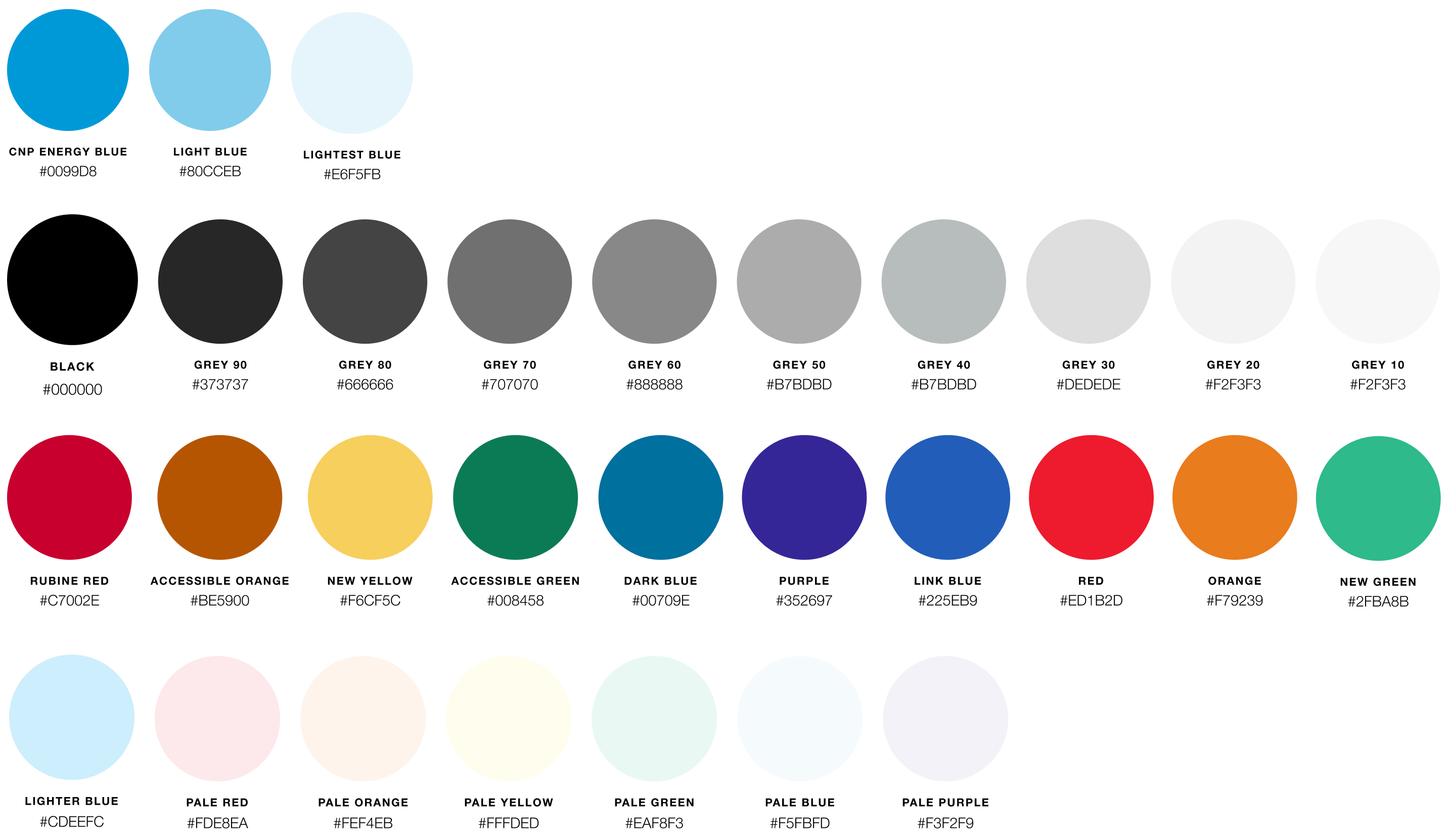
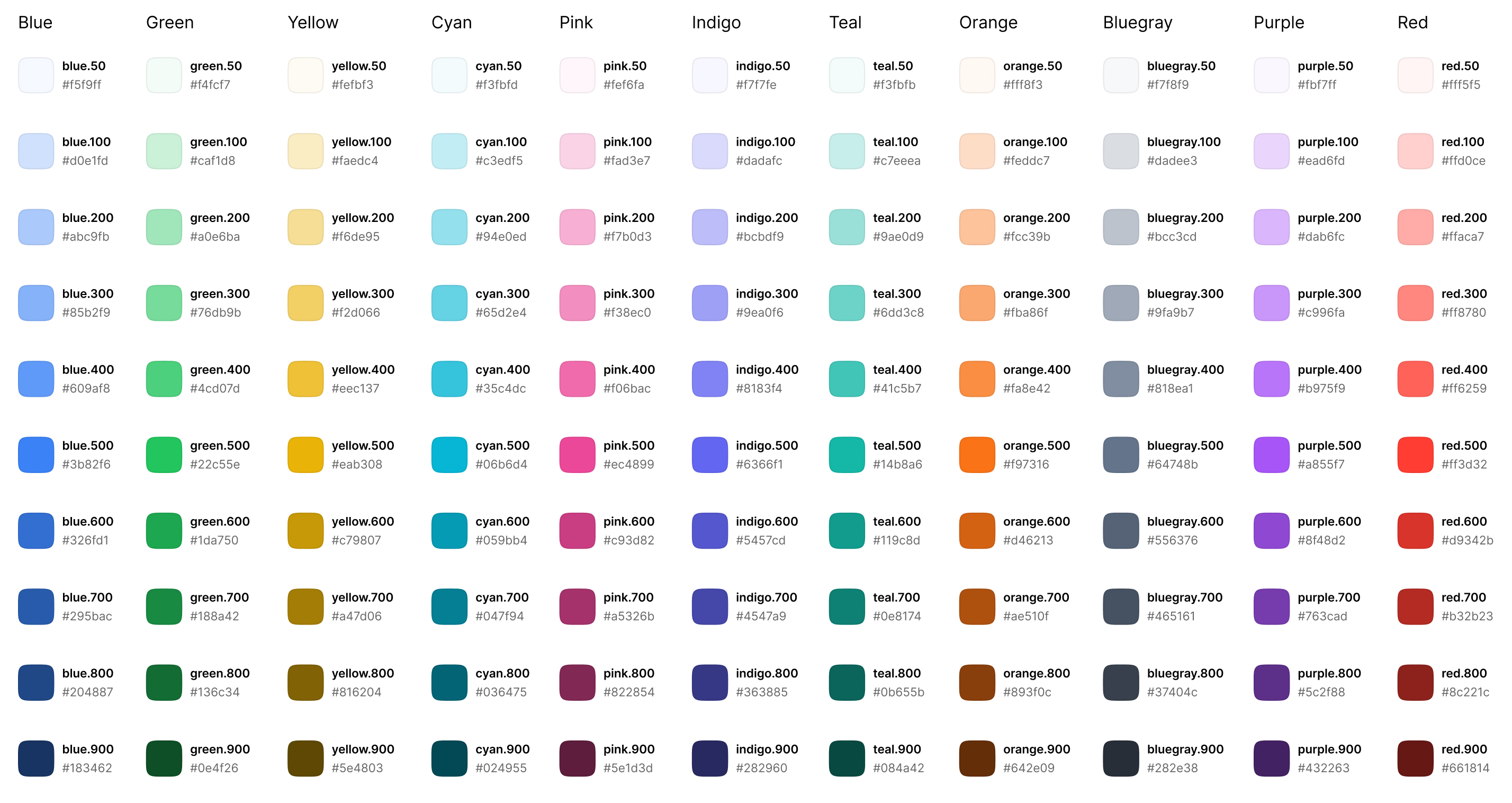
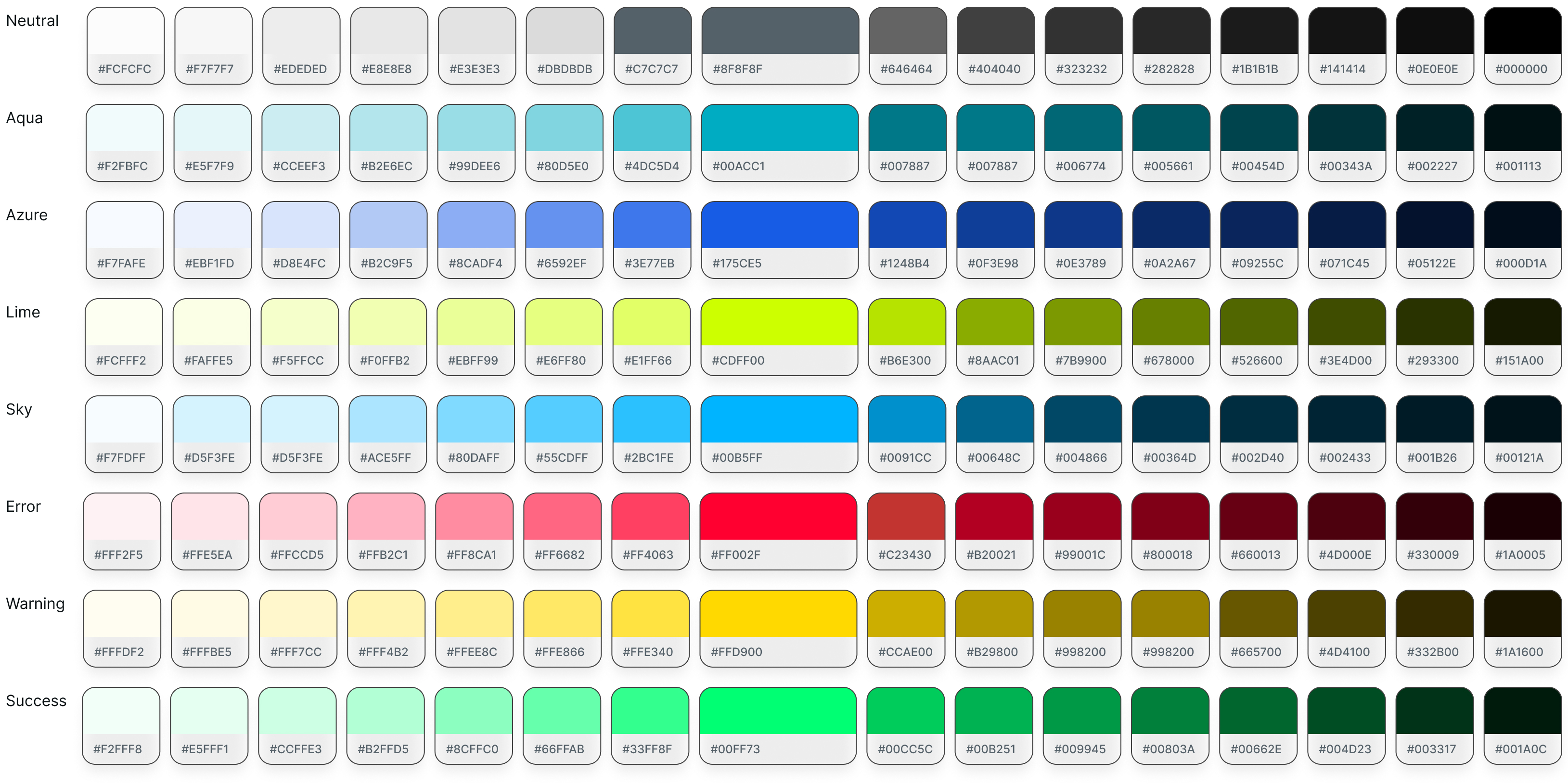
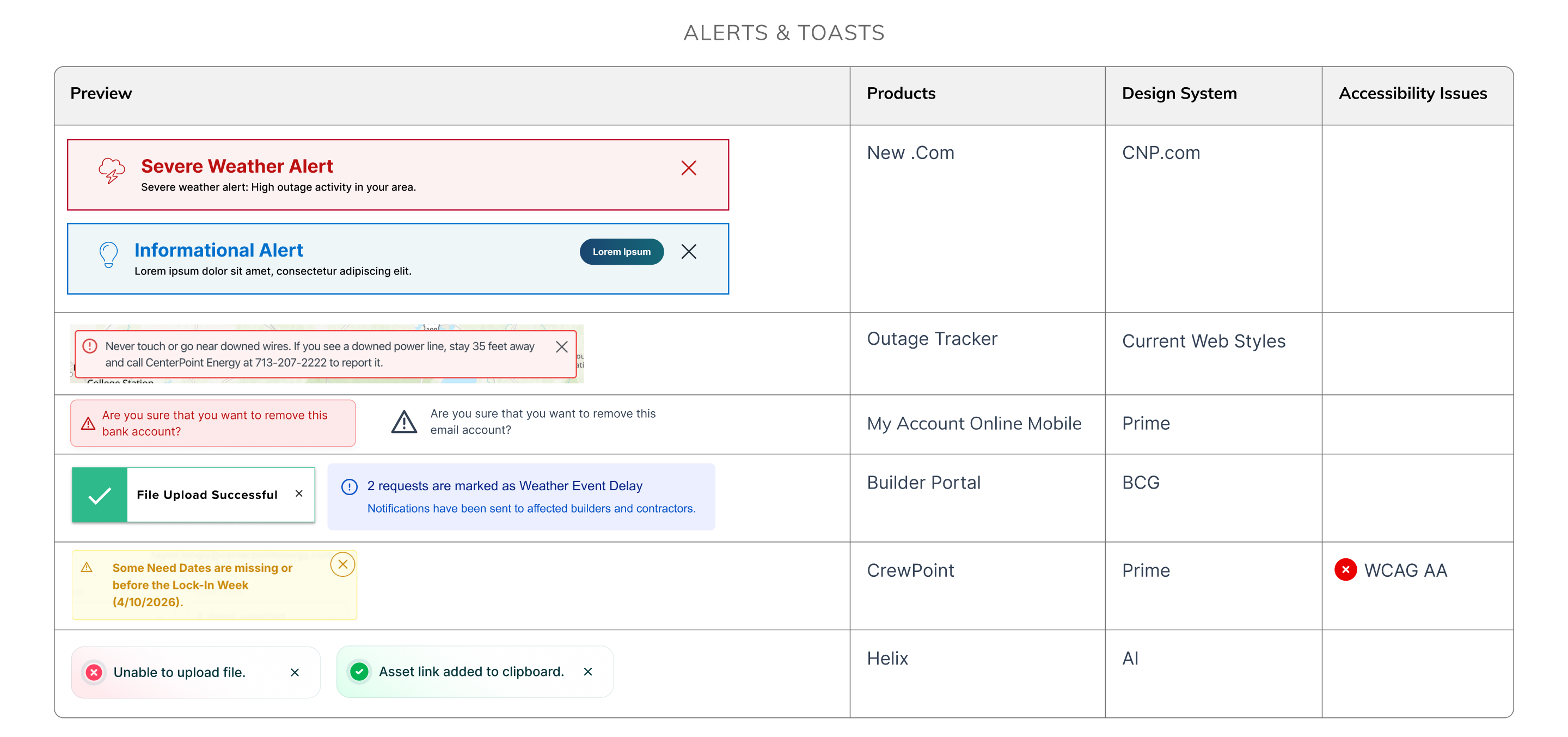
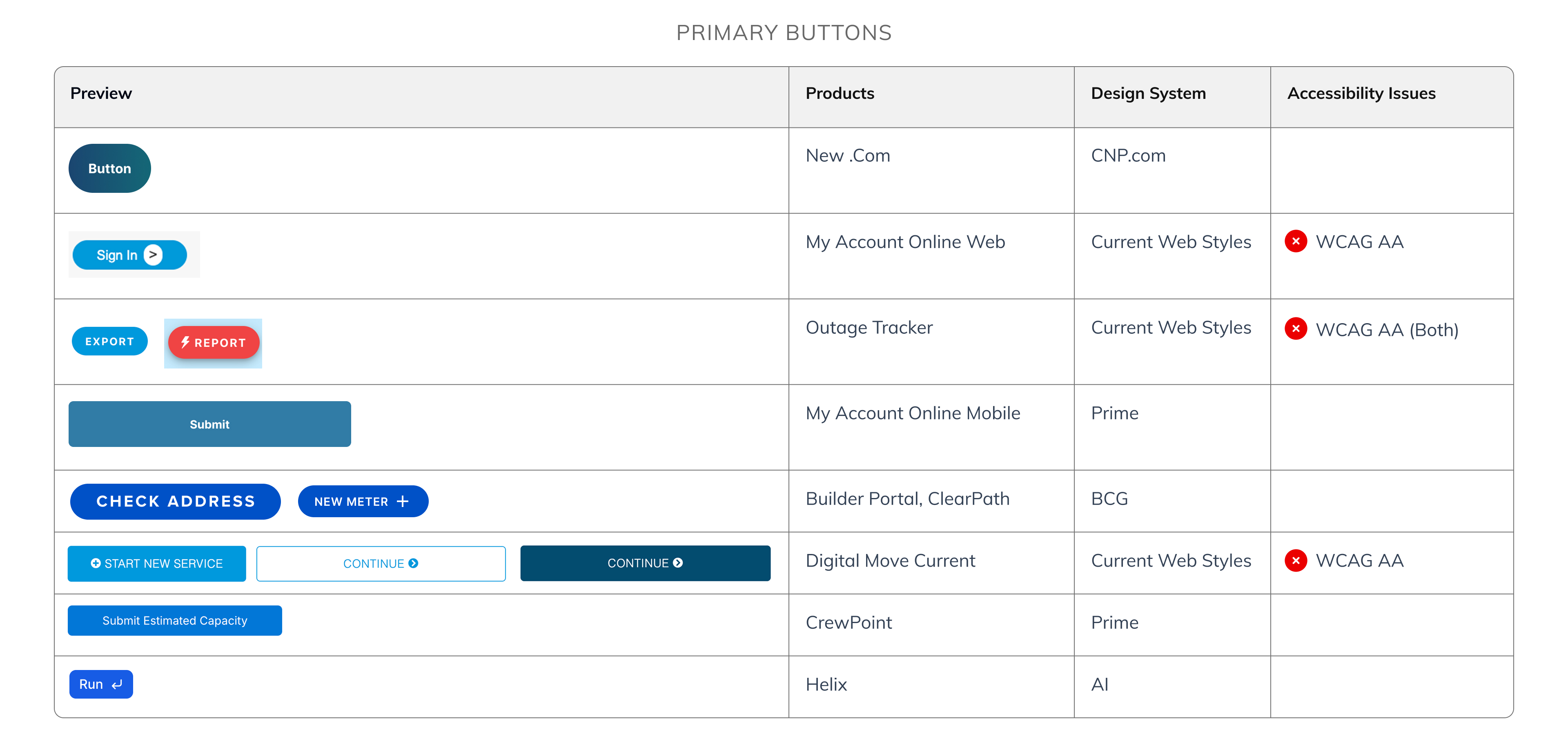
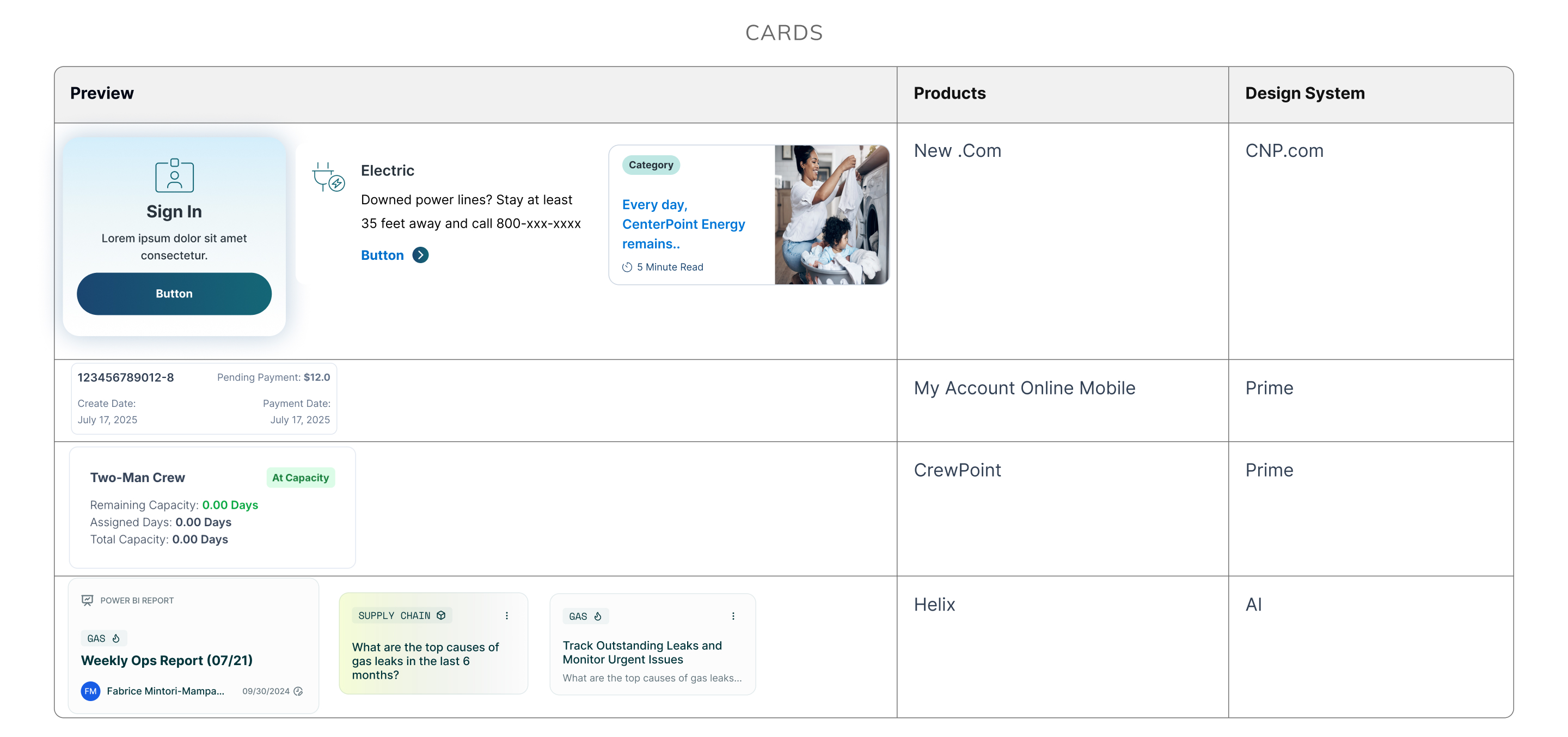
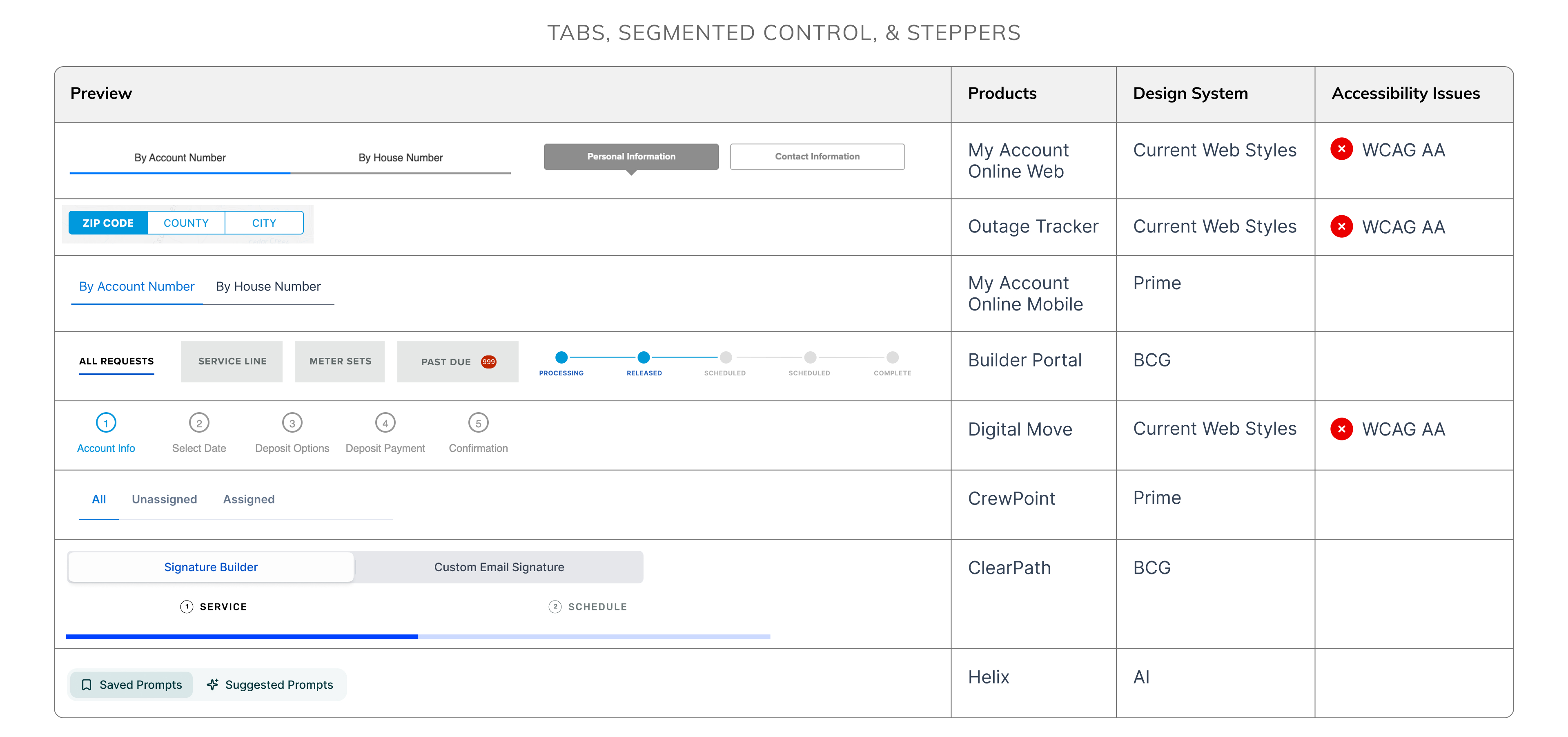
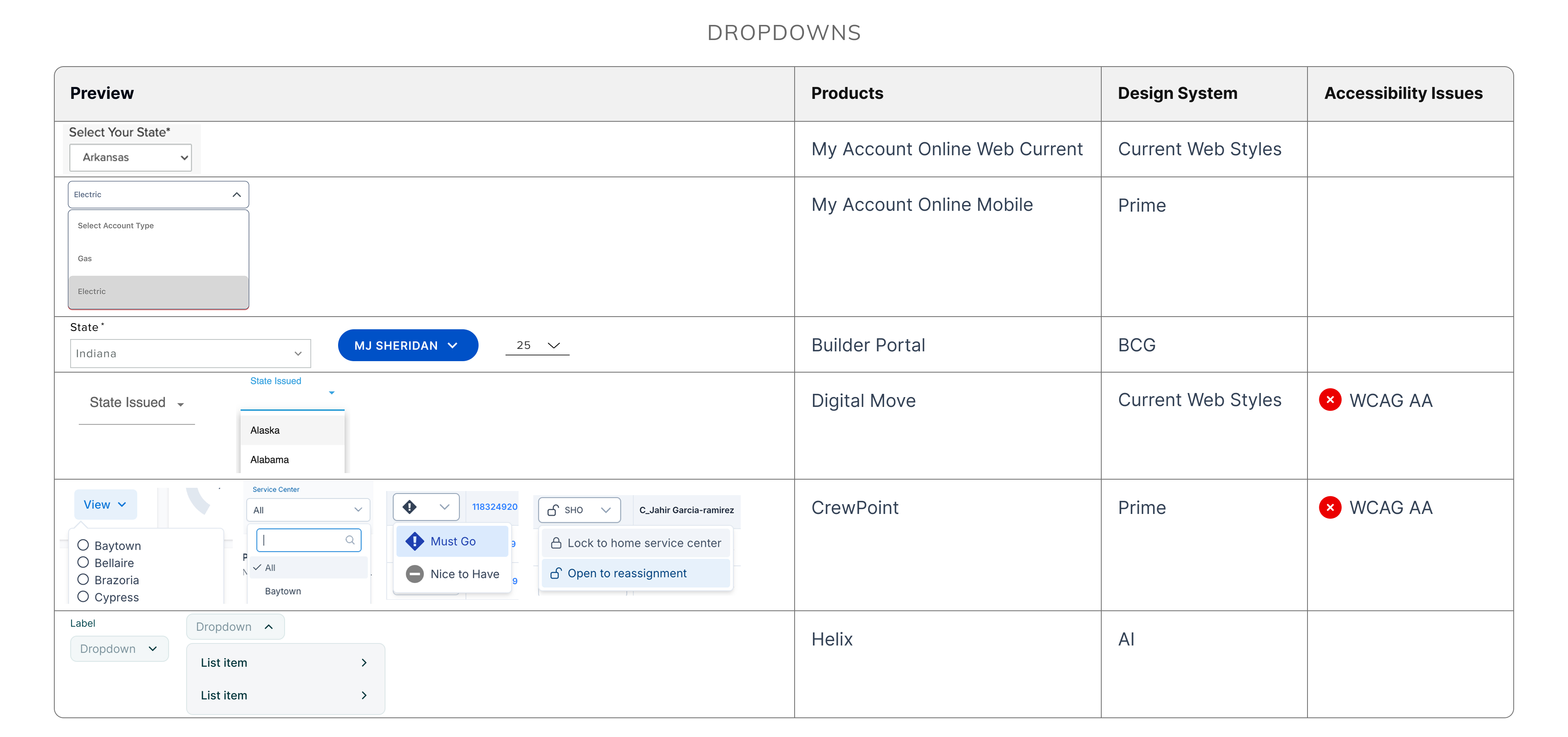
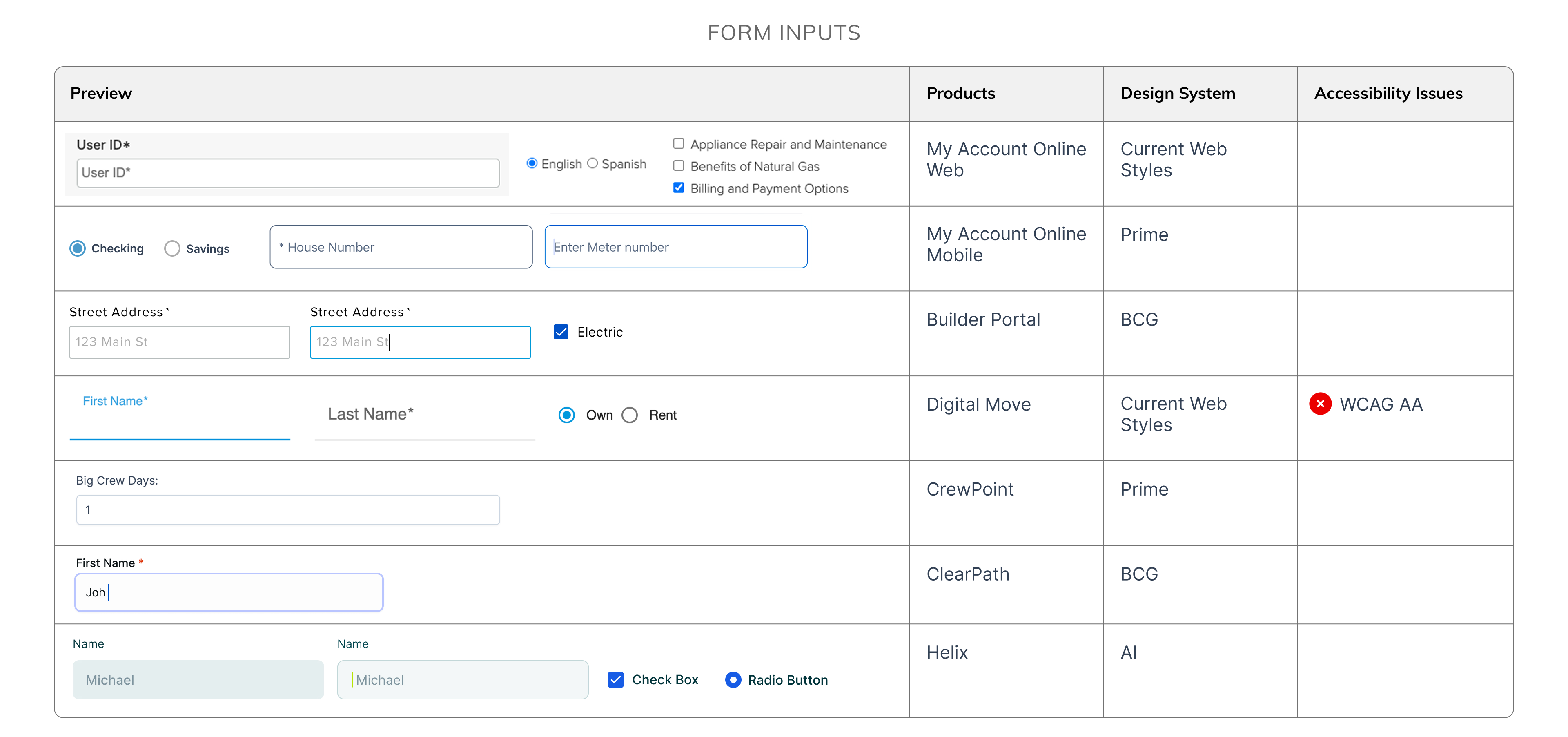
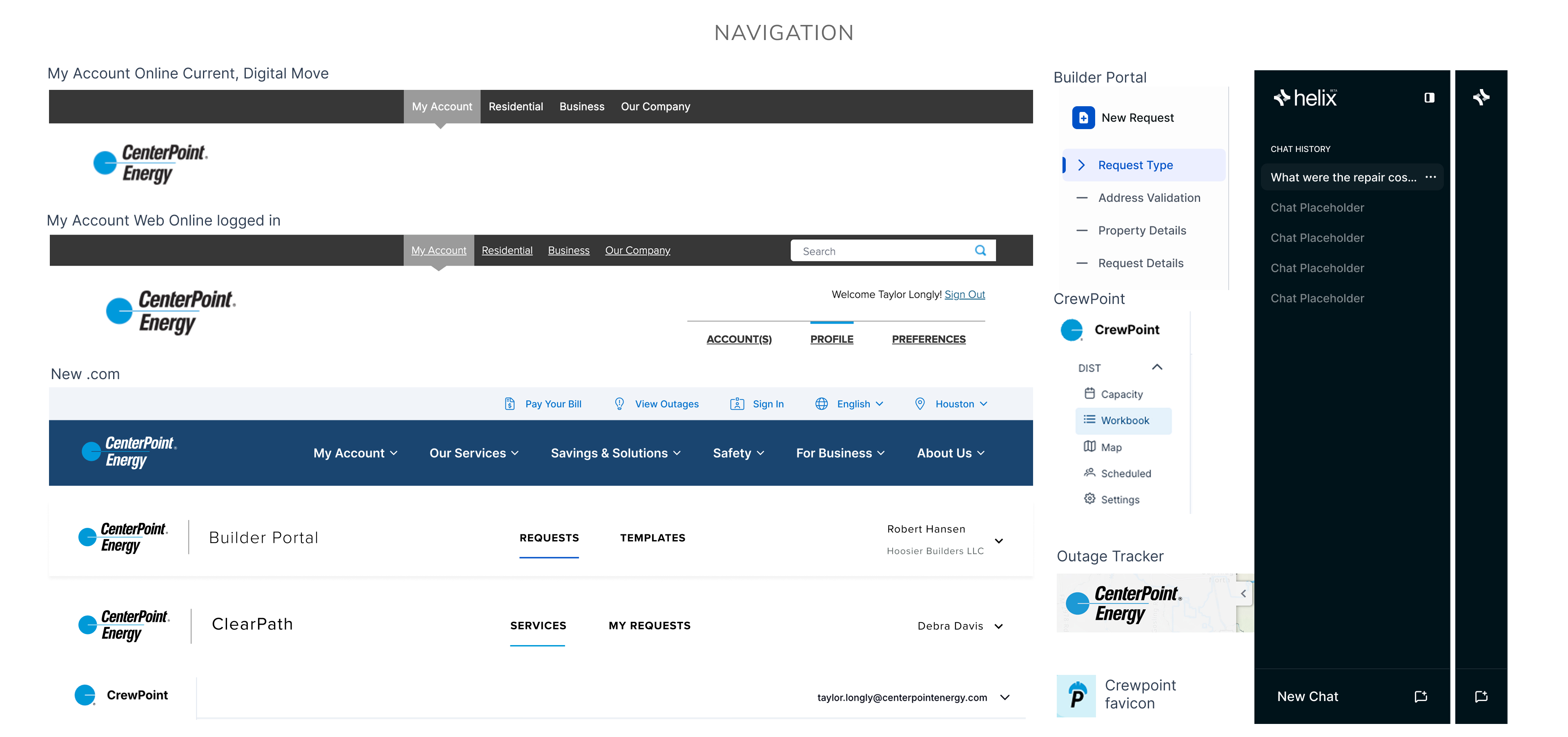
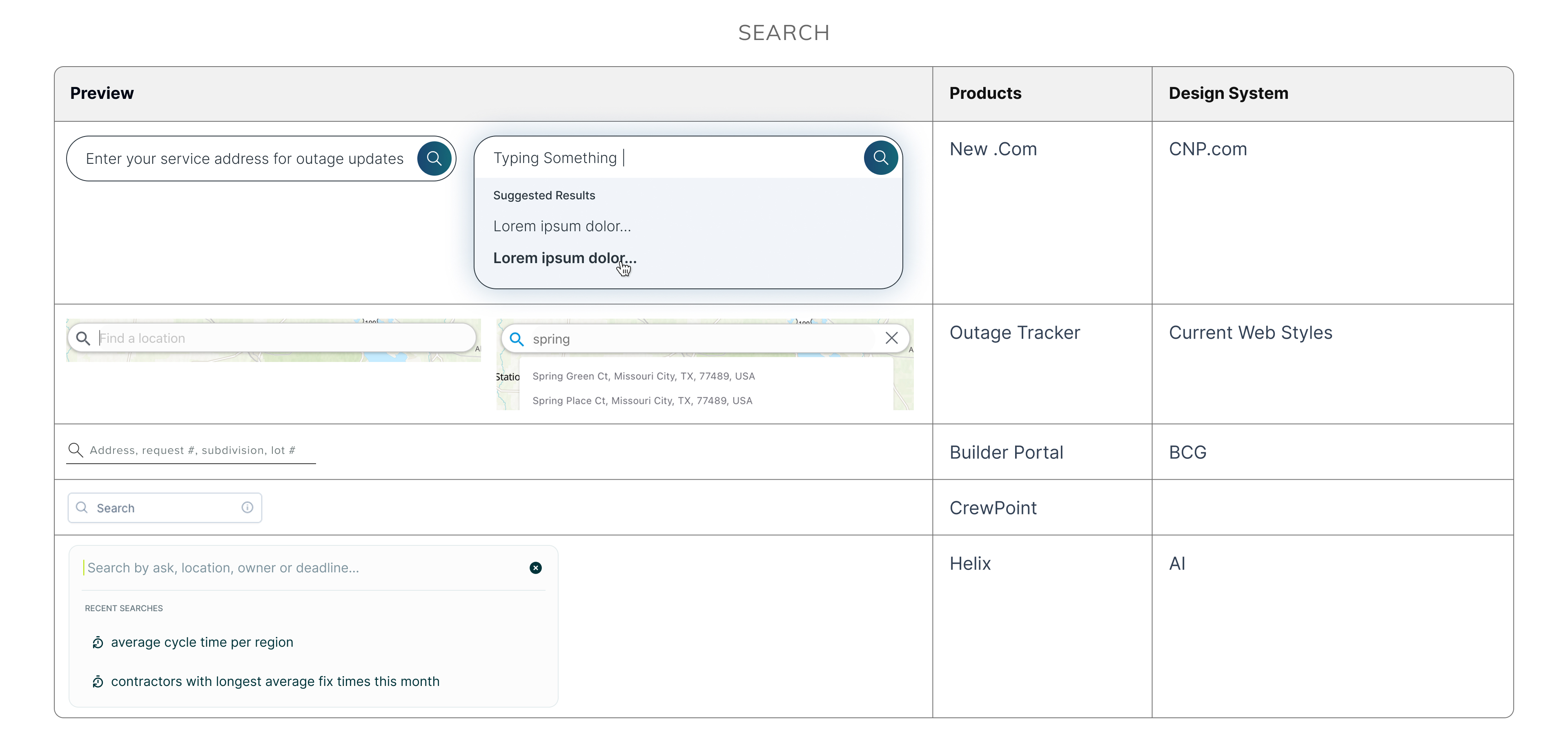
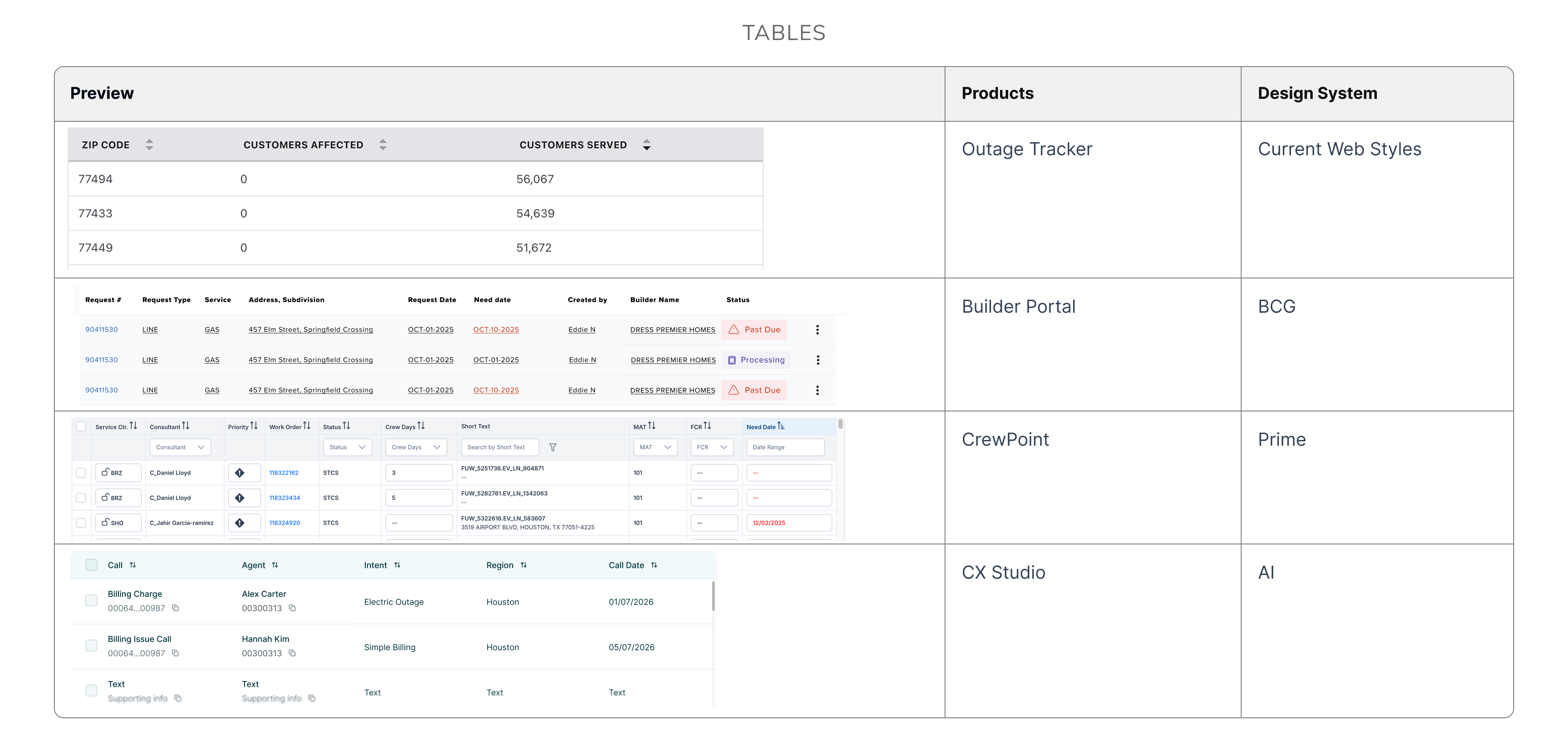
I audited what styles and components were used across the applications, to find where things overlapped, shared patterns existed, discover component needs and gaps, flag accessibility issues, and identify technical constraints, so I could make informed decisions on the new design system’s strategy and build components and patterns that bridged gaps, met accessibility compliance, and suited the applications’ various component needs and variations. I also checked everything against CenterPoint’s brand guidelines to see where existing styles matched brand standards and where they didn’t. Below are some of the elements used across the different systems and products.

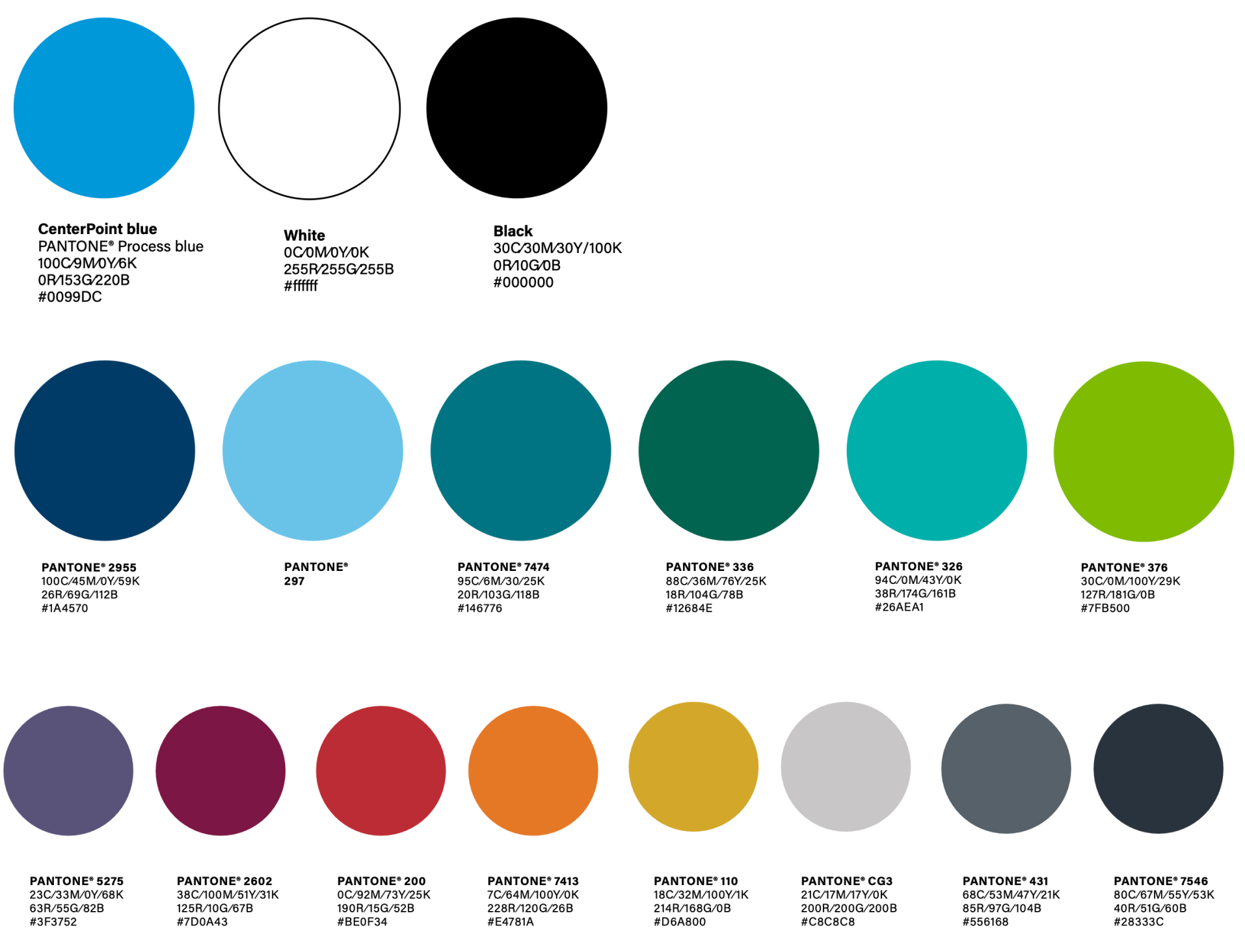
Colors

Brand Guidelines

CNP.com Design System

BCG DESIGN SYSTEM

Prime Design System

AI Design System

Key Takeaways

  • The CNP .com design system implemented brand colors into their system. They introduced a slightly darker blue then the Primary CNP blue to comply with WCAG 2.2 AA contrast requirements. They introduced subtle gradients. The brand guidelines don’t include gradients but they use them in the design of their marketing material.
  • There’s a lot of teals and blue/green mixes in the brand colors.
  • The AI design system isn’t using any of the brand colors, but uses some similar colors.
  • The Prime system doesn’t use the brand colors.

Typography

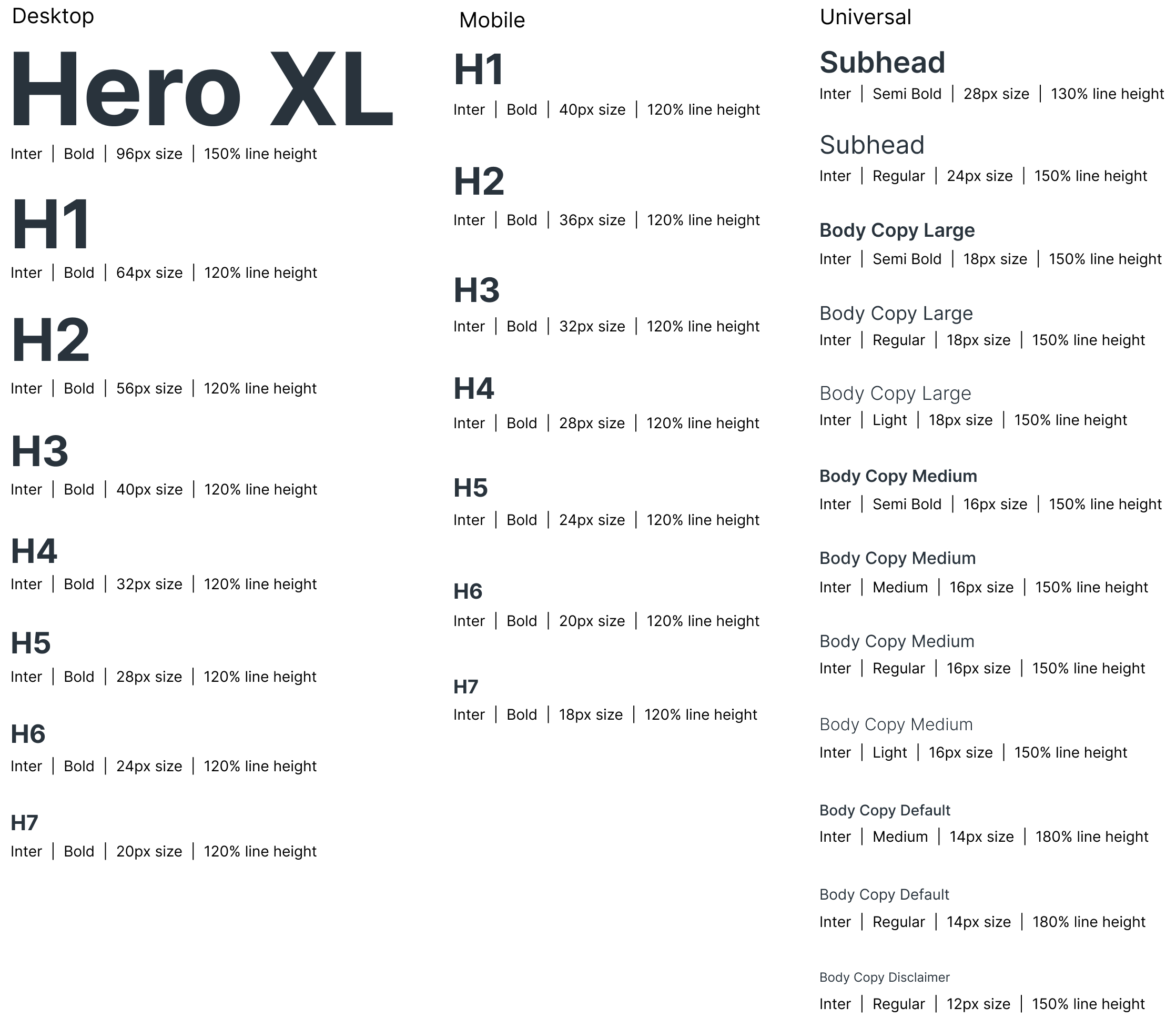
Brand Guidelines & BCG DESIGN system

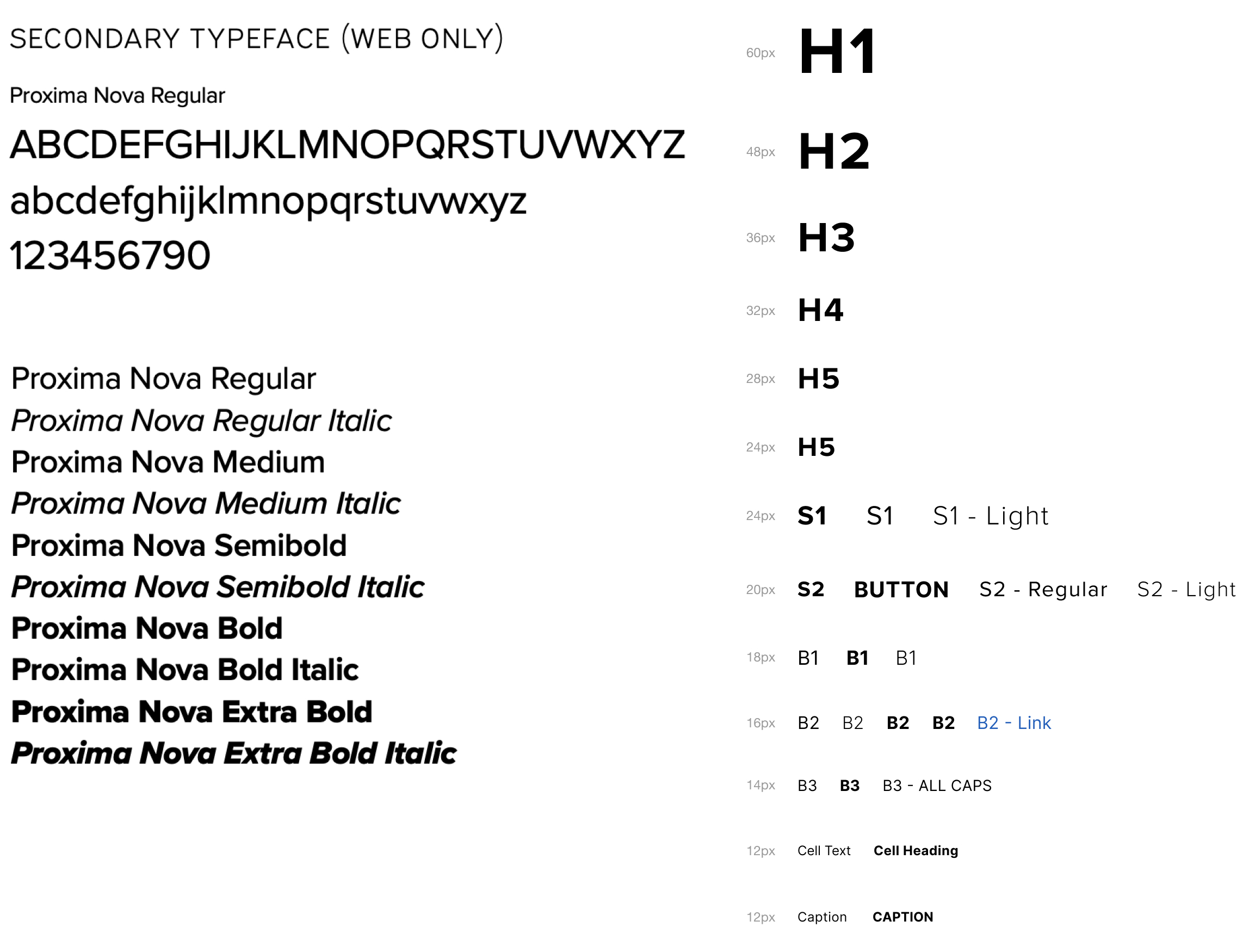
CNP.com Design System

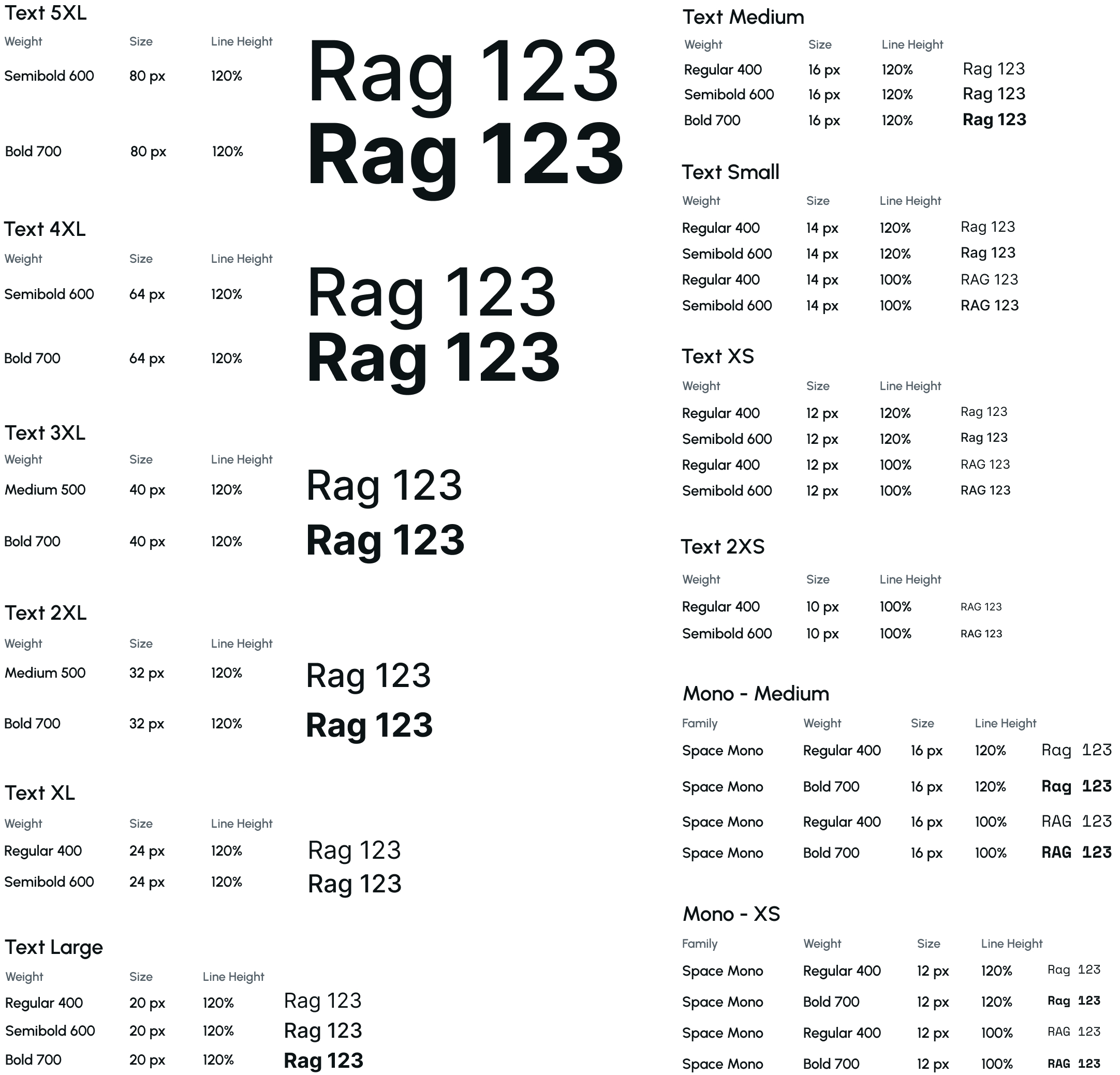
AI DESIGN SYSTEM

Key Takeaways

  • All updated and newer products are using Inter as their standard.
  • The AI design system incorporates an additional mono font decoratively.
  • The typescales used are inconsistent.
  • Current applications and the current website are using Proxima Nova, which is the brand standard font for web applications.
  • The Branding Director agreed that an open-source font would be a better fit for web applications than Proxima Nova, which is not open source. He also agreed to update the brand standards to reflect this change.

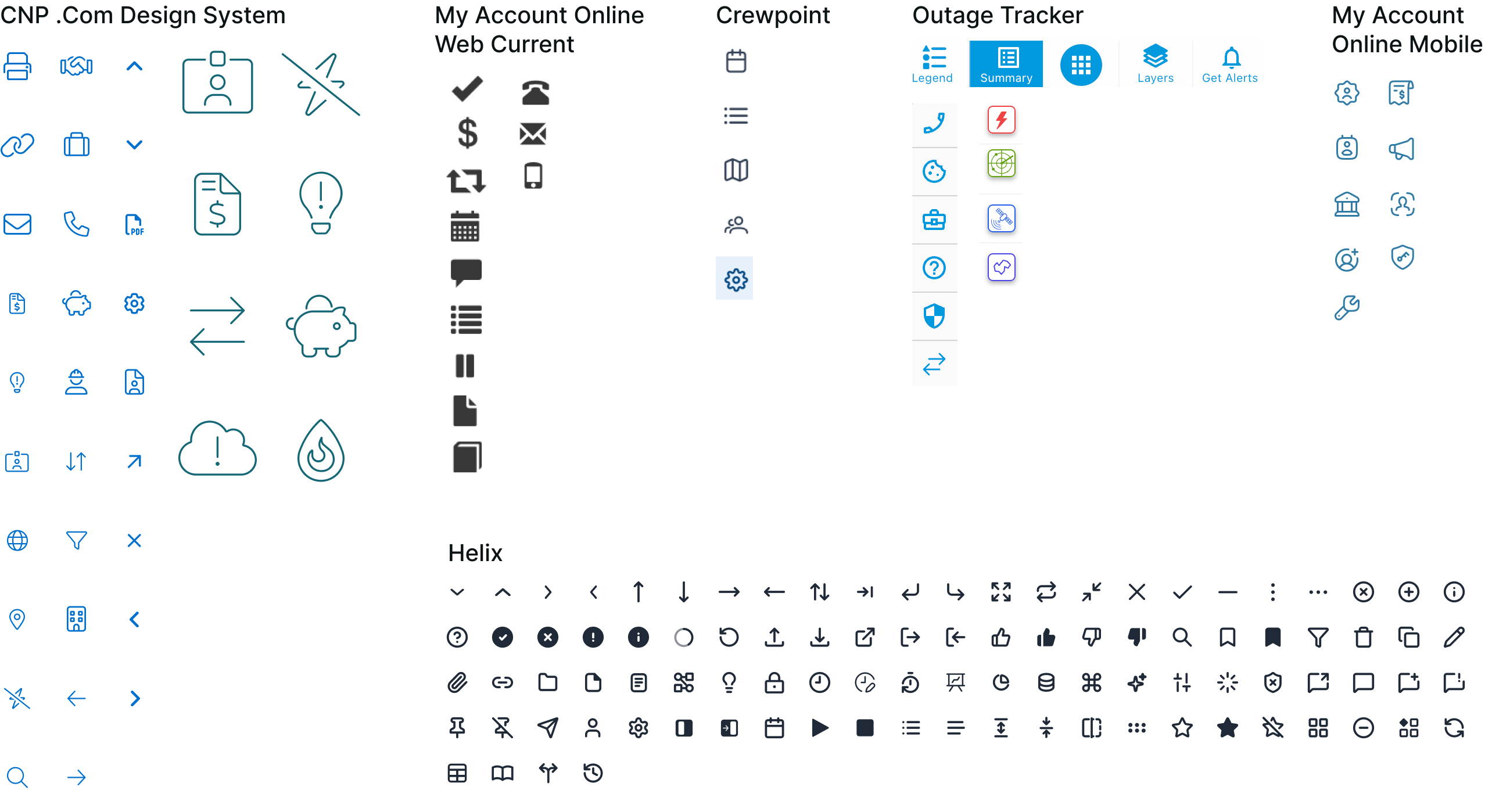
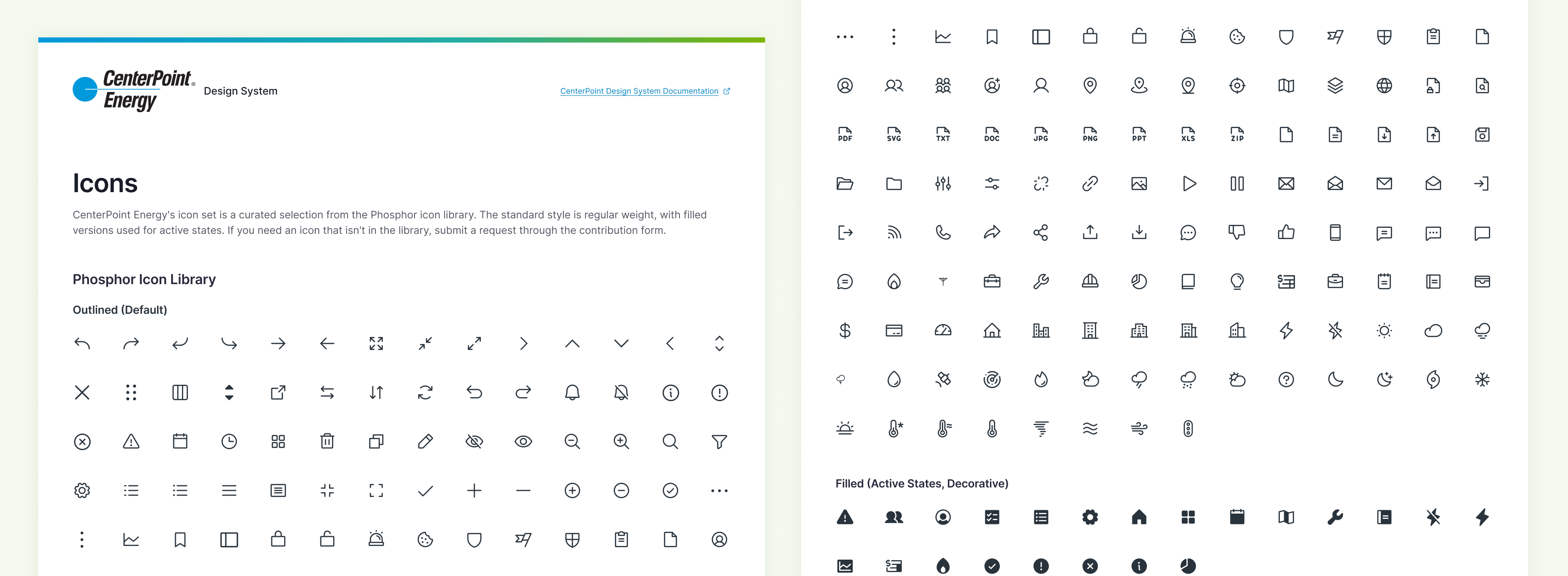
ICONS

COMPONENTS

Researching Other Design Systems

I looked at how other companies had structured their design systems, including the key content included, and how they accounted for AI products and features and marketing websites, similar to what CenterPoint was facing.

Design Systems Researched

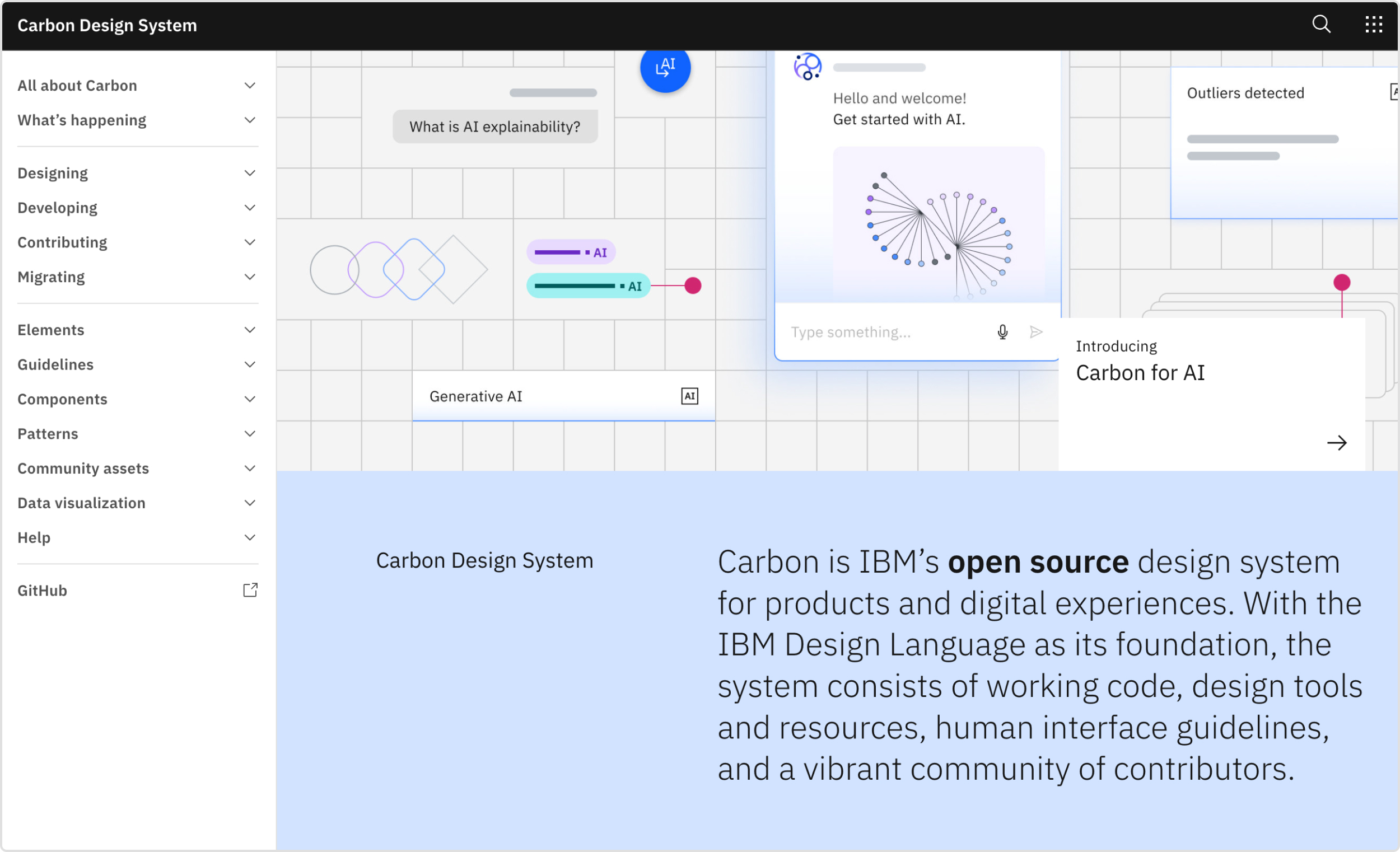
IBM Carbon

Built for scale across multiple frameworks and sub-systems as a product grows, useful for seeing how a design system holds together at enterprise breadth, with multi-framework component libraries, a dedicated data visualization library, and AI-specific components and guidelines.

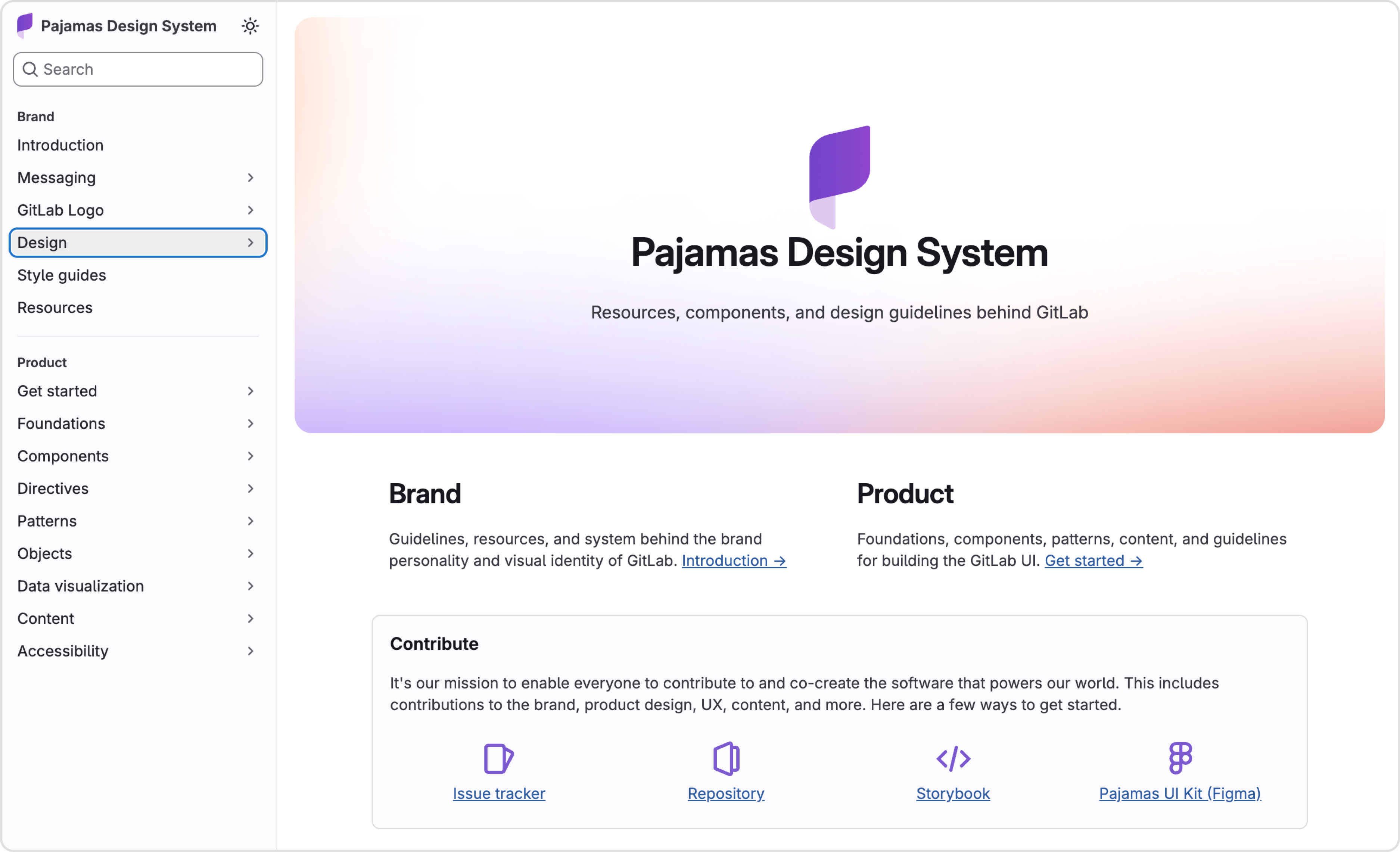
GitLab Pajamas

Combines brand and product design into one unified system, useful for evaluating documentation depth and brand-product unity, including detailed Figma workflows, content and UX writing guidelines, and dedicated patterns for AI agents and chat interfaces.

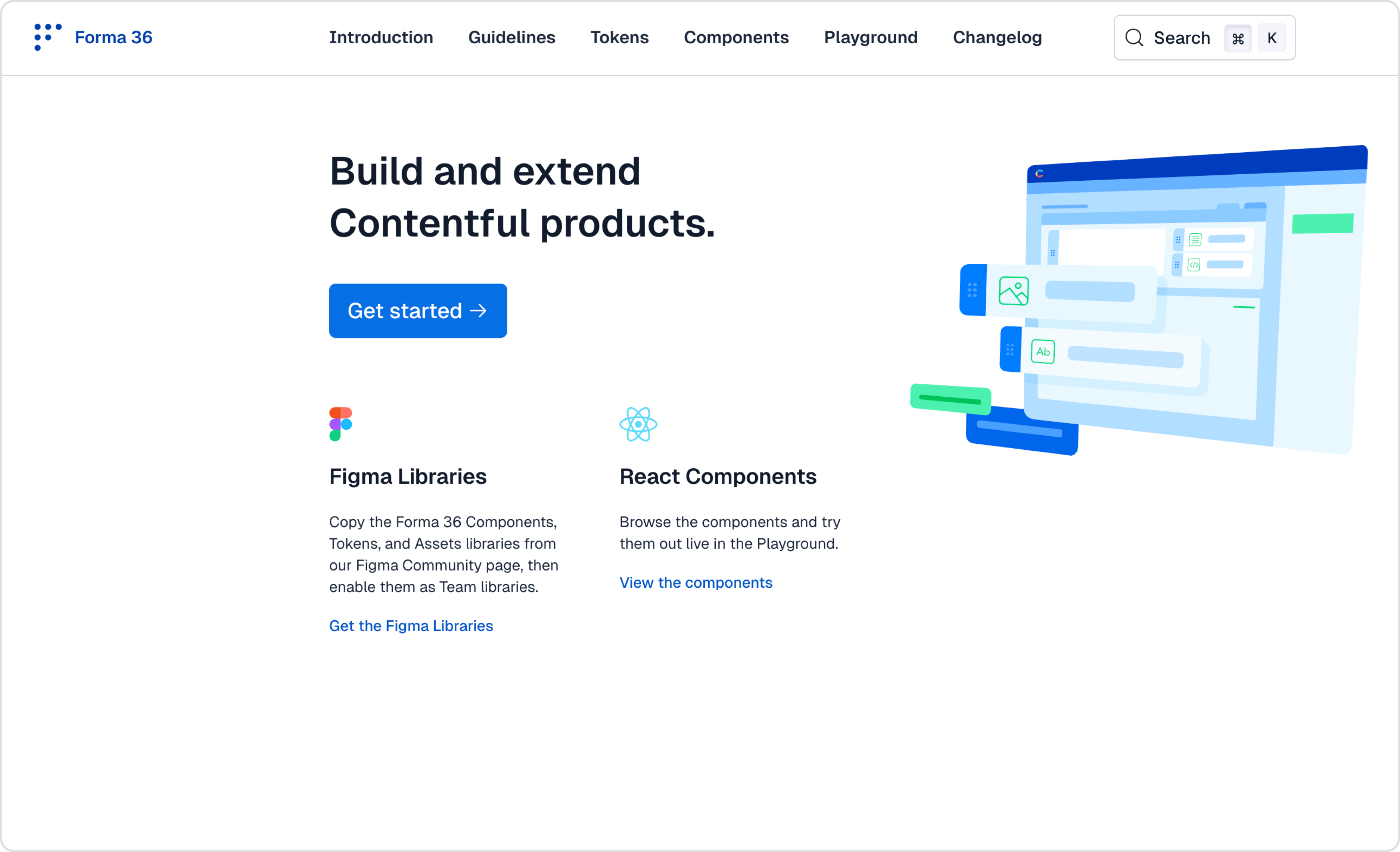
Contentful Forma 36

A leaner system scoped specifically to building and extending Contentful’s own apps, useful as a counterpoint to Carbon and Pajamas, with simple, clearly organized tokens and components and a live component playground for testing interactively.

Design System Core Content

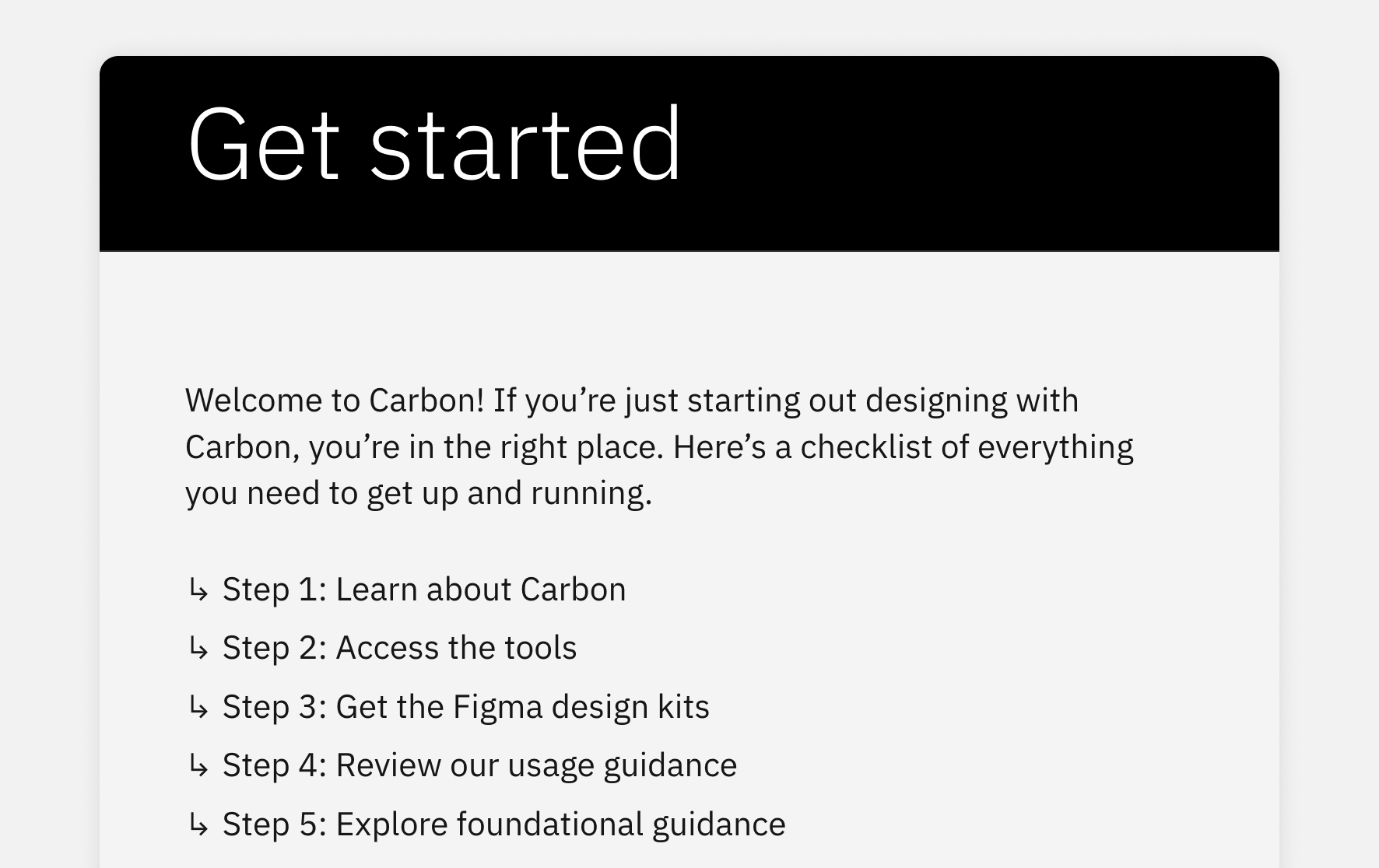
Getting Started

Onboarding for new designers and developers: an overview, quick-start guides, and contributing guidelines.

Foundations

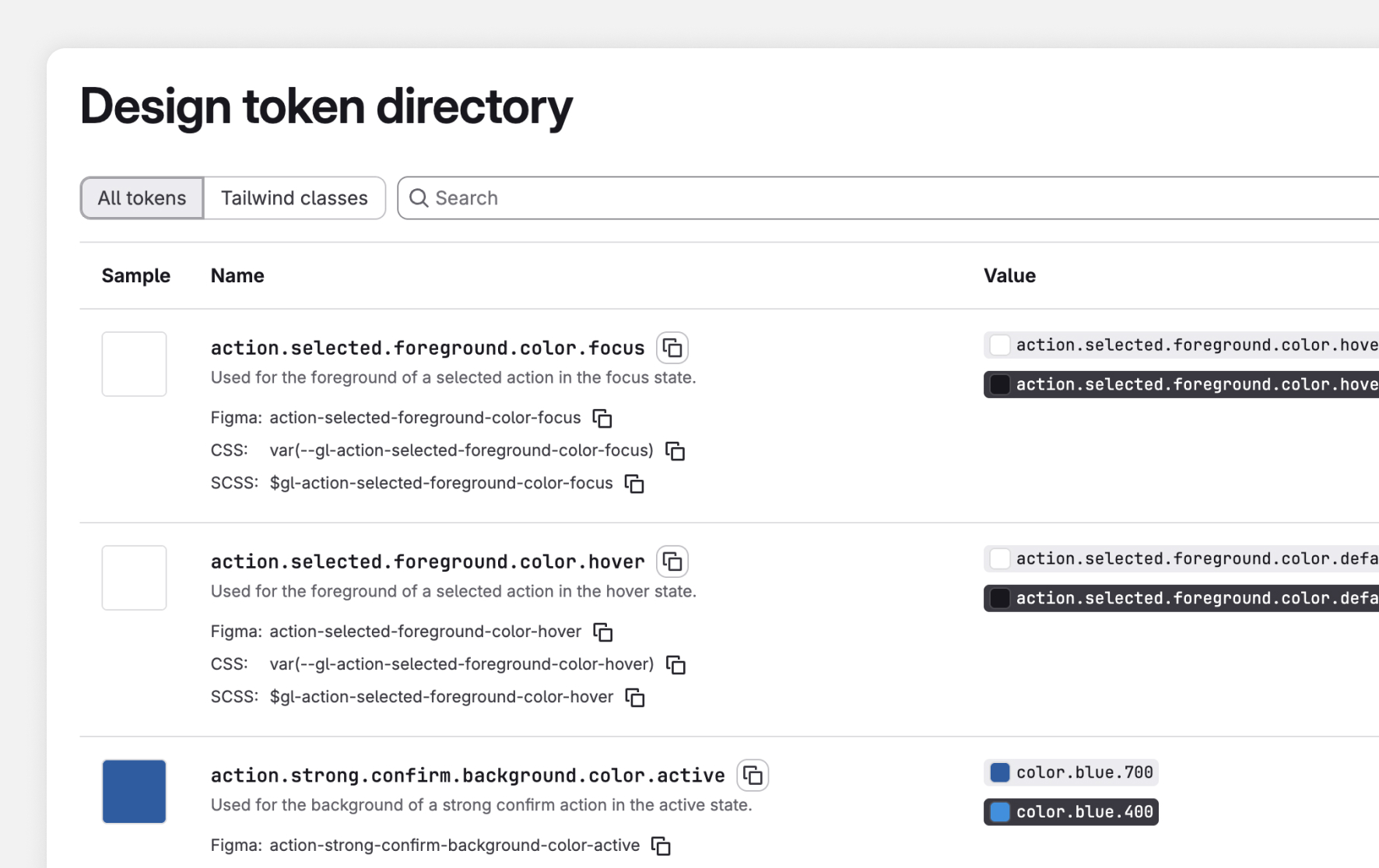
The base building blocks everything else is built on: color, typography, spacing, layout, tokens, primitives.

Components

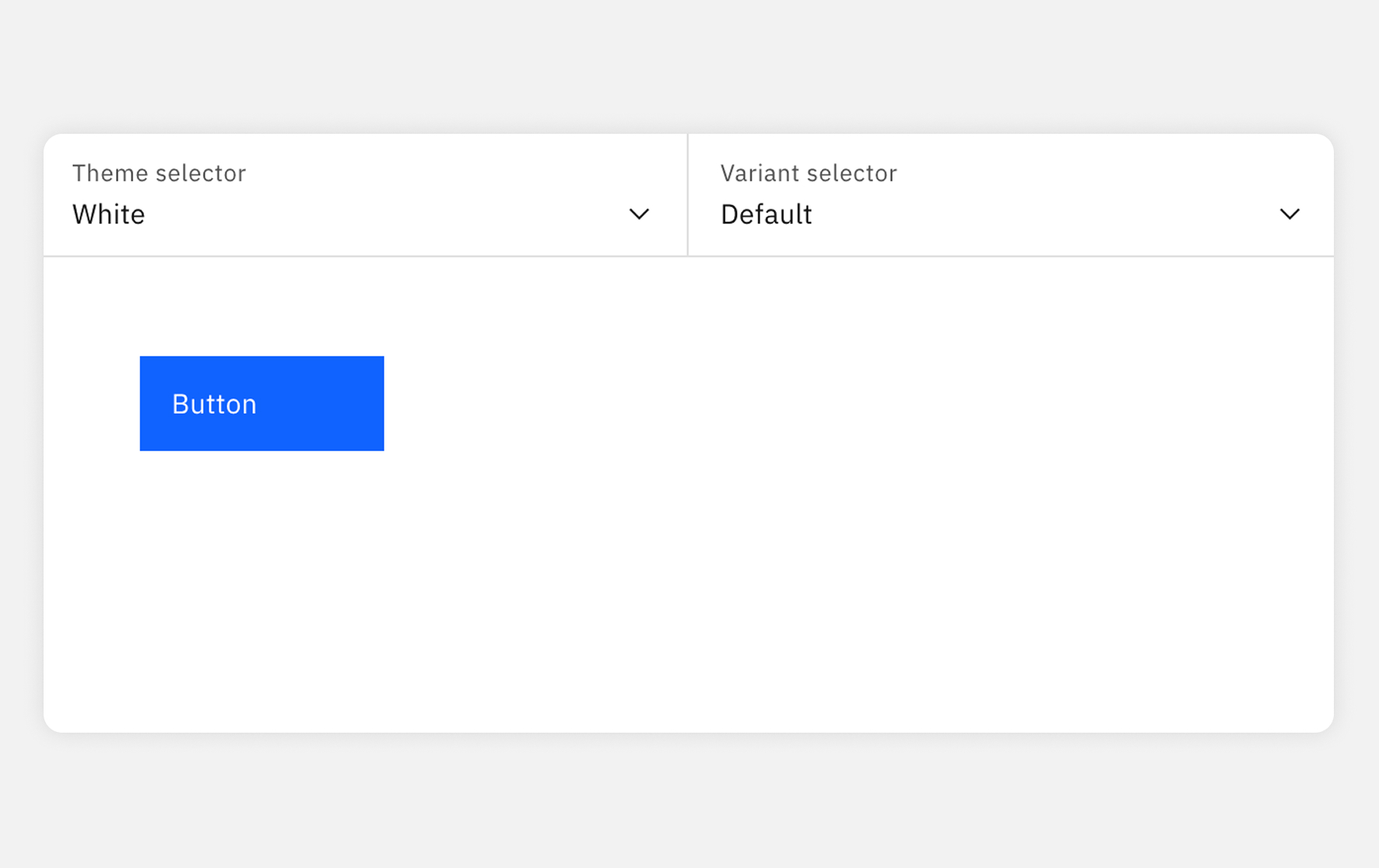
The reusable UI elements themselves: button, input, tabs, badge, breadcrumb, table, and more.

Patterns

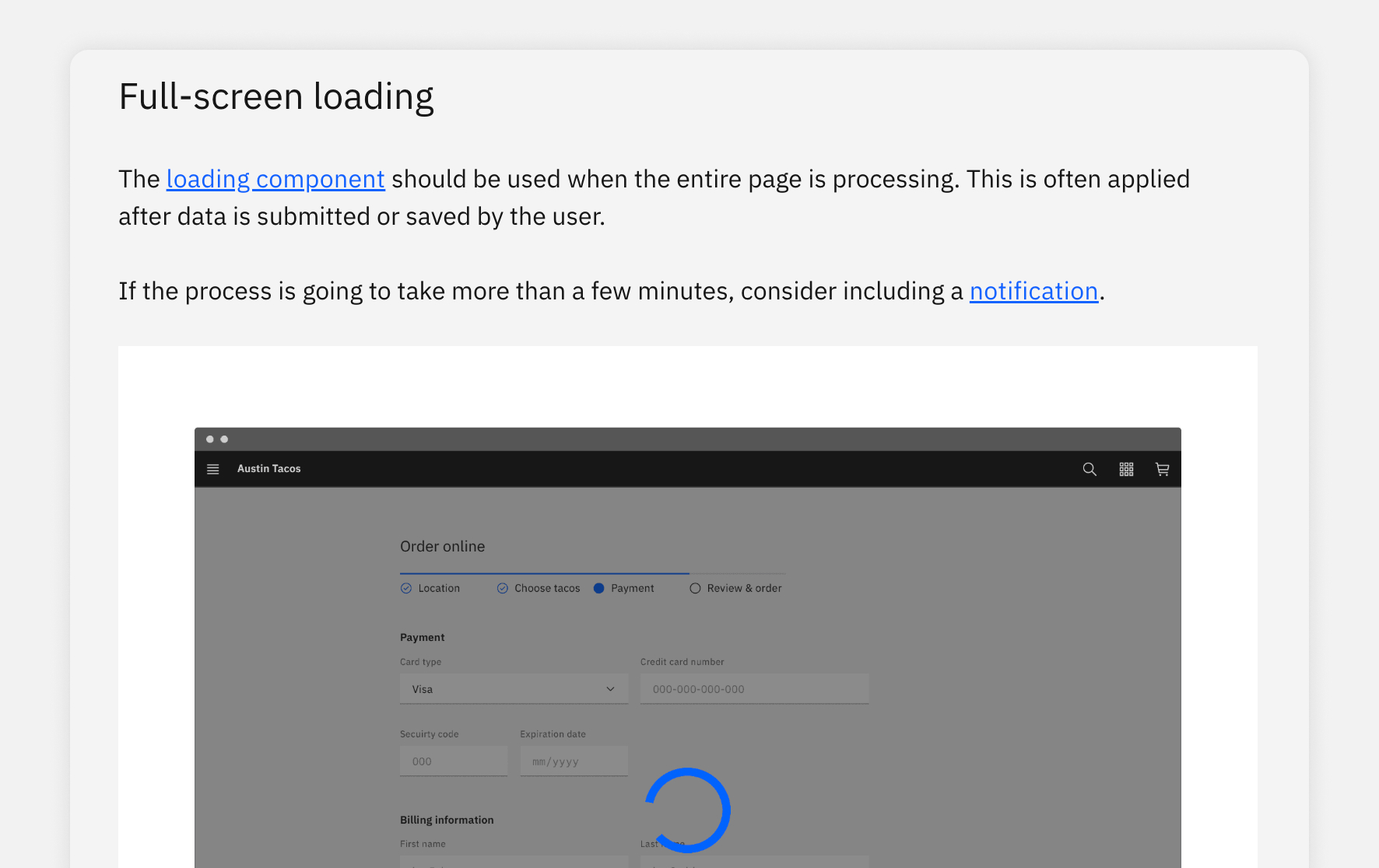
Reusable solutions for common experience needs: forms, navigation, search, empty states, loading, and more.

Guidelines

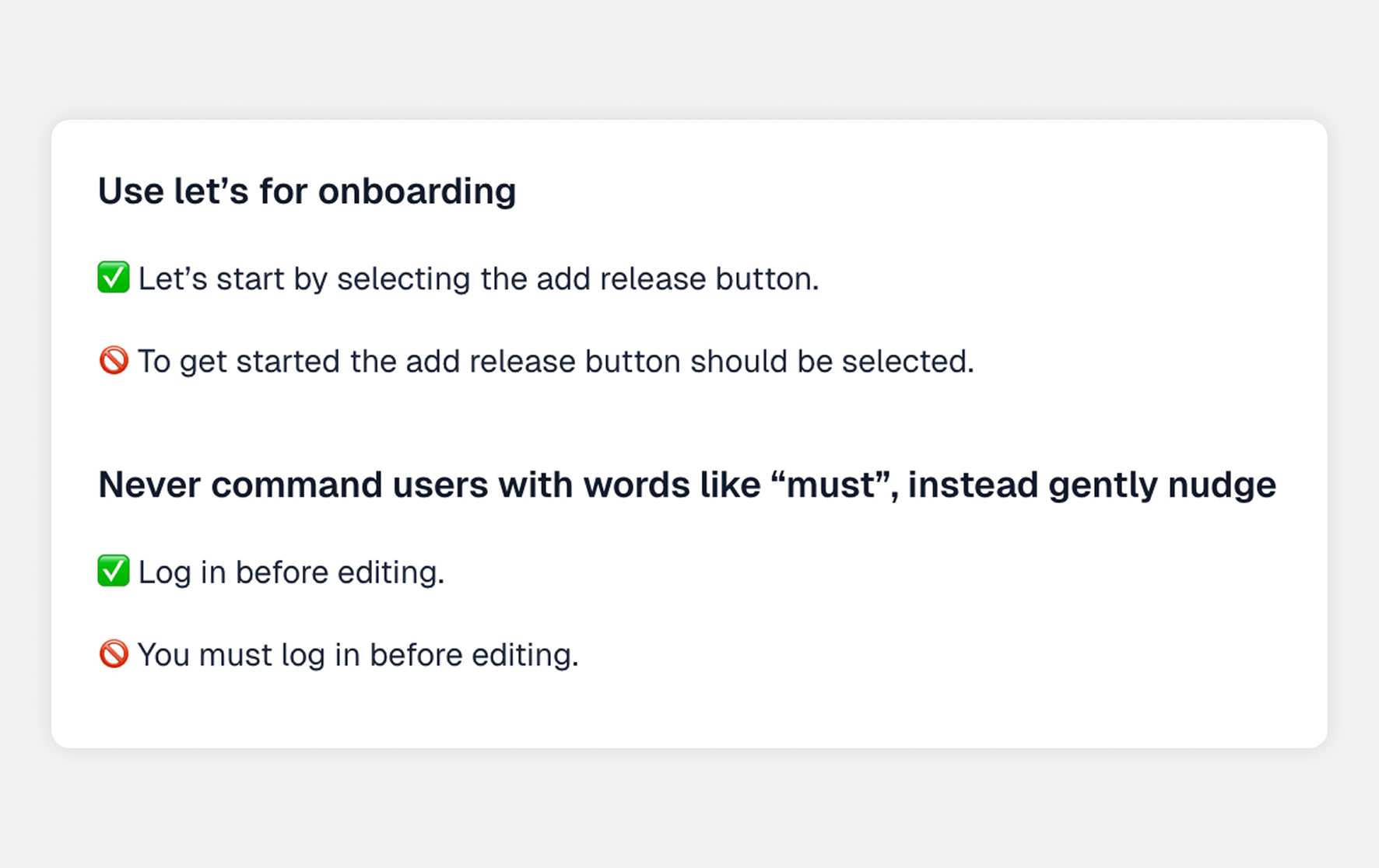
Standards for using the system well: accessibility, content, voice and tone, grammar.

Resources

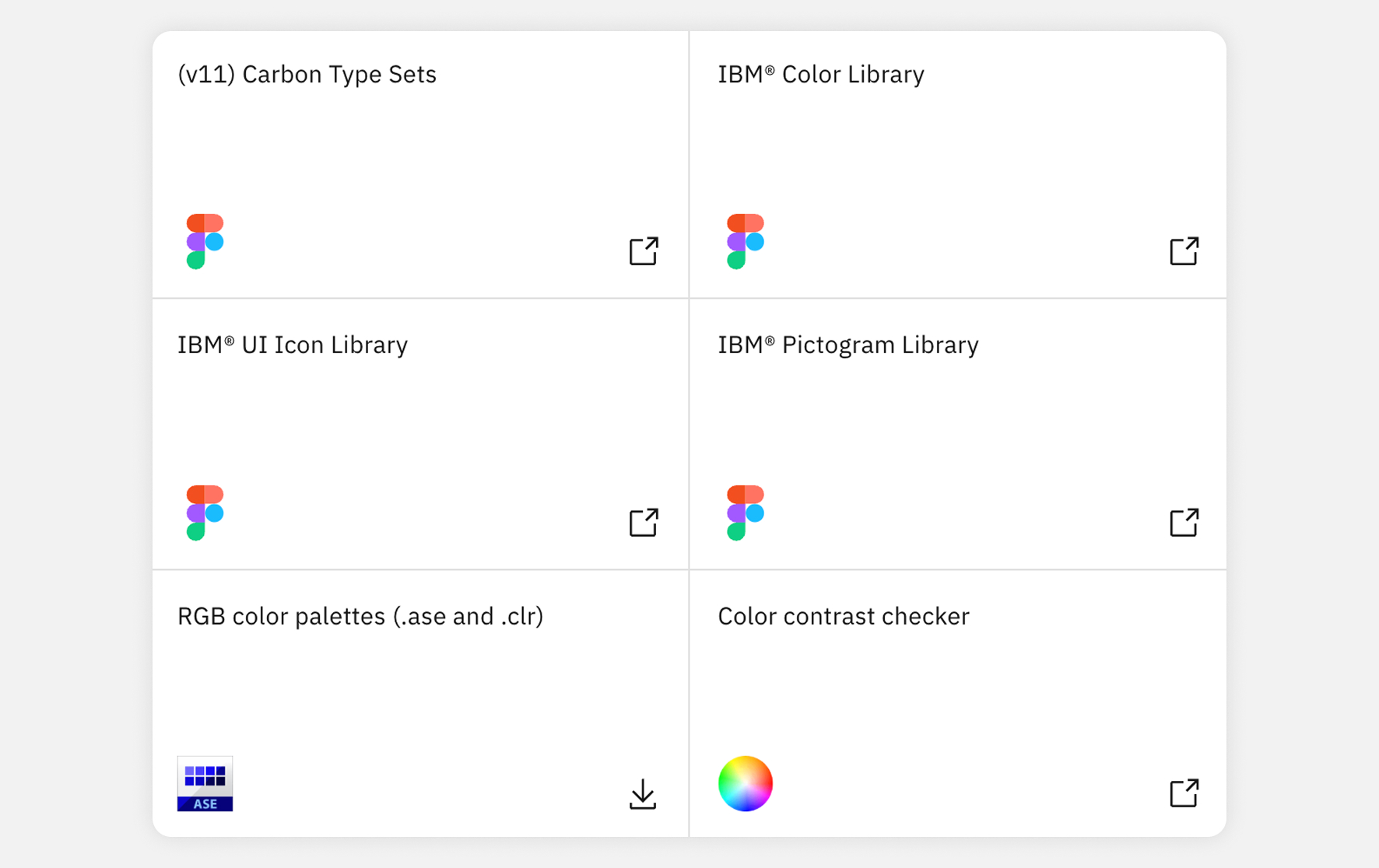
What teams need to actually build with it: design kits, code packages, changelog and updates.

Design System AI Integrations

Dedicated AI Components​

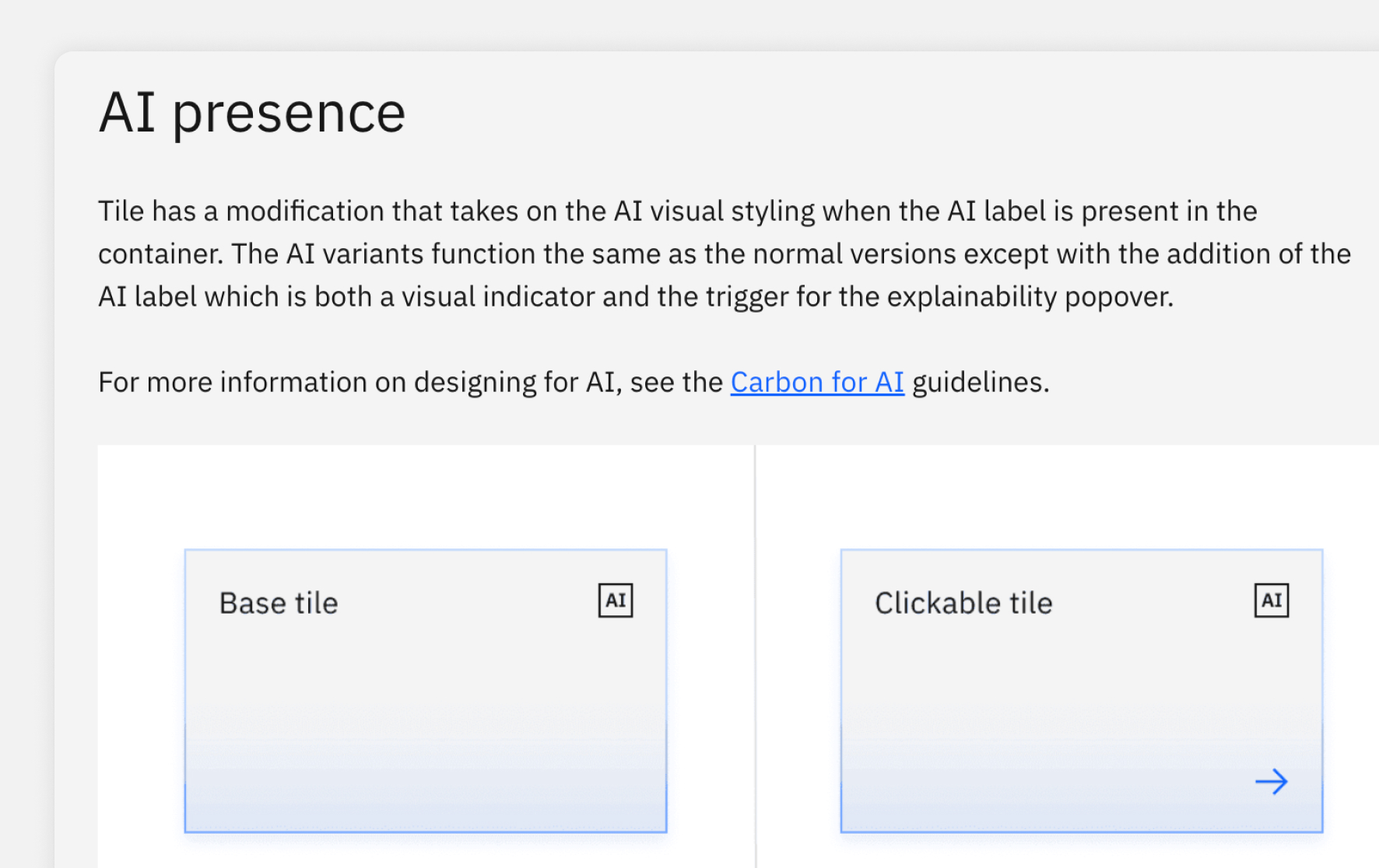
Components have AI-specific variants where applicable.

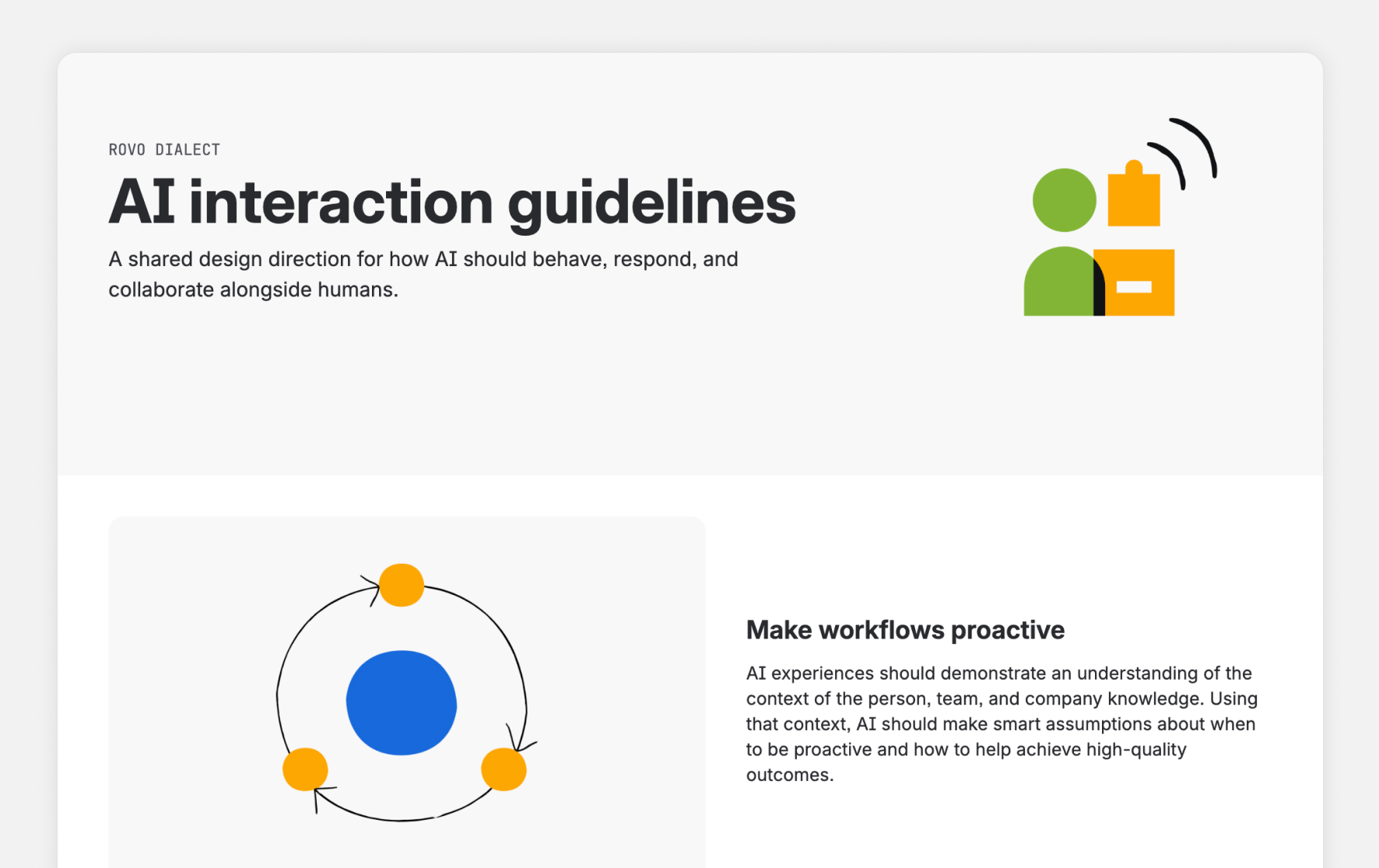
AI Guidelines & Patterns​

Guidelines for clearly indicating AI presence and capabilities.

Resources

Examples of dedicated component libraries for data visualization, which could be done for AI.

Strategy

Between what I found across the existing applications’ systems and what I heard meeting with various stakeholders about their needs, I put together possible directions for consolidating the design systems to propose and discuss with stakeholders.

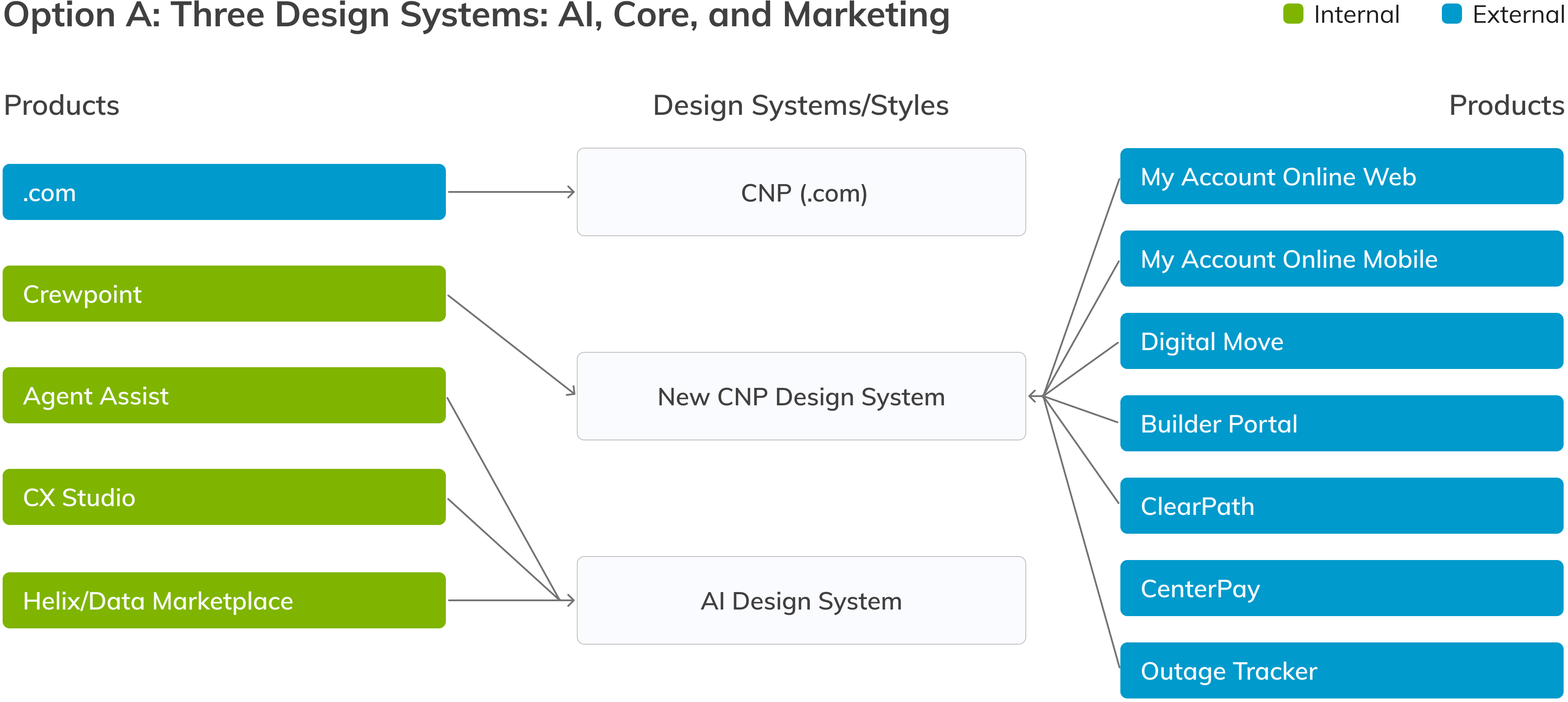
Option A: Three Design Systems: AI, Core, and Marketing

One proposed option was to keep the AI products on their own system, create a separate system for the rest of CenterPoint’s internal and external applications, and keep the marketing website separate as well. The AI products already had a strong, consistent system, used mostly by an outside agency, and it was beneficial for them to look and feel distinct so users knew they were interacting with AI. The website would stay separate because it had just been redesigned by another agency, was governed by marketing rather than product, and used a very different set of components: pill buttons and inputs, a top-level nav with dropdowns, a link-heavy footer, cards with images and blocks of text, and hero sections.

This option would have meant lower disruption, faster implementation, and a better chance of successful adoption. However, it would have required maintaining more systems over the long term and risked inconsistency.

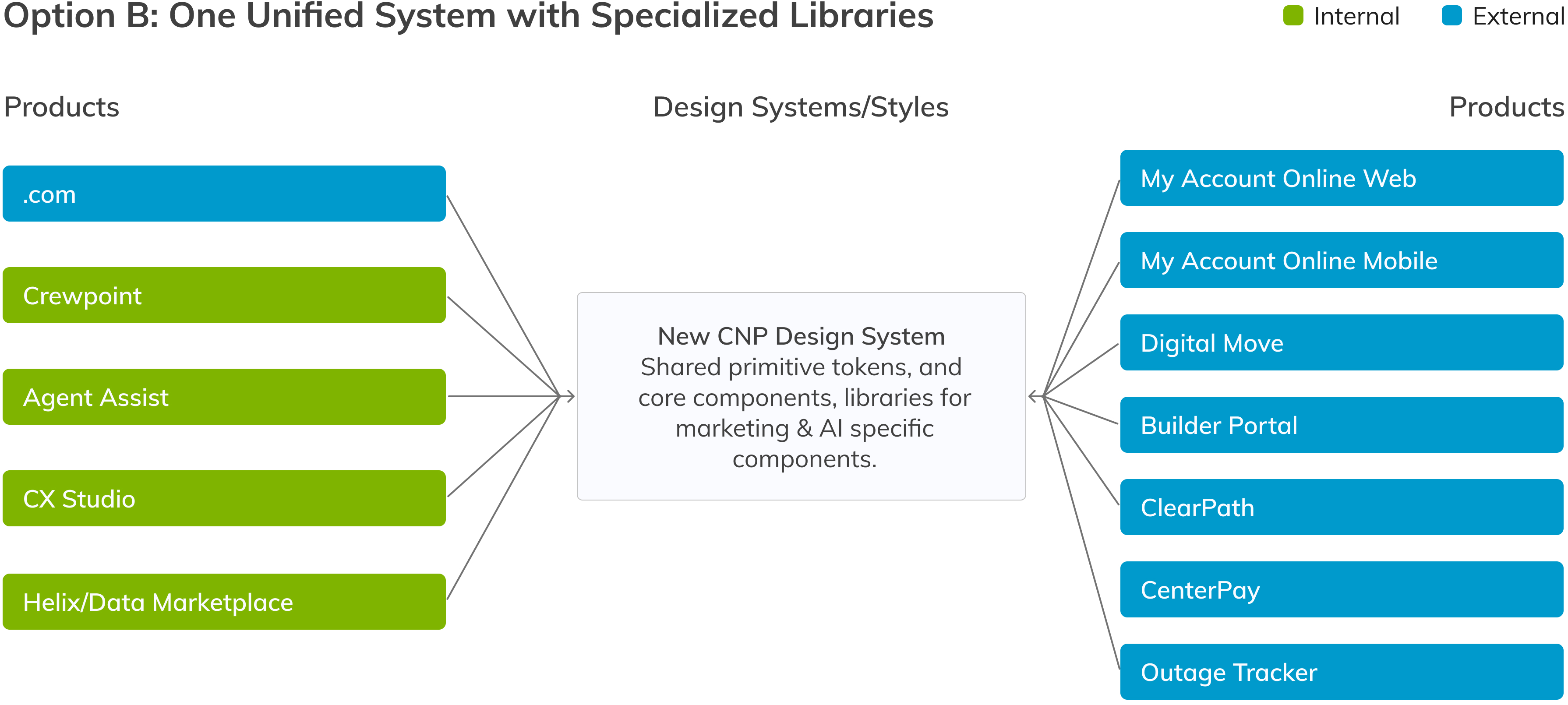
Option B: One Unified System with Specialized Libraries

The other proposed option was to merge everything into a single, centrally owned design system. Primitive tokens and a core component library would be shared, with additional libraries for AI and marketing-specific components. This approach would provide the highest consistency and lowest long-term maintenance. However, the level of governance required might not be possible to achieve or sustain with so many applications, designers, outside agencies, and product owners with their own priorities, keeping everyone aligned to one system long term would be a risk.

The Direction We Chose

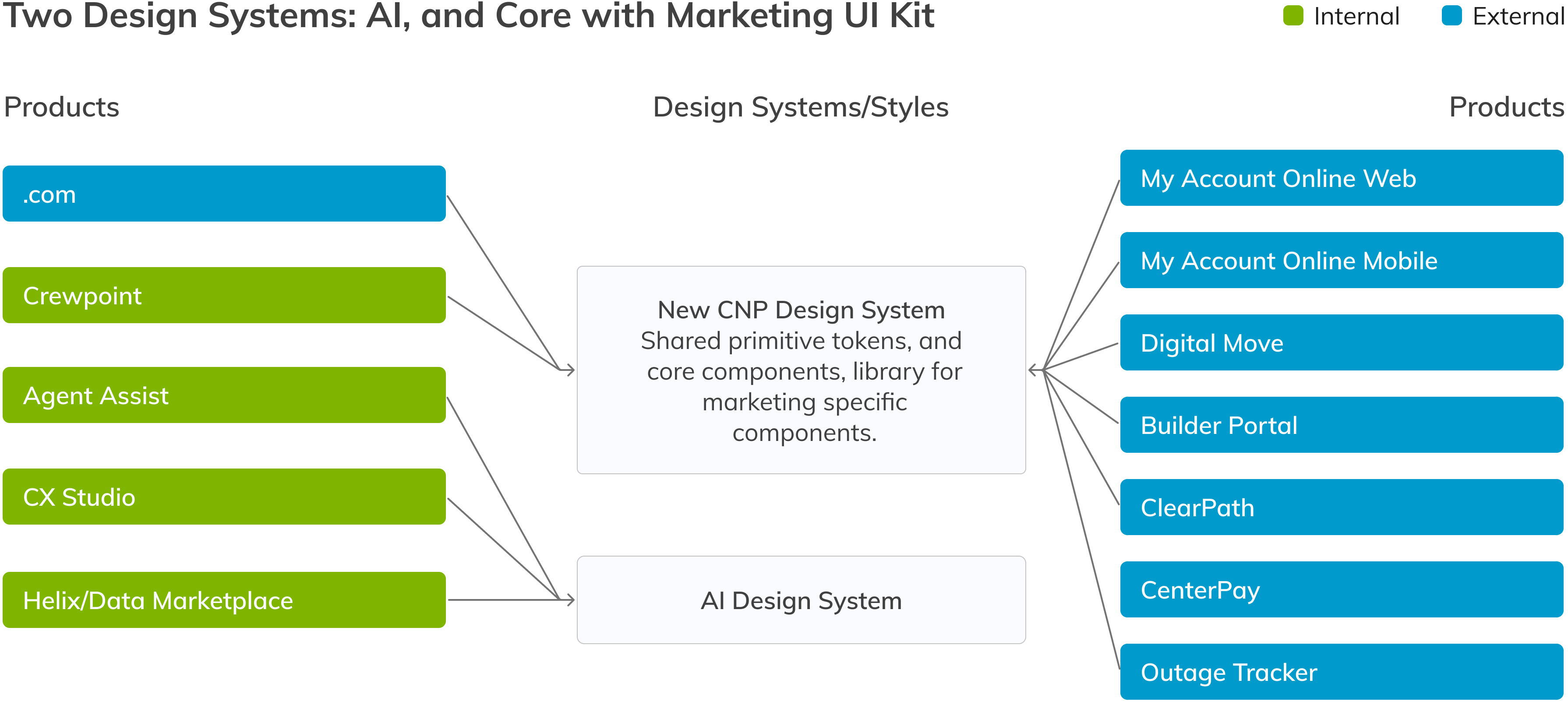
After several discussions, we chose neither of the two original options. Instead, we kept the AI design system separate and built a new, unified system for all non-AI products, with a separate component library for marketing-site-specific components. The decision came down to distinct style needs, content needs, team structure, and the likelihood of successful adoption.

AI products benefited from looking different so users knew when they were interacting with AI, while the rest of CenterPoint’s applications needed something simpler and more corporate to build trust with a wide audience. A strong AI design system was also already in use and well maintained across multiple applications.

We built the new system on the marketing website’s foundations, since they already captured all of CenterPoint’s brand elements, and merged in the components that also worked for the rest of the applications. The remaining components were branched off into a marketing-specific UI kit.

Roadmap

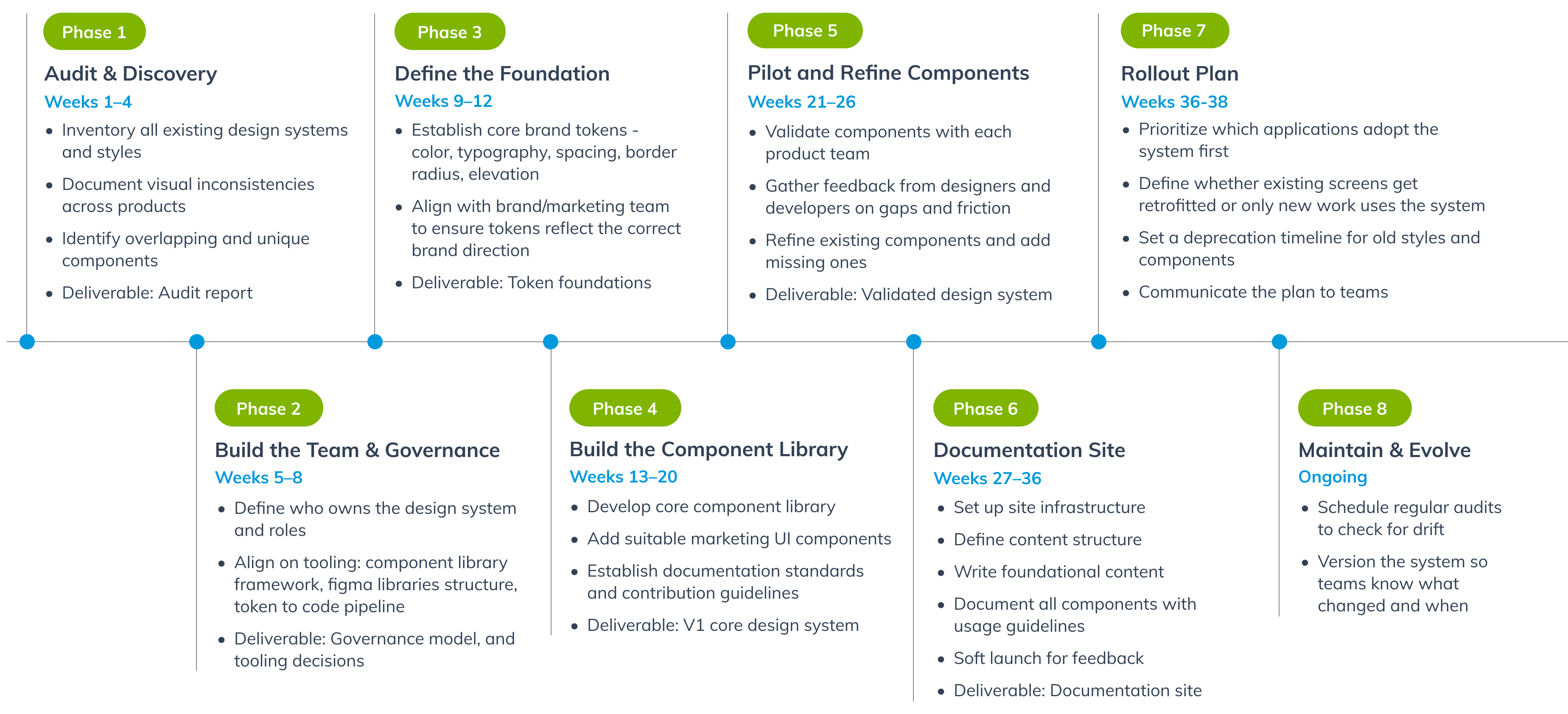
I developed a roadmap for building the new system and rolling it out across the applications.

The New System

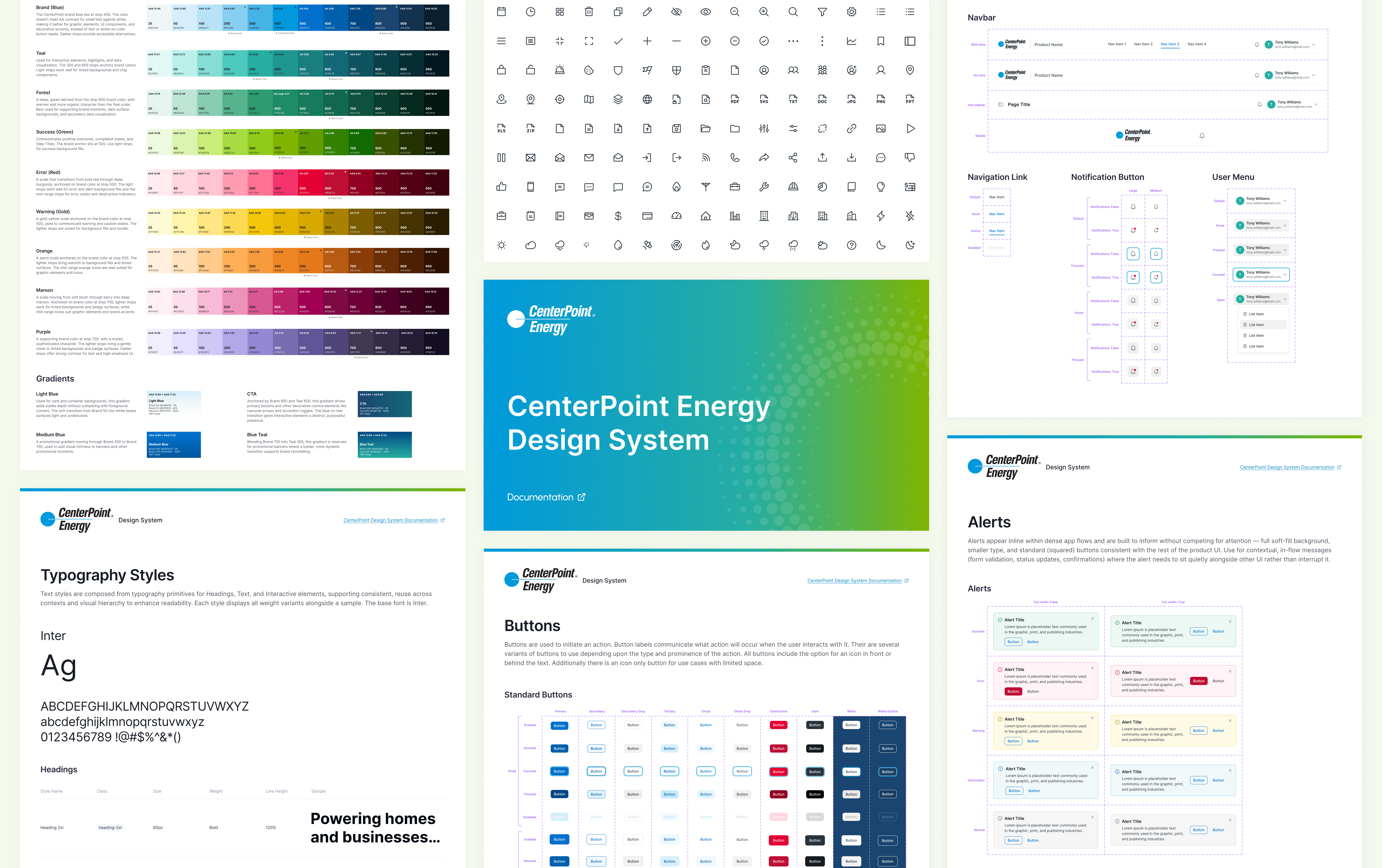
I built the new system on top of the core identity and brand standards, bringing in the marketing foundational styles and creating new components for web and mobile needs. Over several months, I partnered with designers and developers across product teams to test, validate, and refine everything in their product work.

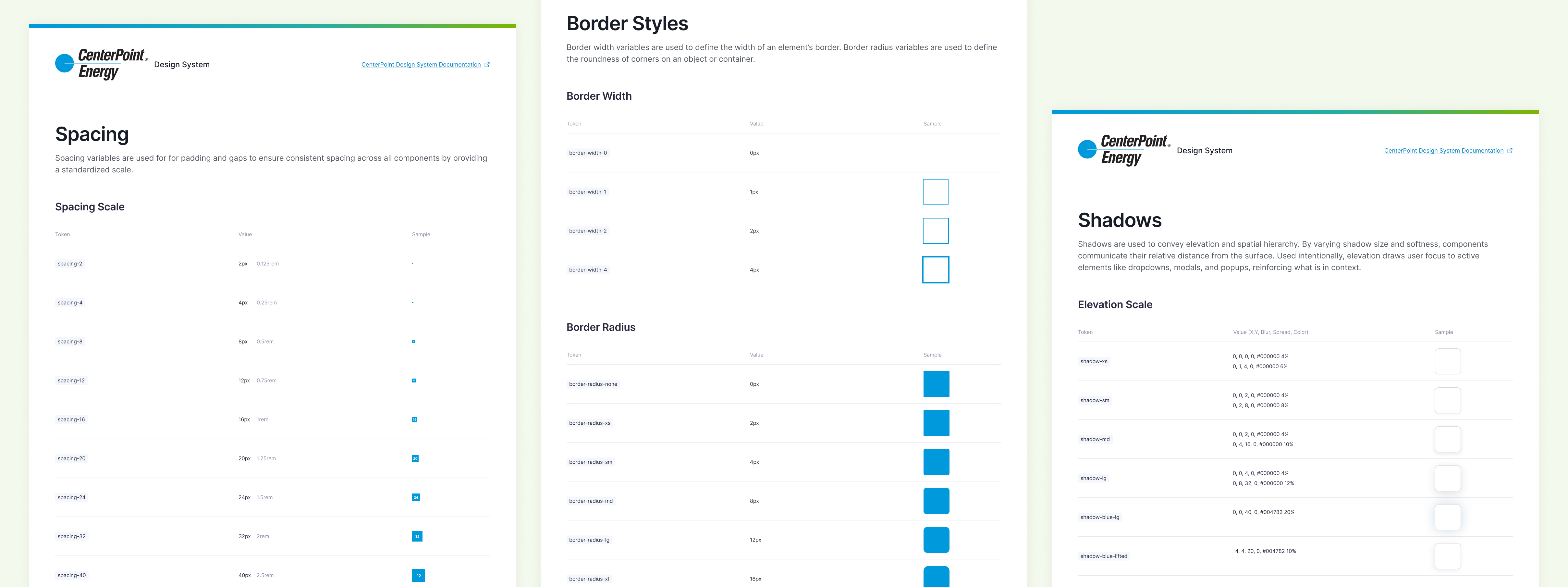
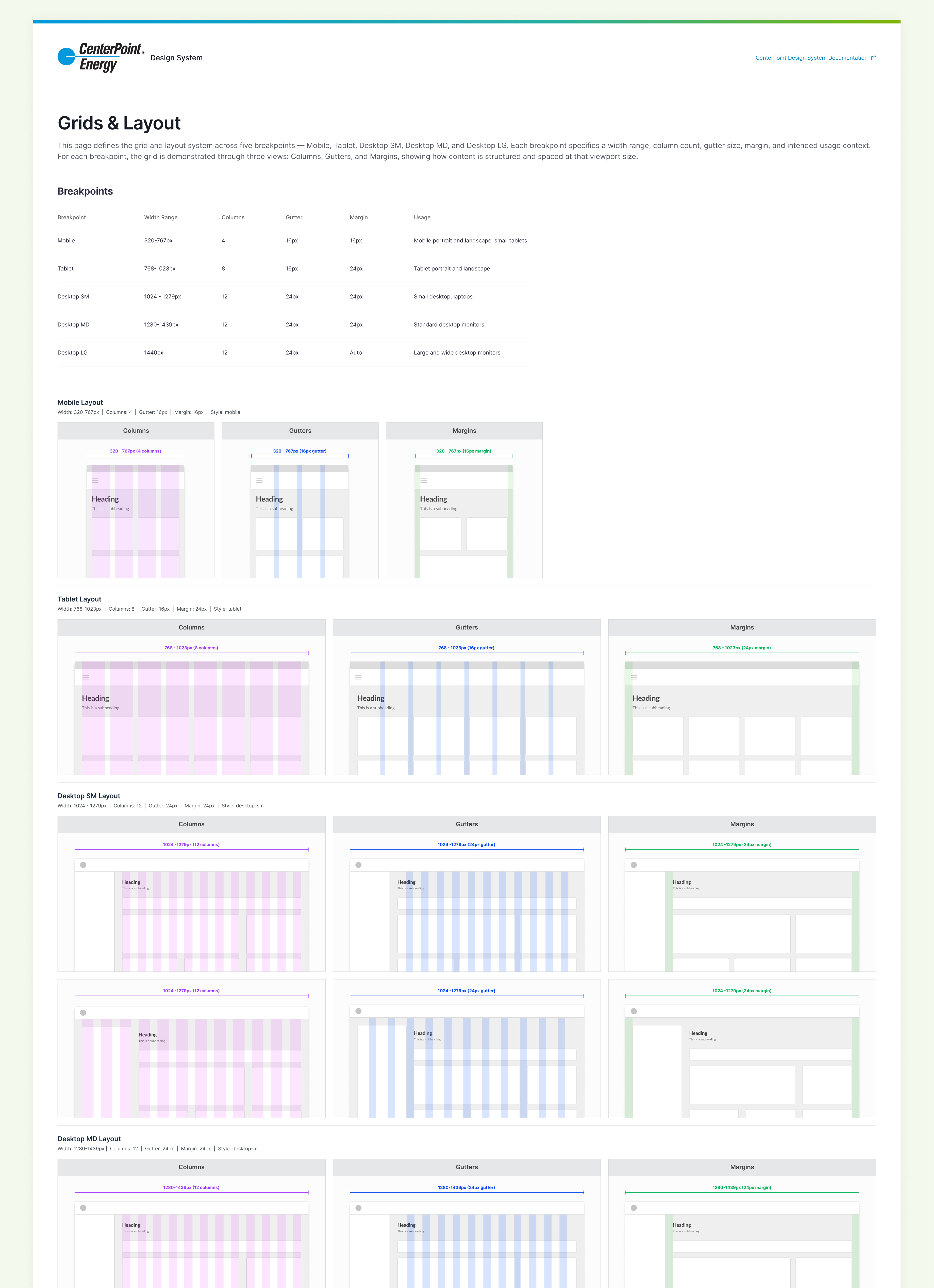
Foundations

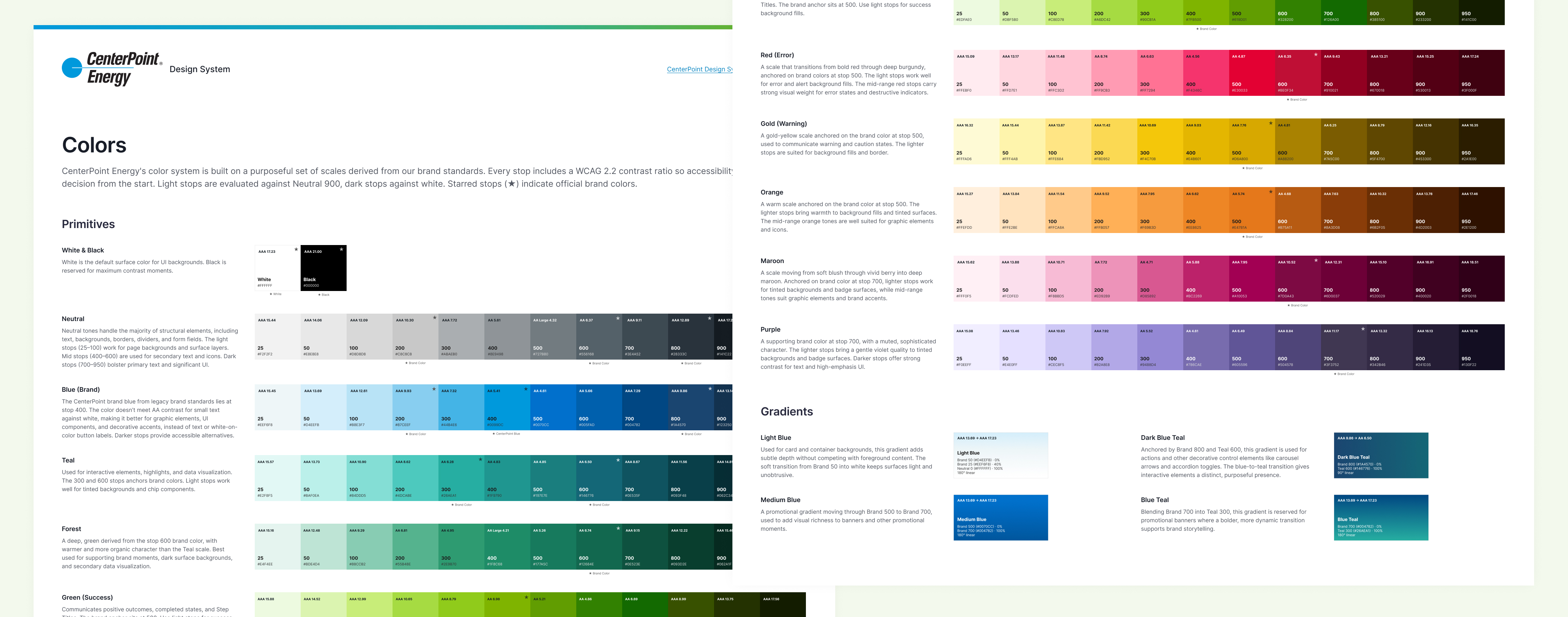
I built color ramps from the brand colors, folding in the marketing website’s colors and gradients. Brand blue and its tonal variations are the dominant color throughout the system.

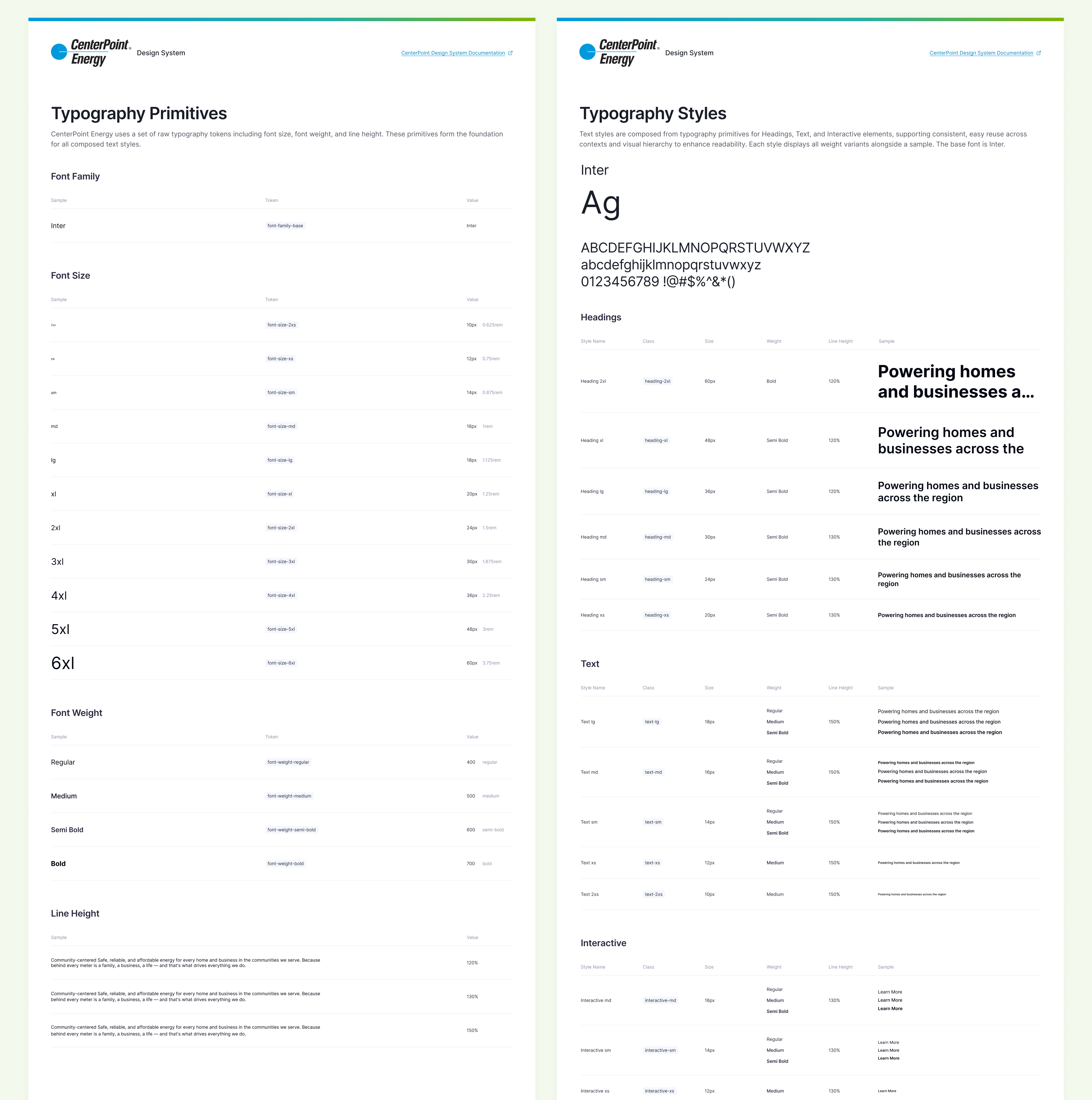
Brand guidelines specified Proxima Nova for web, but most applications, including the website, already used Inter. Proxima Nova isn’t open source, so it was much harder to use across applications. I brought this concern to brand directors, and they agreed to make Inter the standard.

Verifying with Branding

Once the foundations were established, I met with brand managers to walk through the elements and how they’re used, and make sure everything stayed in sync with the established brand standards.

Components

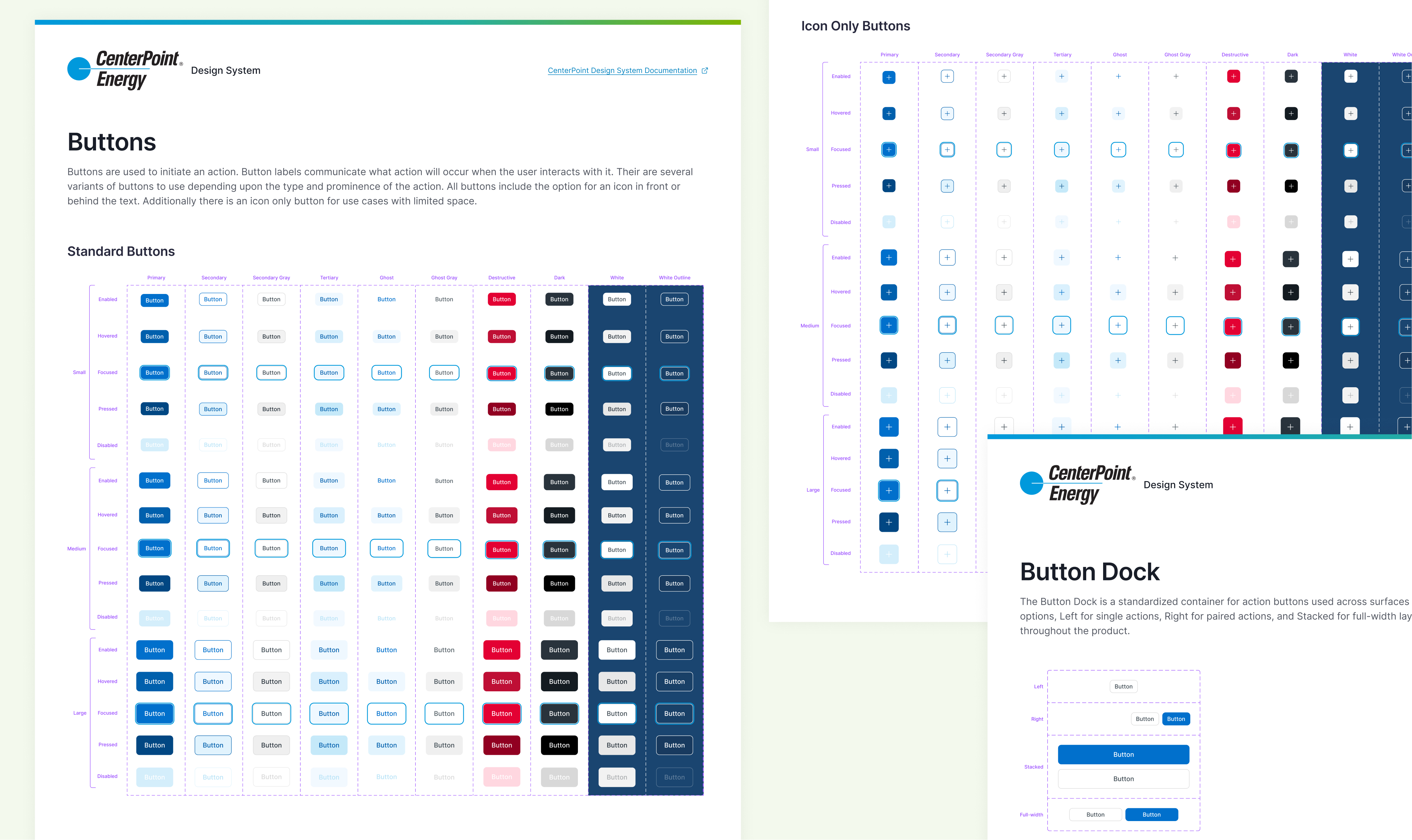
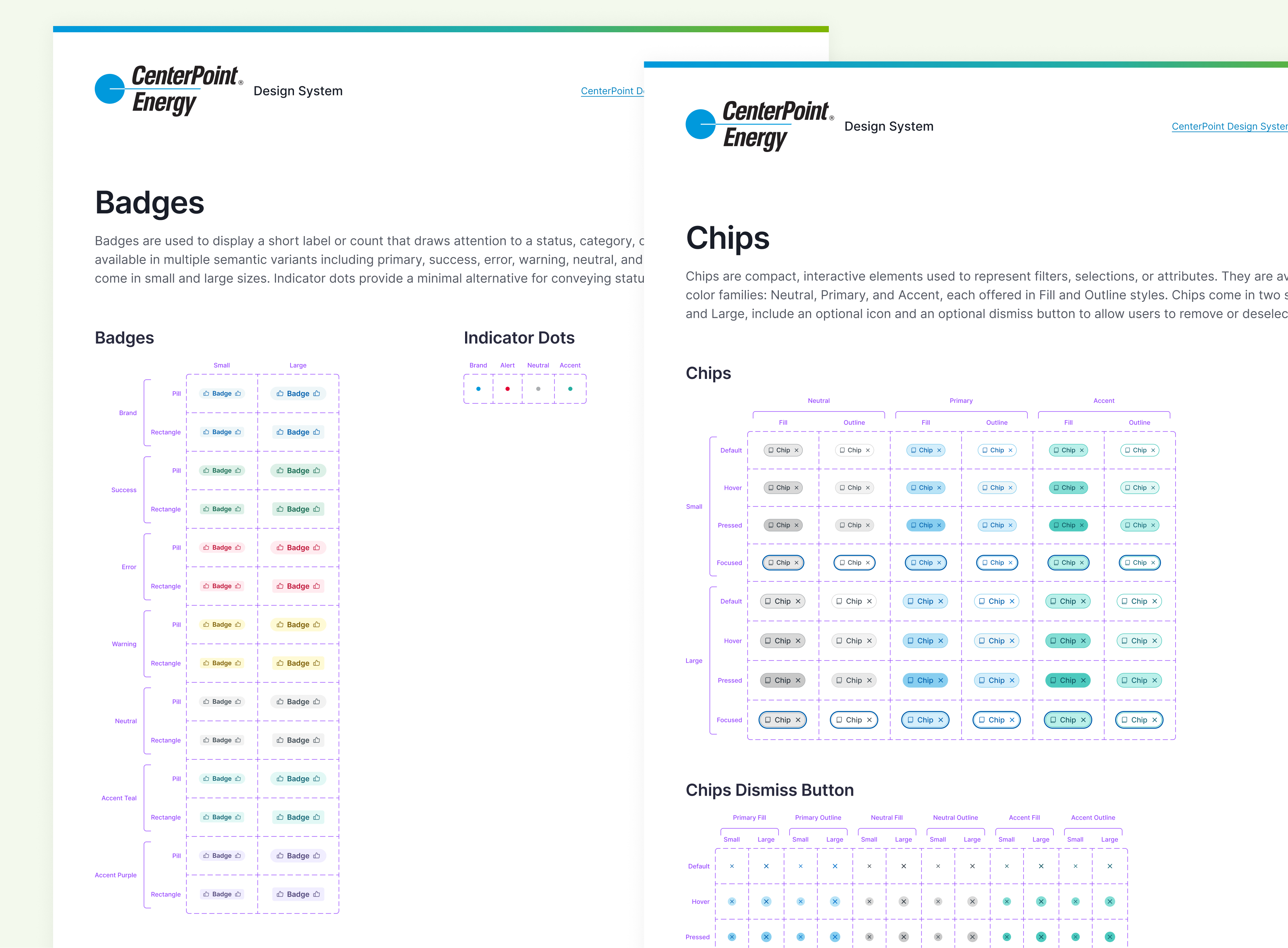
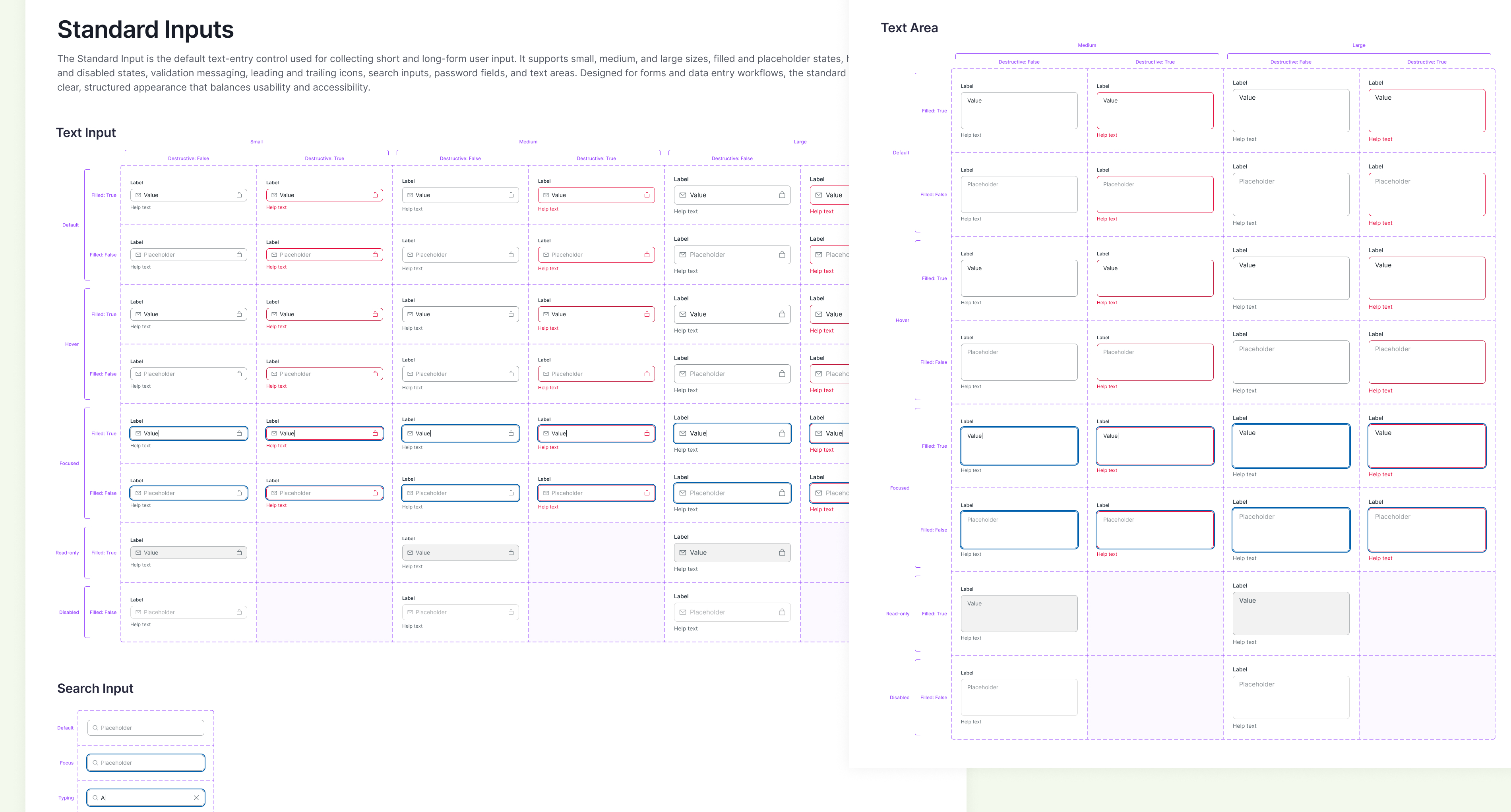
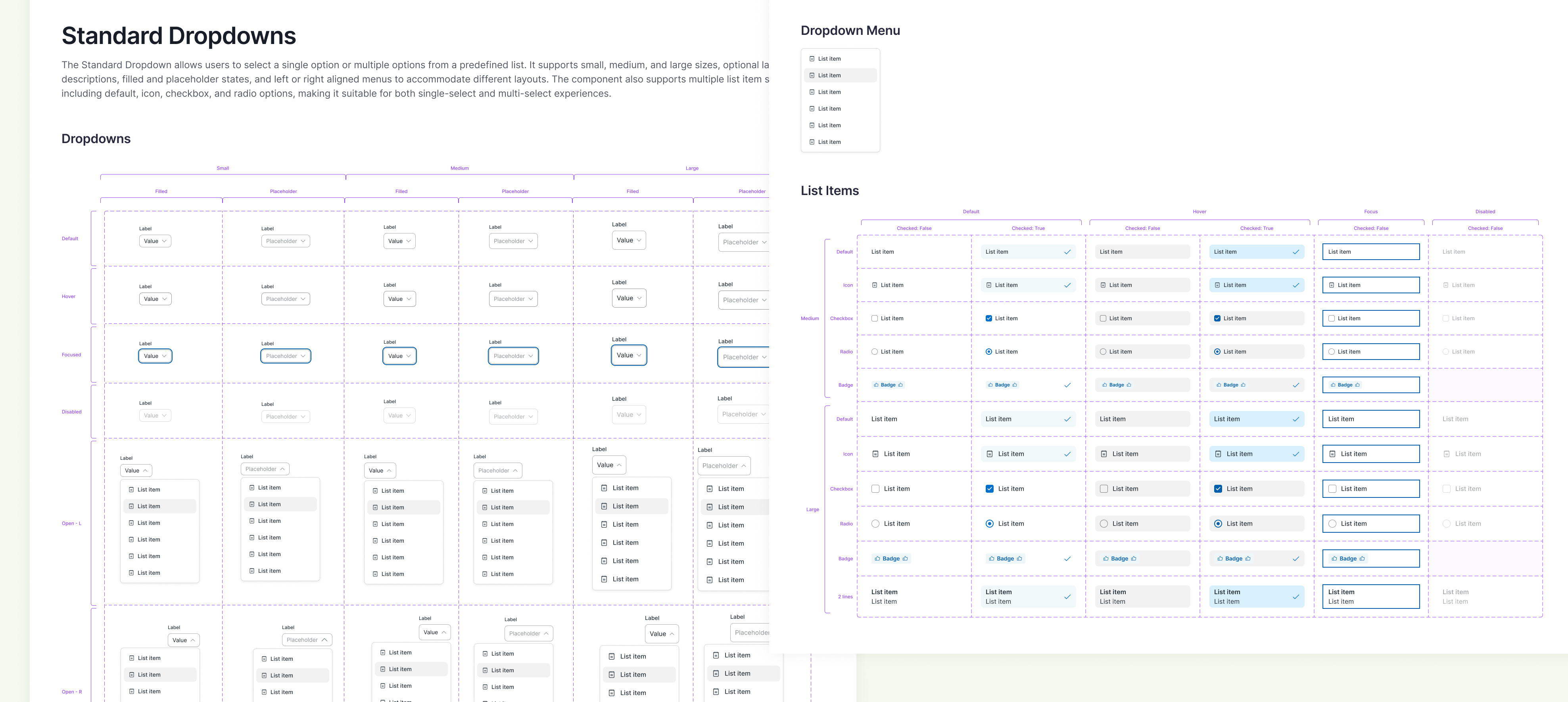
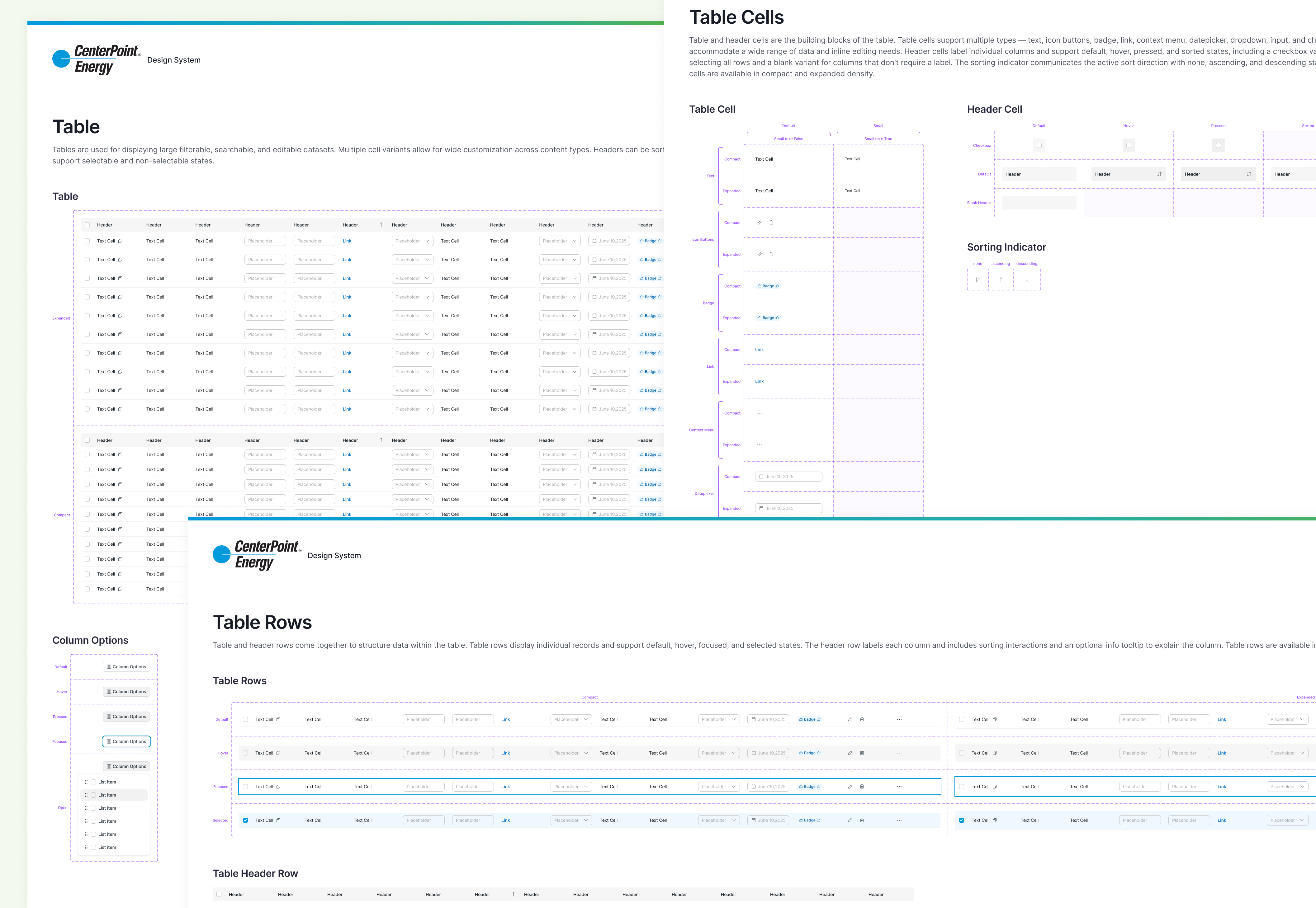
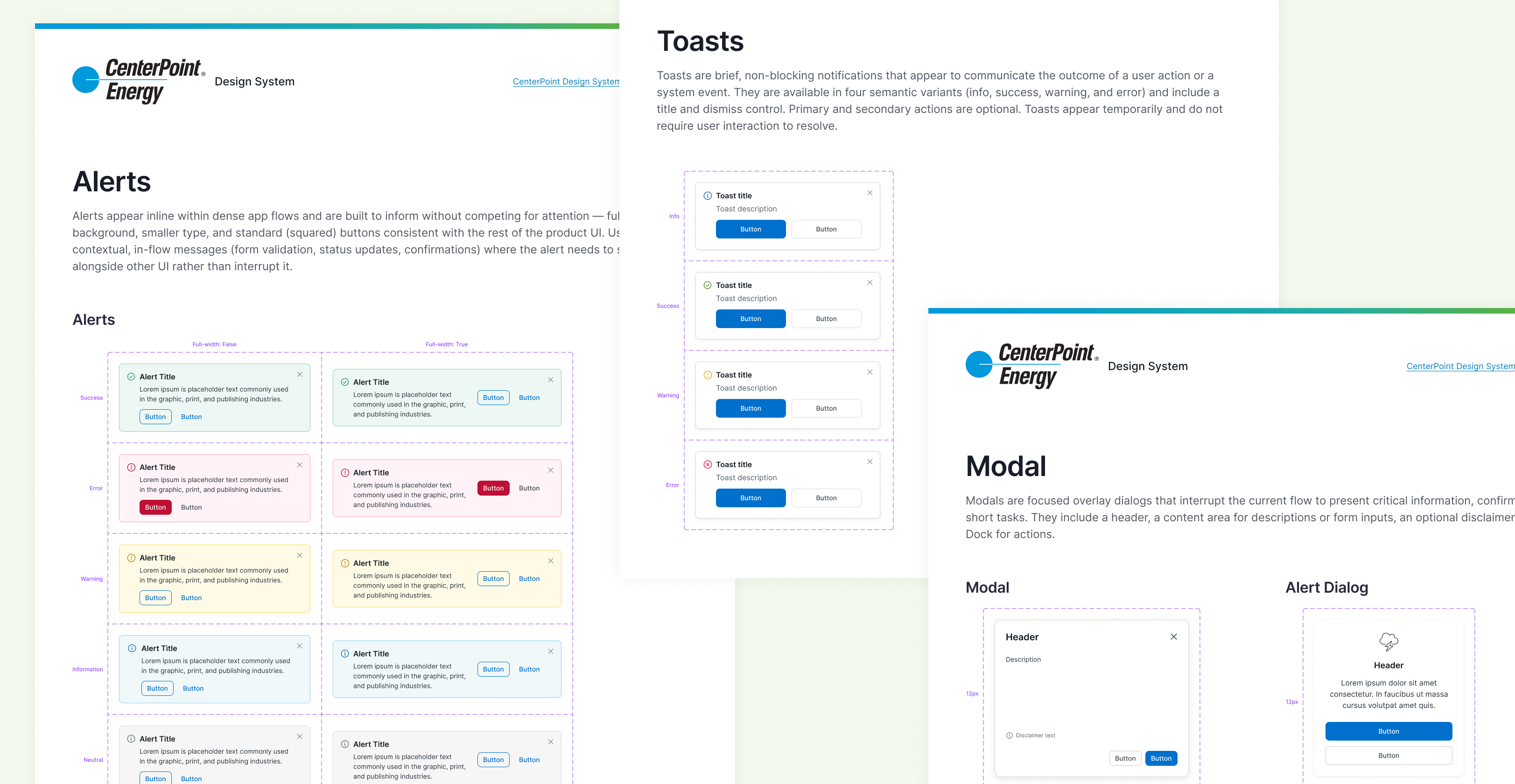
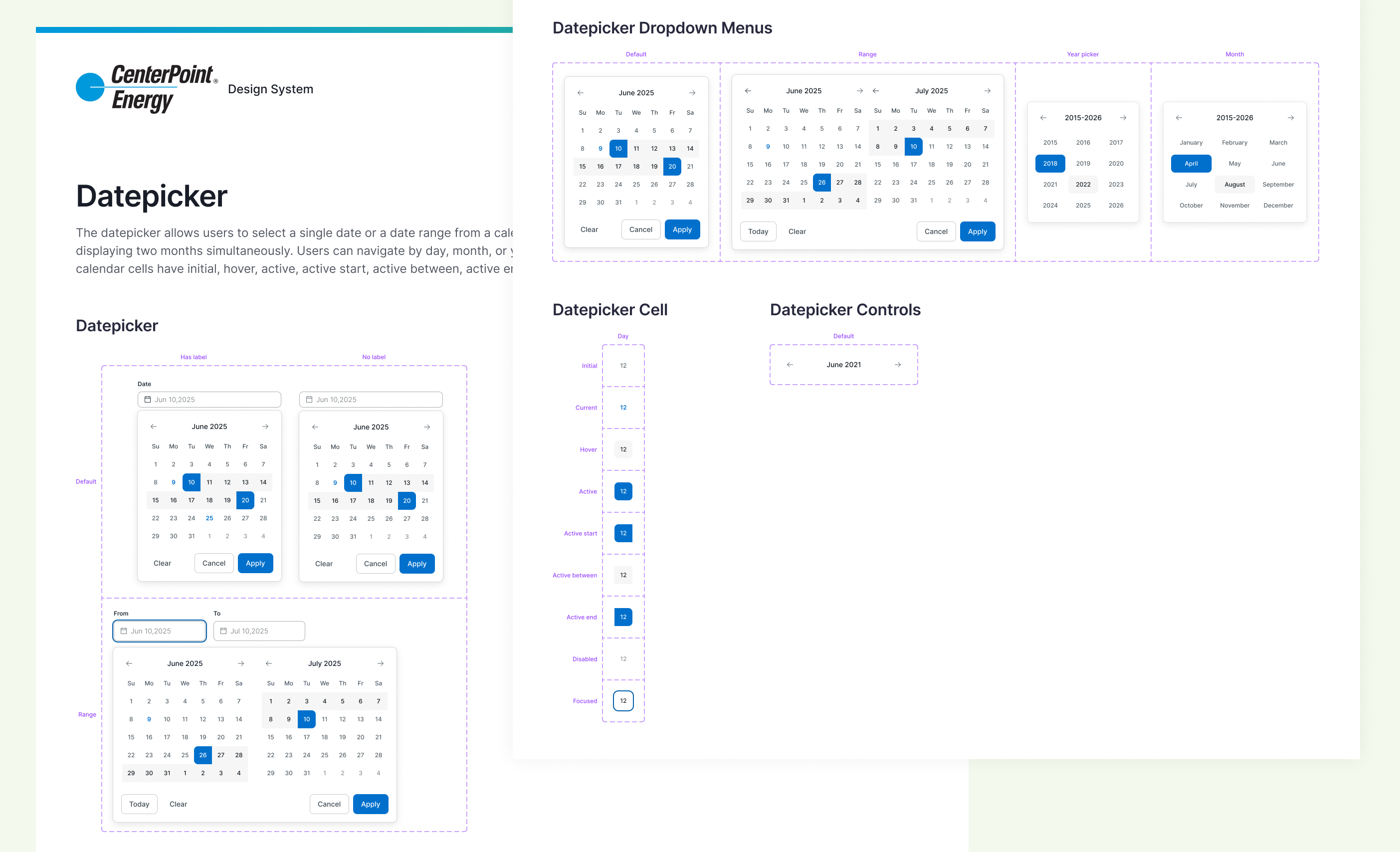
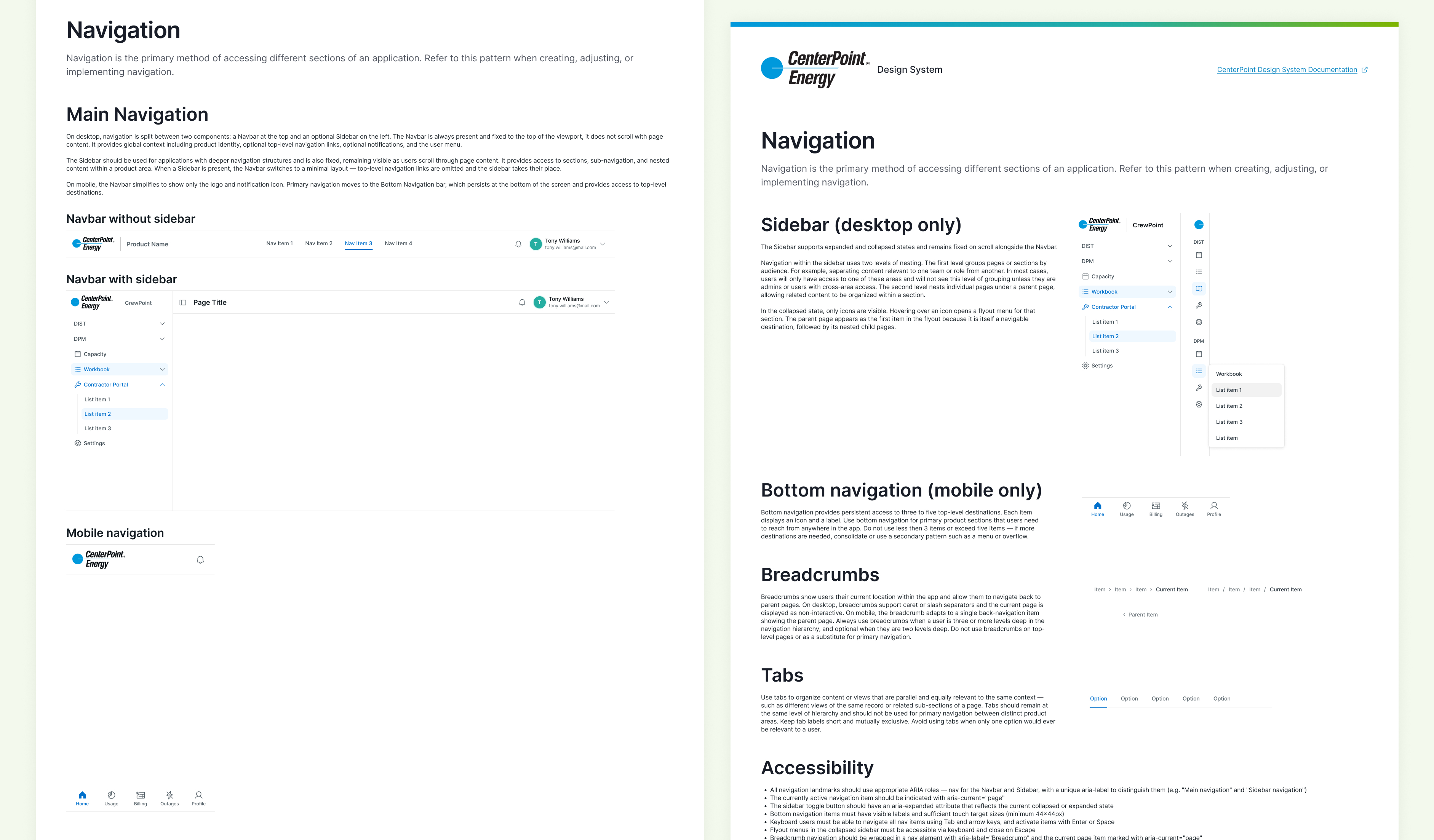
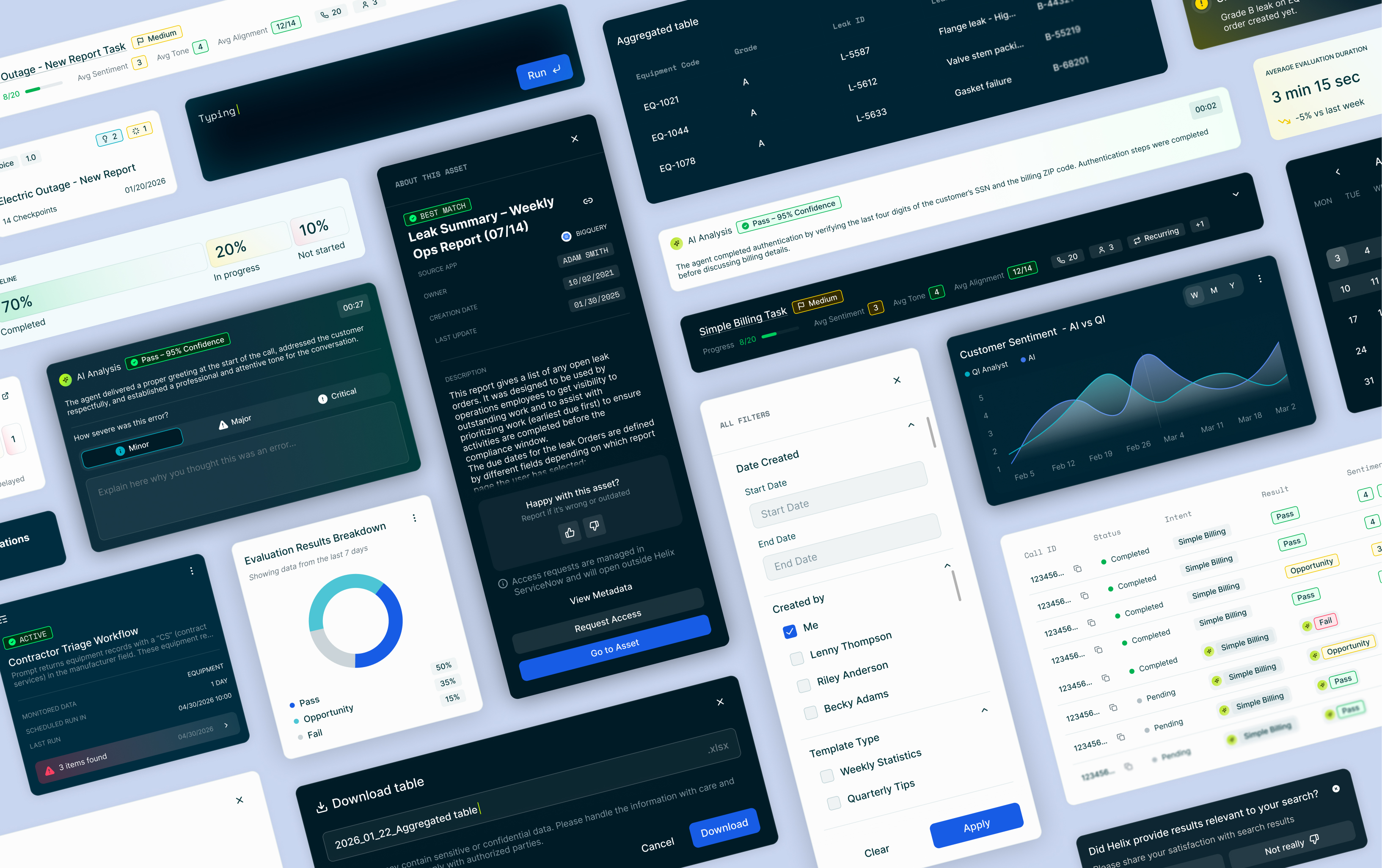
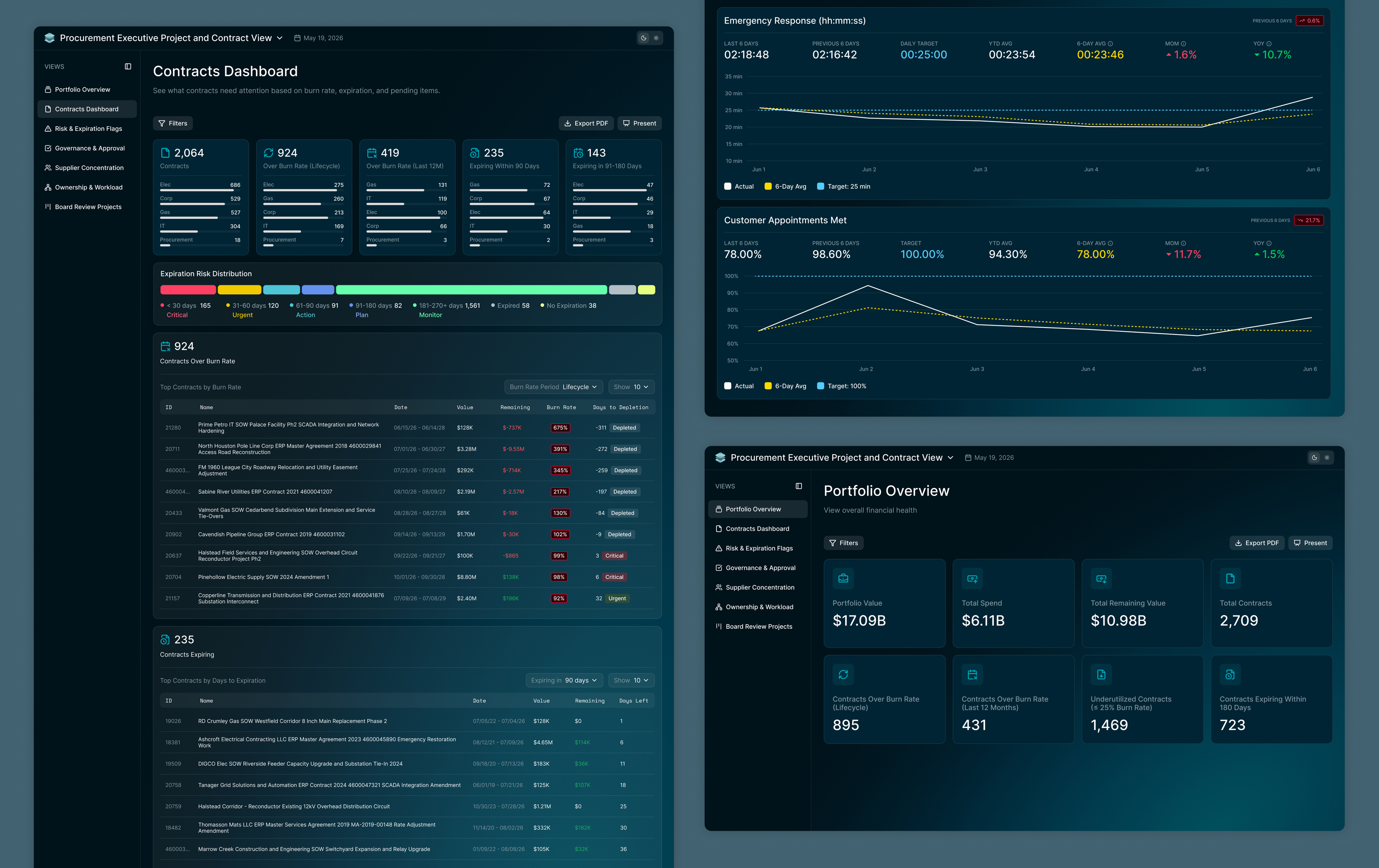
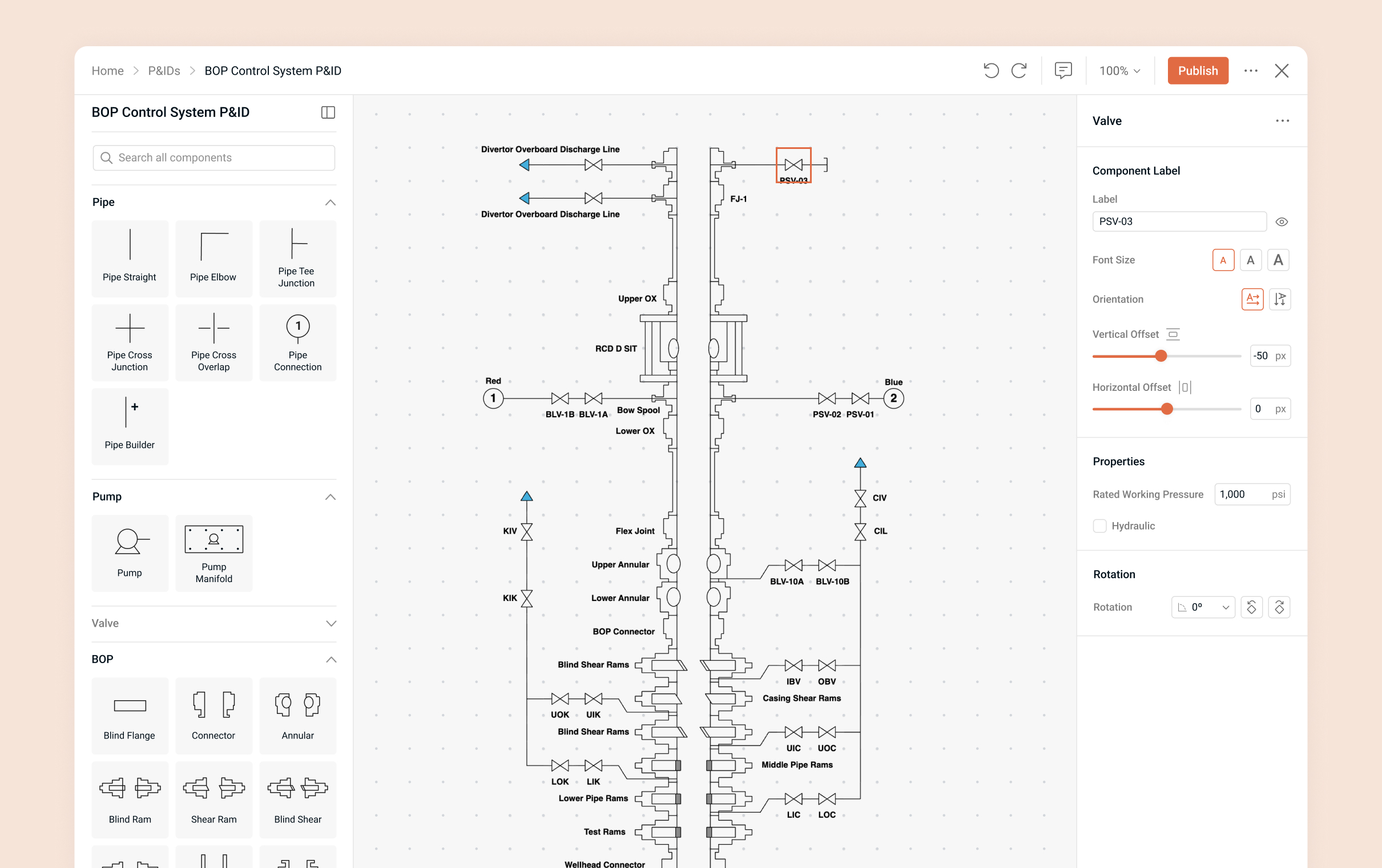
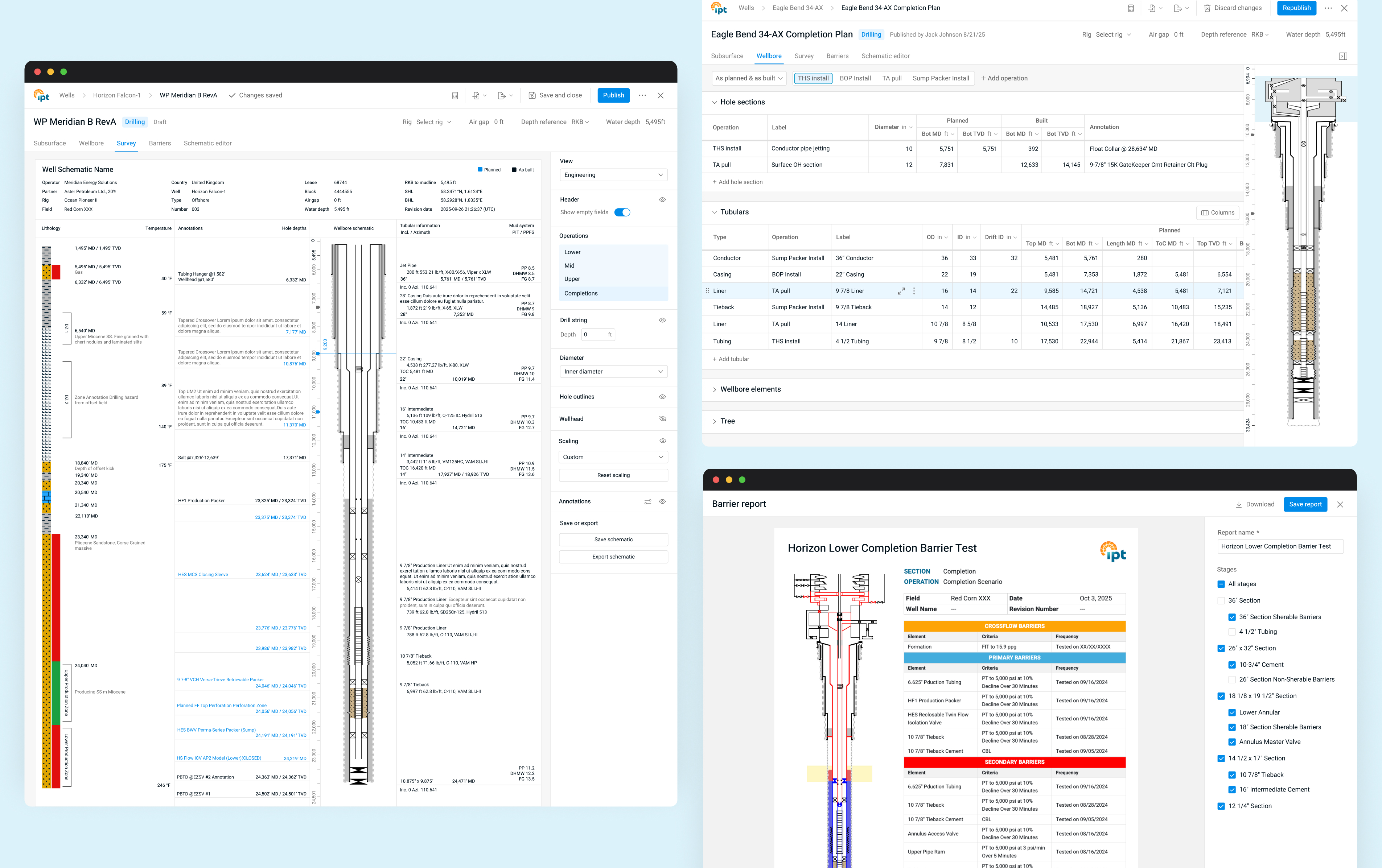
I created components for web and mobile needs across the organization’s applications. Throughout the process, I met regularly with product designers from each team to gather feedback and make sure the components fit their needs. I carried over suitable components from the website system and moved the ones that weren’t a fit into a separate marketing UI kit.

Designers tested the components on their own screens and in new designs, and I revised them based on their feedback, which meant months of back-and-forth across teams. I also worked with developers to identify and close technical gaps, test the built components, and shape the storage and documentation strategy. Below are a few examples.

Documentation

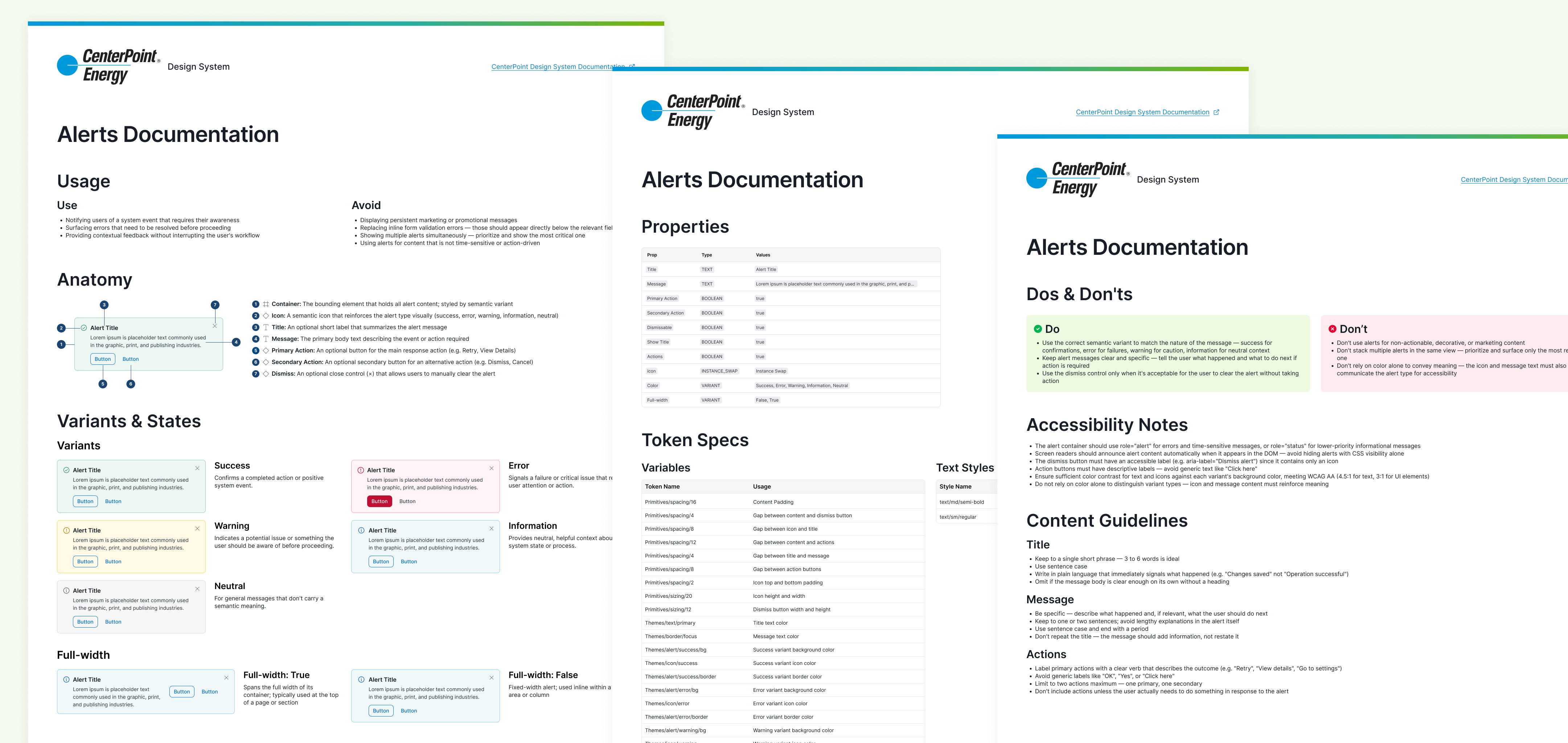
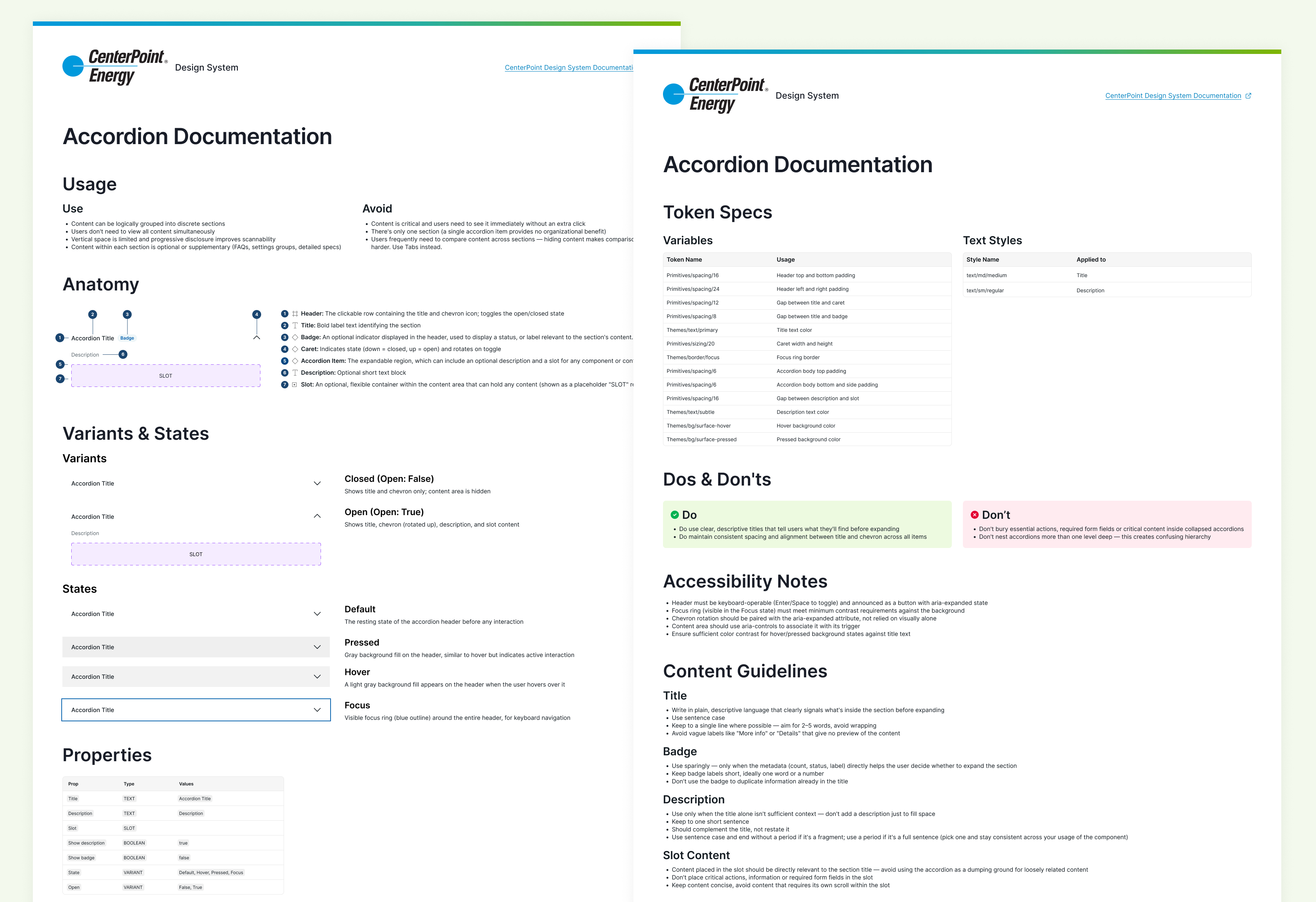
Component Documentation

After piloting and refining components with designers and developers, I created documentation for each component to aid in proper usage and implementation. The documentation included:

  • When to use and when not to use it
  • Anatomy, including hidden options
  • Variants and states
  • Properties, tokens, and styles, and where they apply
  • Dos and don’ts
  • Accessibility requirements
  • Content guidelines

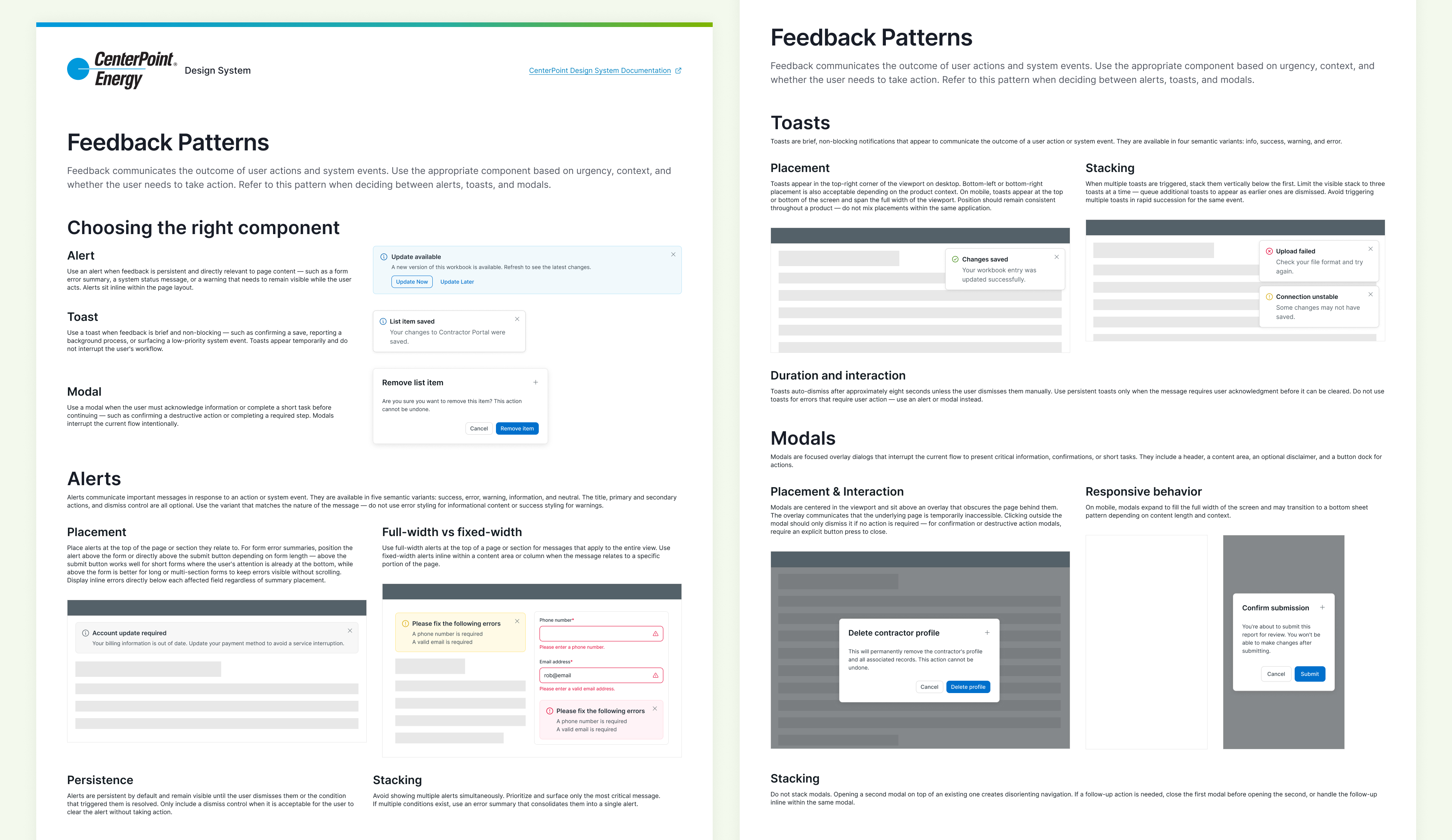
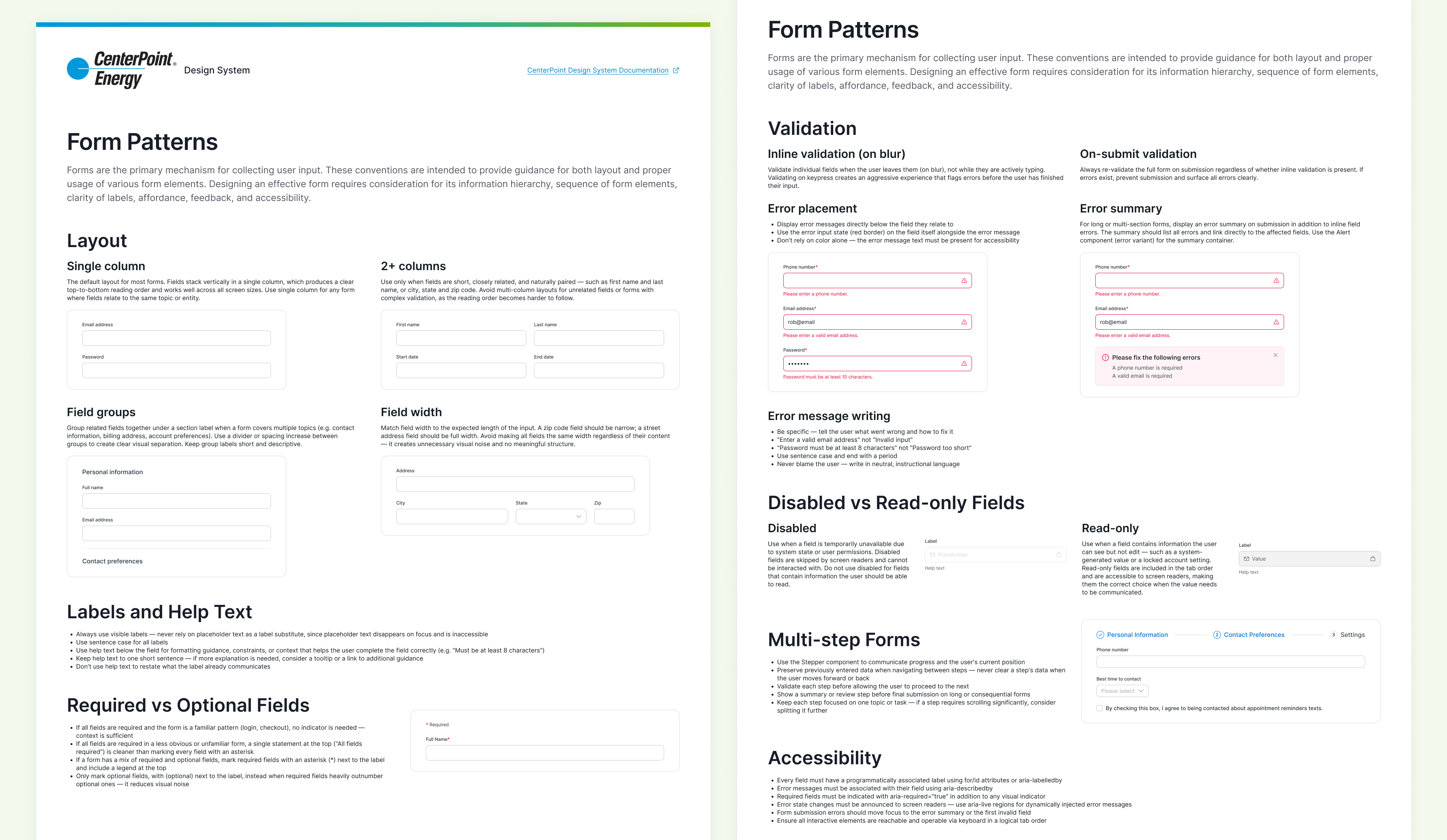
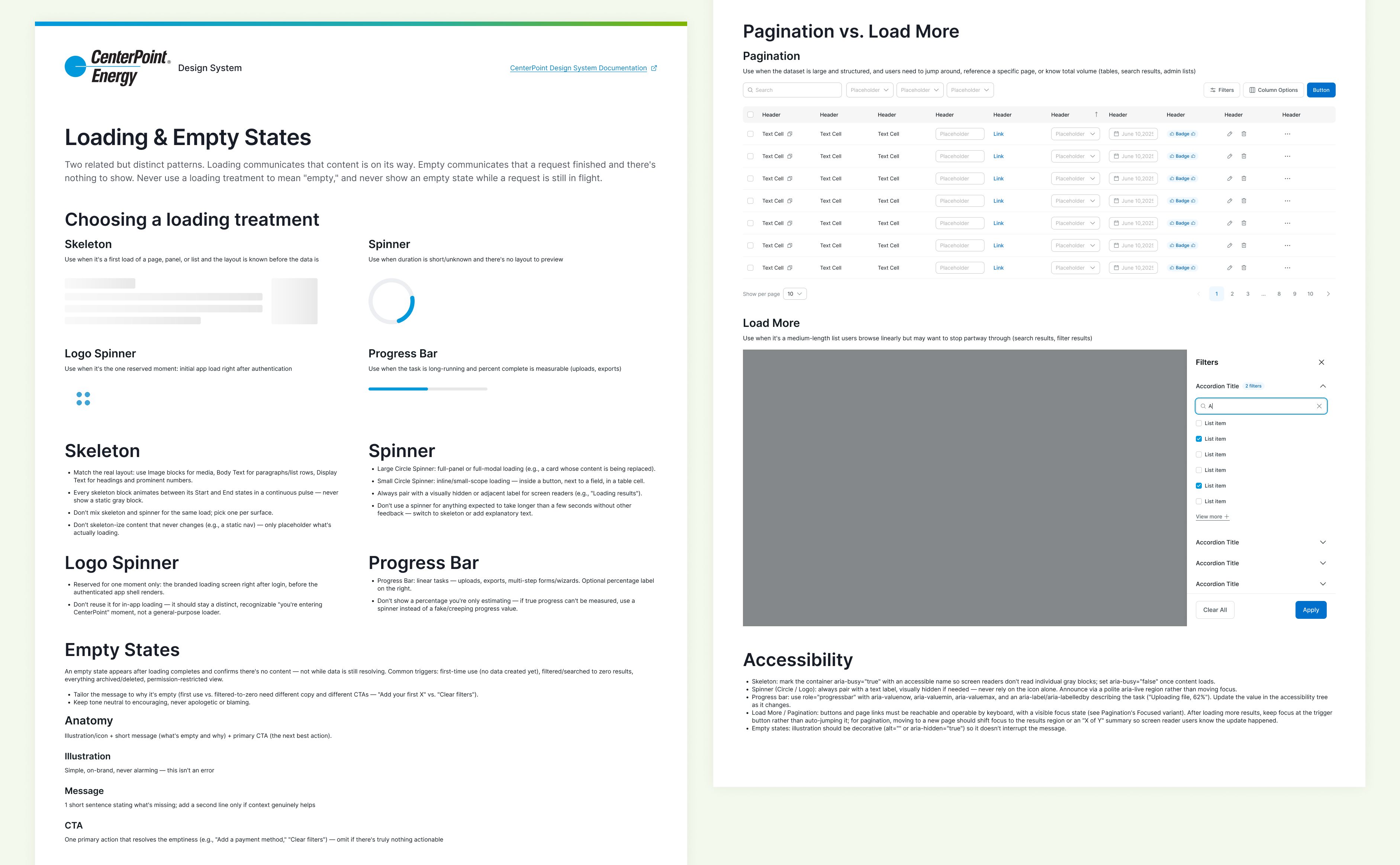
Patterns

I defined patterns that show how to handle common experiences using the components. They give users consistent behavior as they move between products and give designers and developers ready-made solutions instead of starting from scratch and accessibility compliance is built into the structure. Below are some of the patterns that were created.

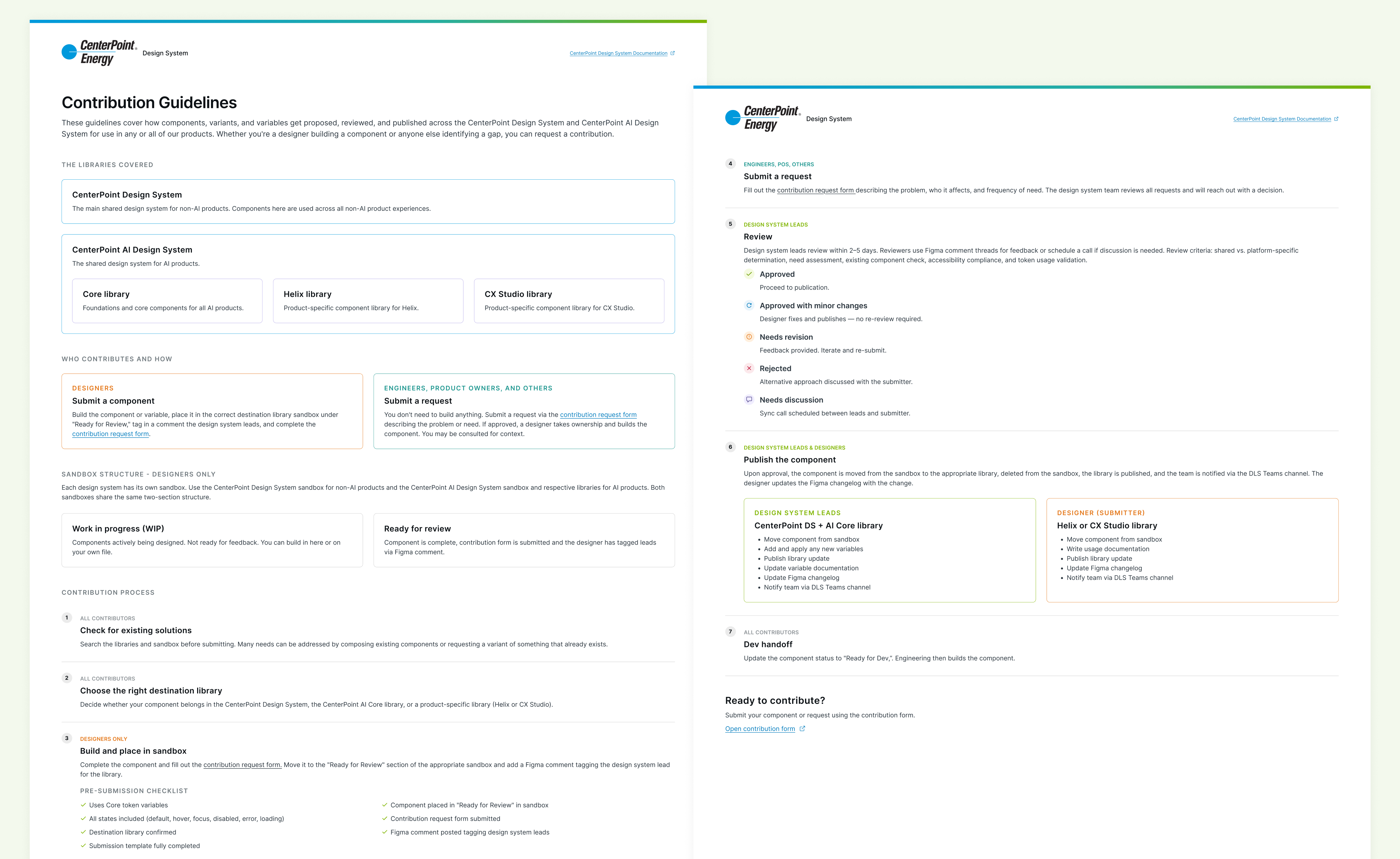
Contribution Guidelines

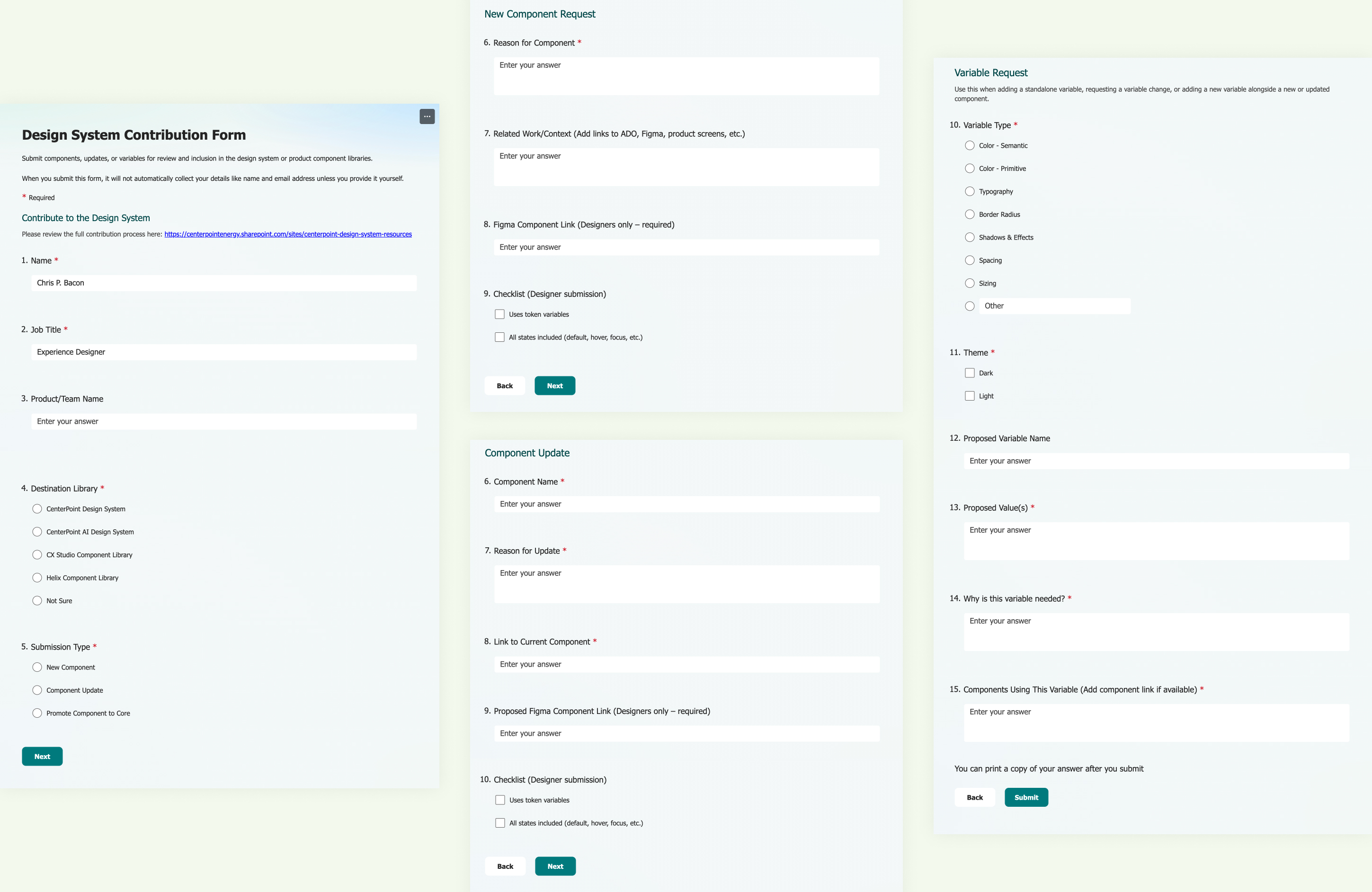
I created a contribution process and guidelines, and a Microsoft Form for submitting new component or token requests, changes to existing ones, and promotions to core.

Adoption

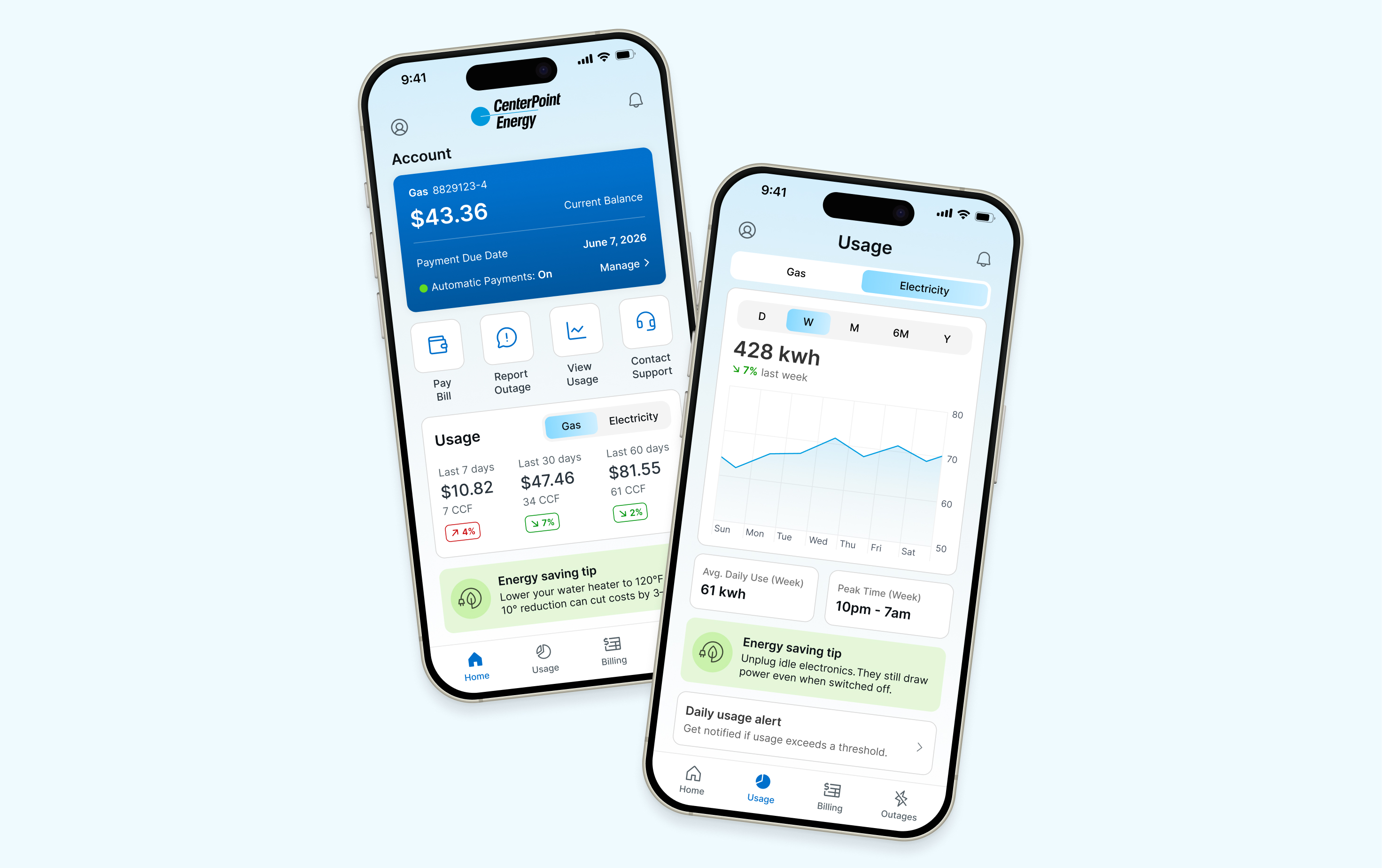
I worked with designers on their timelines for adoption. The design system has been adopted and resurfaced across several products, with more in the pipeline. I set up recurring meetings with each product team’s designers to ensure consistent usage and keep refining the system to suit their ongoing needs.